Document Automation Typeform Adobe Sign Make.com

Automate Document Signing from Form Submissions

Transform Typeform responses into legally binding Adobe Sign agreements automatically

Get This Workflow → Make.com · Free Template
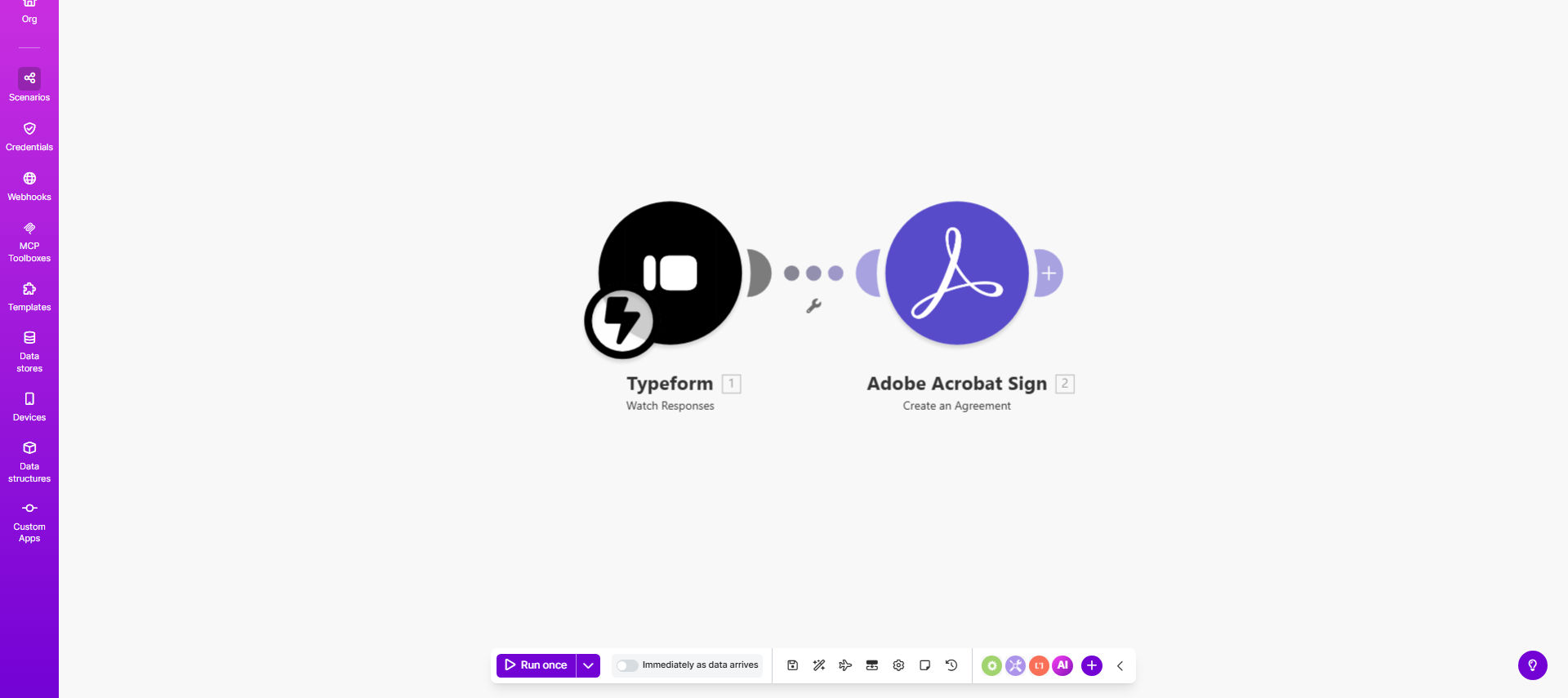
Typeform to Adobe Sign workflow diagram showing form submission triggering document creation

What This Workflow Does

This automation eliminates the manual process of creating and sending documents for signature after receiving form submissions. When someone completes your Typeform, the workflow automatically generates a corresponding agreement in Adobe Sign and sends it to the specified recipients.

Businesses using this solution typically see an 80% reduction in document processing time and eliminate common errors like sending wrong document versions or forgetting to follow up with signers. The system works particularly well for service contracts, liability waivers, employment agreements, and client onboarding documents.

How It Works

1. Form Submission Trigger

The workflow monitors your Typeform for new responses. When someone submits the form, the automation immediately captures all response data including email addresses and any custom fields you've configured.

2. Document Preparation

Using your pre-configured Adobe Sign template, the system populates the agreement with data from the form submission. This can include names, dates, service details, and any other relevant information collected in the form.

3. Signature Request

The completed document is automatically sent to all required signers via Adobe Sign's secure platform. The workflow specifies signing order if multiple signatures are required and applies your branding to the signing experience.

4. Status Tracking

The system monitors the signing progress and can trigger follow-up reminders if documents aren't completed within your specified timeframe. Completed documents are automatically stored in your preferred cloud storage.

Who This Is For

This automation delivers the most value for businesses that regularly process signed documents from customer or employee forms. Ideal use cases include:

  • Service businesses sending contracts to new clients
  • HR departments onboarding employees with signed agreements
  • Educational institutions processing student waivers and consent forms
  • Healthcare providers collecting patient acknowledgments
  • Real estate agencies managing lease agreements

Pro tip: Configure your Typeform to collect not just email addresses but also phone numbers. This allows the workflow to send SMS reminders for critical documents that need urgent signing.

What You'll Need

  1. A Typeform account with at least one active form
  2. An Adobe Sign subscription or trial account
  3. A Make.com account (free tier available)
  4. Your document template prepared in Adobe Sign
  5. Email addresses collected in your Typeform (required field)

Key Benefits

Faster turnaround times: Documents reach signers within minutes of form submission rather than hours or days of manual processing.

Reduced errors: Automated population of document fields eliminates mistakes from manual data entry.

Improved compliance: Every signed document includes a complete audit trail meeting legal requirements.

Better visibility: Real-time tracking lets you monitor signing status without chasing signers via email.

Scalable operations: Process hundreds of documents with the same efficiency as handling just a few.

Frequently Asked Questions

Common questions about document signing automation

Automating document signing eliminates manual sending and tracking of contracts. Businesses report 80% faster completion rates when using automated workflows compared to email-based signing processes.

The system automatically routes documents to signers and tracks completion status without human intervention. Administrative staff save 5-10 hours per week typically spent preparing documents and following up on signatures.

This workflow excels with contracts, waivers, NDAs, service agreements, and approval forms. Any document requiring signatures from form respondents benefits from this automation.

Complex documents with multiple signers can be configured with conditional routing. For example, employee contracts might route to HR first, then the employee, then payroll - all automatically sequenced based on the form responses.

Adobe Sign provides enterprise-grade security with audit trails, encryption, and compliance certifications. The automation maintains all security protocols while streamlining the initiation process.

Each signed document includes a verifiable certificate of completion. Sensitive data from Typeform is transmitted securely between systems using encrypted connections.

Yes, the workflow can dynamically populate agreement templates with data from Typeform responses. Fields like names, dates, and terms can be automatically inserted into the document before sending for signatures.

Advanced configurations can even select different template versions based on form answers. For example, different service contracts for different service tiers selected in the form.

The workflow can be configured to send automatic reminders at specified intervals. After a set number of reminders, you can trigger escalation workflows to notify managers or switch to alternate signers.

Typical configurations include reminders at 24 hours, 72 hours, and 1 week, with the option to automatically cancel or revise agreements that go unsigned beyond your policy timeframe.

Automated signing reduces processing time from days to hours, decreases human error in document preparation, and provides real-time tracking. Businesses typically see a 60-75% reduction in administrative overhead for document workflows.

Unlike manual processes where documents get lost in email inboxes, the automated system provides a clear chain of custody and eliminates version control issues from multiple document revisions.

Absolutely. GrowwStacks specializes in building tailored document automation solutions that integrate with your existing systems. We can create custom workflows for complex approval chains, conditional document routing, and enterprise security requirements.

Our team will analyze your specific document processes and design an automation solution that matches your business rules, compliance needs, and integration requirements with other systems like your CRM or HR software.

Need a Custom Document Signing Automation?

This free template is a starting point. Our team builds fully tailored automation systems for your specific business needs.