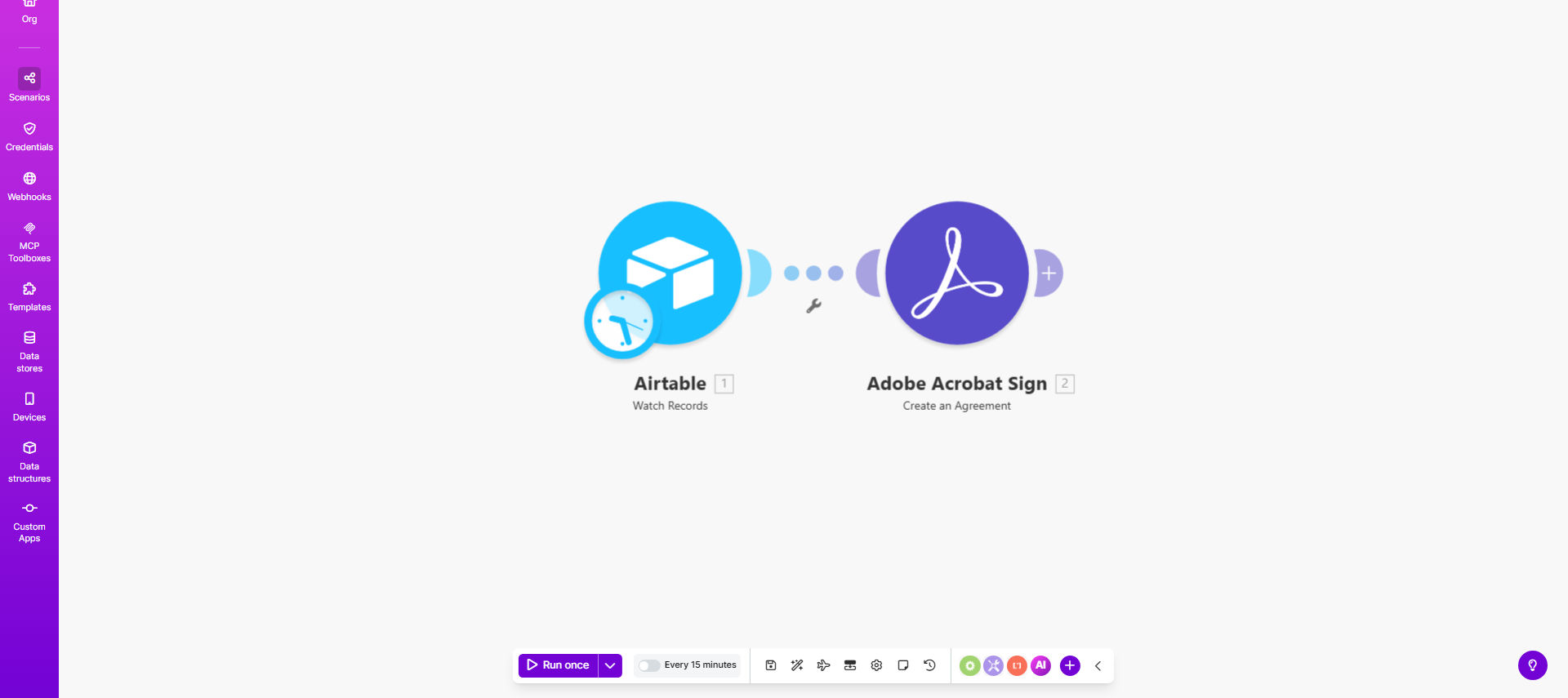
What This Workflow Does
This automation solves the tedious process of manually creating and sending documents for signature every time you add a new client, partner, or employee to your Airtable base. The template monitors your specified Airtable table for new records, then automatically generates corresponding agreements in Adobe Sign using the contact information from those records.
By connecting these two systems, you eliminate hours of administrative work while ensuring no agreements fall through the cracks. The workflow handles the entire process from document creation through sending for signature, tracking completion, and storing the executed agreements - all without manual intervention.
How It Works
1. Scheduled Airtable Checks
The workflow runs at regular intervals (configurable from 5 minutes to 24 hours) to check your specified Airtable base for new records that haven't yet been processed.
2. Data Extraction
For each new record found, the template extracts the predefined fields (Name, Signer email, Created Time) and prepares this data for document generation.
3. Agreement Creation
The system creates a new agreement in Adobe Sign using your predefined template, automatically populating it with the extracted Airtable data.
4. Signature Request
Adobe Sign sends the completed document to the specified recipient(s) with your branding and automated reminders if needed.
5. Status Tracking
The workflow can optionally update your Airtable record with the agreement status (sent, viewed, signed) and store the final signed document.
Pro tip: Add a "Document Type" field in Airtable to trigger different Adobe Sign templates based on the agreement needed.
Who This Is For
This automation delivers the most value for businesses that regularly send standardized agreements to contacts stored in Airtable. Ideal use cases include:
- HR teams onboarding new employees
- Legal firms processing client contracts
- Real estate agencies handling lease agreements
- Healthcare providers managing patient consent forms
- SaaS companies requiring customer terms acceptance
What You'll Need
- An Airtable base with at minimum these columns: Name, Signer (email), Created Time
- Adobe Sign account with template creation privileges
- Make.com account (free plan sufficient for basic usage)
- API connections configured between Make.com and both Airtable/Adobe Sign
Quick Setup Guide
- Copy this template to your Make.com account
- Connect your Airtable account and select the base/table to monitor
- Connect your Adobe Sign account and select/create your agreement template
- Map the Airtable fields to corresponding Adobe Sign template fields
- Set your preferred scheduling frequency
- Turn on the scenario and test with a new Airtable record
Key Benefits
Reduce administrative workload by 80% by eliminating manual document preparation and sending. What used to take hours now happens automatically in the background.
Improve compliance tracking with automated audit trails showing exactly when each agreement was sent, viewed, and signed.
Accelerate business processes by reducing signature collection time from days to hours. No more chasing signed documents.
Eliminate human error in document preparation. Every agreement is generated consistently with accurate data from Airtable.
Scale your operations without adding staff. The system handles 10 or 10,000 agreements with equal efficiency.