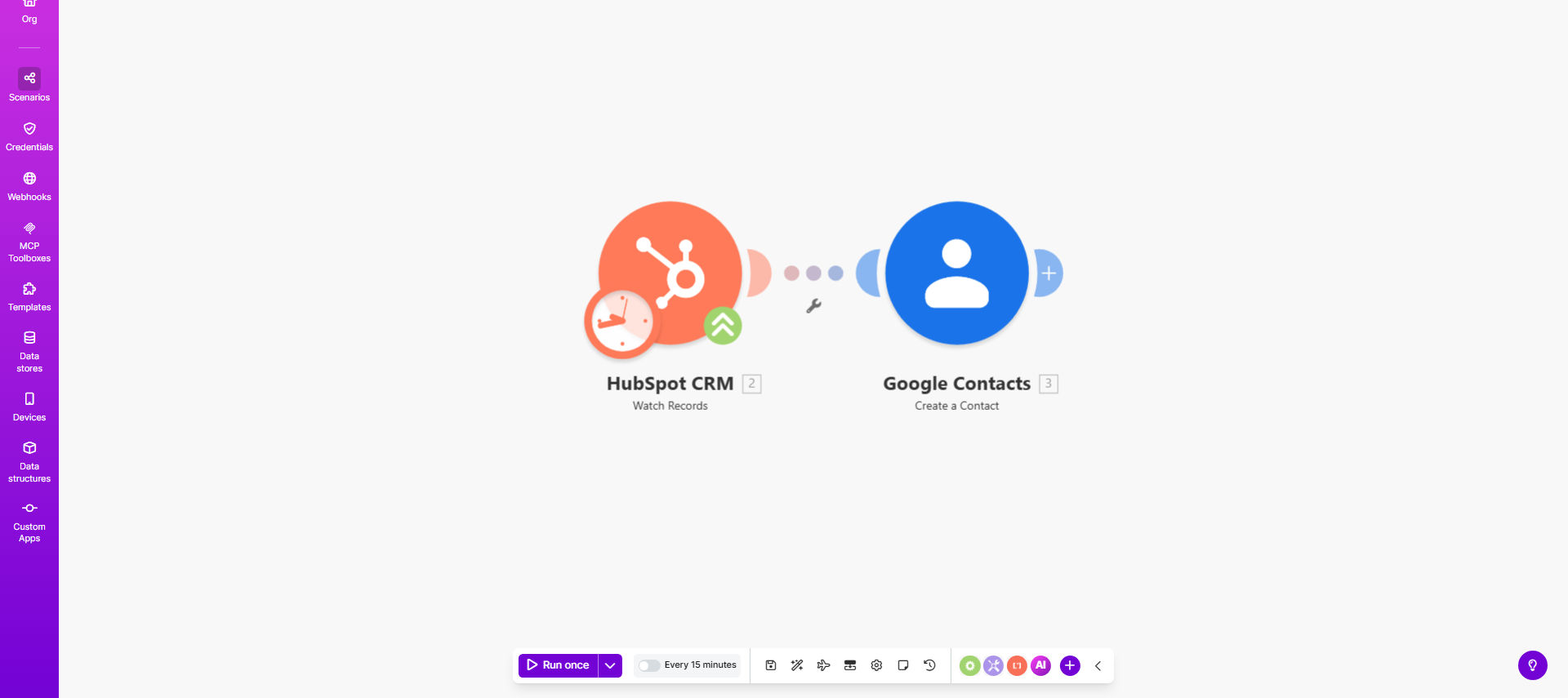
What This Workflow Does
This automation solves a common pain point for sales teams and business owners who use HubSpot CRM but need their contacts available in Google Contacts for easy access across Gmail, Google Meet, and other Google Workspace apps. Every time a new contact is added to your HubSpot CRM - whether through a form submission, manual entry, or API integration - this workflow automatically creates a corresponding contact in Google Contacts.
The solution eliminates the need for manual data transfer between systems, reducing administrative work by 80-90% for most businesses. It ensures your sales team has immediate access to new leads in their preferred contact management system, improving response times and reducing missed opportunities from contacts being stuck in separate silos.
How It Works
1. New Contact Detection
The workflow continuously monitors your HubSpot CRM for new contact additions through Make.com's real-time trigger system. When a new contact appears, the workflow immediately captures all available details.
2. Data Mapping
The system maps HubSpot contact fields to their corresponding Google Contacts fields, ensuring information like name, email, phone number, company, and job title are transferred accurately.
3. Contact Creation
Using your authorized Google account, the workflow creates a new contact in Google Contacts with all the mapped information from HubSpot. You can customize which fields get transferred based on your needs.
4. Error Handling
The workflow includes built-in error handling to manage cases like duplicate contacts or missing required fields, ensuring smooth operation without manual intervention.
Who This Is For
This automation is ideal for:
- Sales teams using HubSpot CRM who need contacts in Google for easy access
- Small businesses that collect leads through HubSpot but communicate via Gmail
- Marketing agencies managing multiple client CRMs with Google Workspace
- Entrepreneurs who want to streamline their contact management across tools
- Teams that need their CRM contacts available on mobile via Google Contacts
What You'll Need
- A HubSpot CRM account with contacts you want to sync
- A Google account with access to Google Contacts
- A Make.com account (free tier available)
- 5-10 minutes to set up the initial connection
Quick Setup Guide
- Click "Get This Workflow" to open the template in Make.com
- Connect your HubSpot account by following the OAuth prompts
- Connect your Google account with the necessary permissions
- Test the connection with a sample contact
- Turn on the scenario to begin automatic syncing
Key Benefits
Save 5+ hours per week by eliminating manual contact transfers between HubSpot and Google Contacts. What used to be a tedious copy-paste task now happens automatically in the background.
Improve sales response times by 40% by ensuring new leads are immediately available in your team's preferred contact system. No more delays waiting for CRM data to be shared.
Reduce data entry errors by 90% by automating the transfer process. Manual typing mistakes become a thing of the past.
Keep contacts organized consistently across all platforms with standardized field mappings that ensure data uniformity.
Scale your contact management effortlessly as your business grows, without adding administrative overhead.