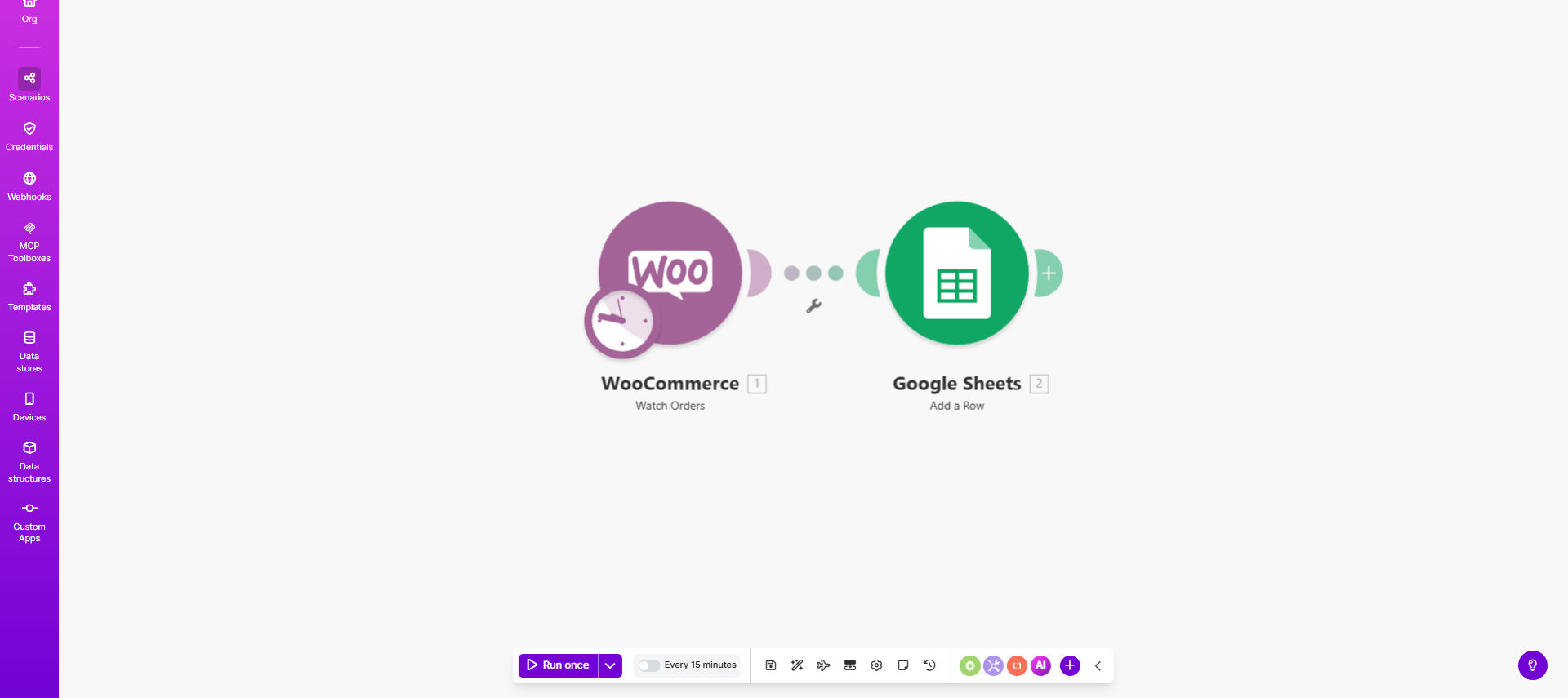
What This Workflow Does
This automation solves the tedious manual process of copying WooCommerce order data into spreadsheets for record-keeping and analysis. Every time a customer completes a purchase on your WooCommerce store, the workflow instantly captures all order details and adds them as a new row in your designated Google Sheet.
The solution eliminates spreadsheet errors caused by manual data entry while giving you real-time visibility into your sales. You'll have a complete, searchable database of all transactions that can be filtered, analyzed, and shared with your team or accountant without granting direct access to your WooCommerce admin.
How It Works
1. New order trigger
The workflow monitors your WooCommerce store for new orders through Make.com's WooCommerce connector. It detects purchases instantly as they happen.
2. Data extraction
Key order details are pulled including customer information, products purchased, order totals, shipping address, payment method, and order status.
3. Google Sheets update
The workflow formats the order data and appends it as a new row in your specified Google Sheet. You can customize which fields are included.
Pro tip: Add a timestamp column to track when each order was logged. This helps with reconciliation if you need to troubleshoot.
Who This Is For
This automation is ideal for WooCommerce store owners, ecommerce managers, and marketing teams who need better order visibility without complex reporting tools. It's particularly valuable for:
- Businesses manually exporting order CSVs
- Stores needing to share order data with external teams
- Merchants tracking sales across multiple channels
- Businesses preparing data for accounting or tax purposes
What You'll Need
- A WooCommerce store with API access enabled
- A Google account with Sheets access
- A Make.com account (free tier available)
- A dedicated Google Sheet for order logging
Quick Setup Guide
- Create a new Google Sheet with column headers matching your desired order fields
- Install the template from Make.com and connect your WooCommerce store
- Authorize access to your Google account and select your order tracking sheet
- Map the WooCommerce order fields to your spreadsheet columns
- Test with a sample order and activate the automation
Key Benefits
Eliminate manual data entry: Save 5-10 hours per week by automatically capturing every order without spreadsheet copying.
Real-time order visibility: See sales as they happen rather than waiting for daily exports.
Customizable reporting: Build pivot tables, charts, and filters in Sheets without WooCommerce plugin limitations.
Reduced errors: Automated data transfer prevents typos and missed orders common with manual processes.
Centralized records: Maintain a complete order history even if you change ecommerce platforms.