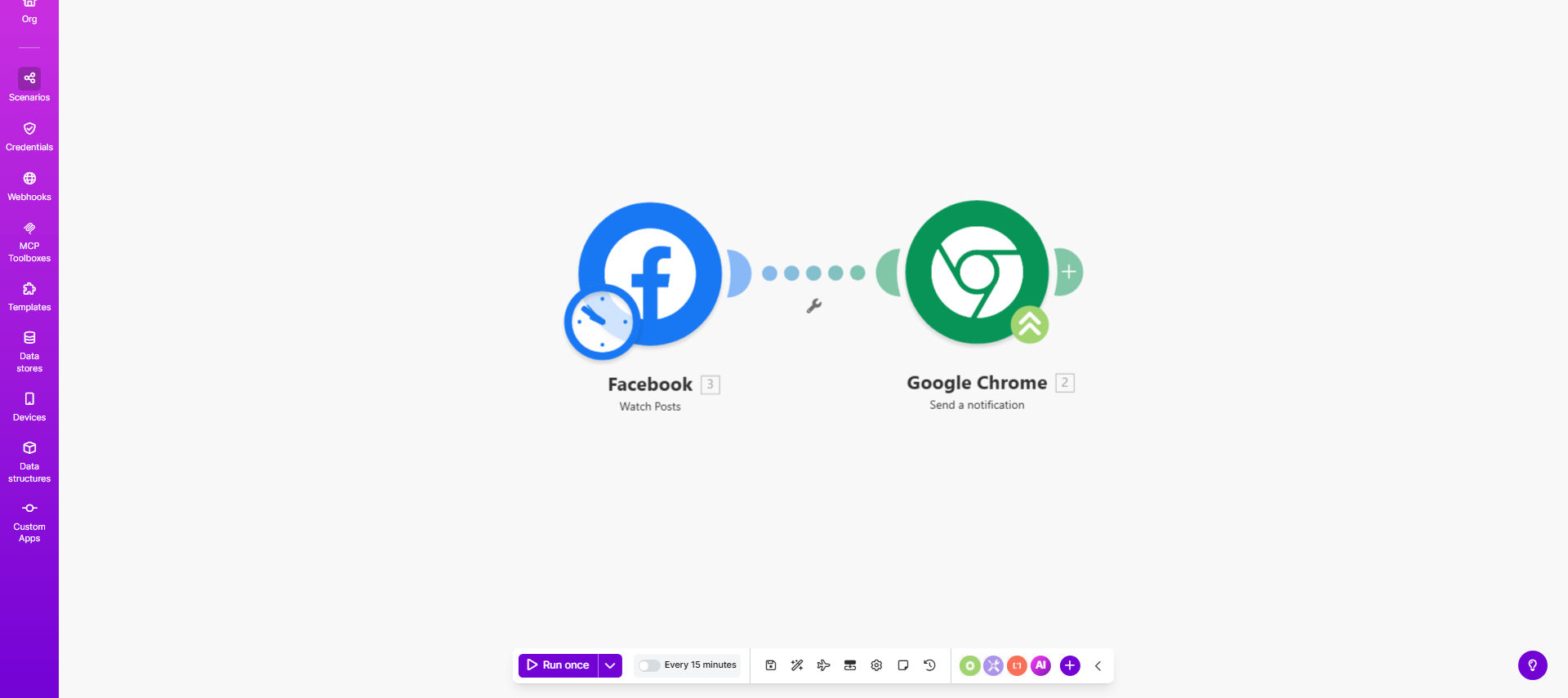
What This Workflow Does
This automation solves the problem of constantly checking Facebook pages for updates. Social media managers, marketers, and customer support teams often waste hours manually monitoring pages for new posts, risking delayed responses to important announcements.
The workflow automatically detects new Facebook posts from specified pages and sends instant push notifications to your Google Chrome browser. Unlike email alerts that get buried in inboxes or mobile notifications that may be muted, Chrome desktop notifications ensure critical updates get your immediate attention.
How It Works
1. Facebook Page Monitoring
The system regularly checks Facebook's API for new posts from your configured pages. You can monitor multiple pages simultaneously while filtering for specific post types or keywords.
2. New Post Detection
When the workflow identifies new content, it extracts key details including post text, images, links, and timestamps. This data gets formatted for the notification while preserving all important context.
3. Chrome Notification Trigger
Make.com sends the formatted post data to Chrome's notification system. The notification appears on your desktop with customizable content - you can choose to show just an alert or include post previews.
Pro tip: Configure different notification sounds for different page types (e.g., urgent alerts for customer complaints vs. standard tones for marketing posts).
Who This Is For
This automation delivers maximum value for:
- Social media managers tracking competitor activity
- Customer support teams monitoring complaint pages
- Marketing agencies managing multiple client accounts
- Community managers overseeing engagement
- Executives needing real-time updates from official channels
What You'll Need
- A Make.com account (free tier available)
- Google Chrome installed on your work computer
- Admin access to the Facebook pages you want to monitor
- Basic understanding of Facebook's page settings
Quick Setup Guide
- Import the template to your Make.com account
- Connect your Facebook developer credentials
- Specify which pages to monitor
- Configure notification preferences (sound, duration, content)
- Test with a sample post
- Activate the scenario
Key Benefits
Save 5+ hours weekly by eliminating manual Facebook checks while ensuring faster response times to important posts.
Reduce missed opportunities with 100% notification delivery for critical updates compared to Facebook's unreliable organic reach.
Customizable alert levels let you prioritize notifications based on post type, keywords, or page importance.
Multi-device readiness - while optimized for Chrome desktop, the workflow can be extended to mobile and team communication platforms.