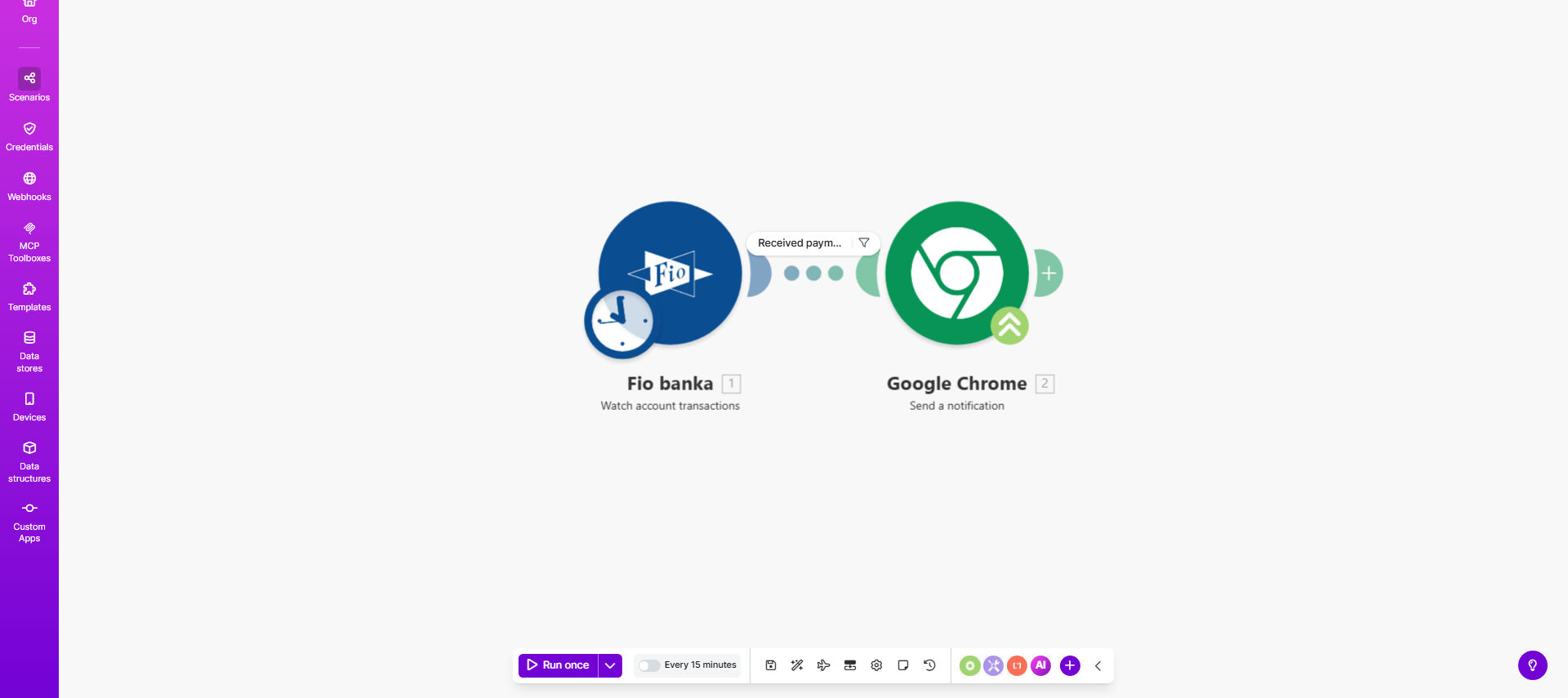
What This Workflow Does
This automation solves the problem of constantly checking your Fio banka account for incoming payments. Many businesses waste hours each week manually logging into banking portals to verify if clients or customers have paid. With this Make.com template, you'll receive instant Chrome browser push notifications the moment any payment hits your account.
The workflow connects to Fio banka's API to monitor transaction activity, then triggers desktop notifications through Google Chrome's push notification system. Unlike email alerts that can get buried in your inbox, these notifications appear prominently on your screen with optional sound alerts, ensuring you never miss an important payment.
How It Works
1. Payment Detection
The scenario periodically checks your Fio banka account via API for new transactions at intervals you configure (default: every 5 minutes). It compares incoming transactions against previously recorded ones to identify new payments.
2. Data Processing
For each new payment, the workflow extracts key details like amount, sender information, payment reference, and timestamp. This data is formatted for clear notification display.
3. Notification Delivery
Using Chrome's push notification API, the system sends a desktop alert with payment details directly to your browser. Notifications appear even when Chrome is minimized or in the background.
Pro tip: Customize notification content to show only the most relevant payment details for your workflow, like client names or invoice references.
Who This Is For
This automation is ideal for:
- Freelancers and consultants who need immediate payment confirmation from clients
- Ecommerce stores accepting bank transfers as payment method
- Property managers tracking rental payments from tenants
- Small businesses using Fio banka for B2B transactions
- Accounting teams needing real-time payment visibility
What You'll Need
- An active Fio banka business account with API access enabled
- Make.com account (free tier sufficient for basic usage)
- Google Chrome browser installed on at least one device
- Basic understanding of webhook configuration (guided setup provided)
Quick Setup Guide
- Clone the template from Make.com to your account
- Connect your Fio banka API credentials in the designated module
- Configure your Chrome notification settings in the webhook section
- Set your preferred polling frequency (5-60 minute intervals recommended)
- Test with a small transaction to verify notification delivery
Key Benefits
Eliminate manual account checking - Save 2-5 hours per week typically spent logging into banking portals to verify payments.
Faster client follow-ups - Immediately acknowledge payments or chase missing ones with real-time alerts showing exact payment times.
Improved cash flow visibility - Maintain better financial oversight without spreadsheet tracking or reconciliation delays.
No missed payments - Browser notifications with sound alerts ensure you never overlook incoming funds like with email alerts.
Customizable details - Show only relevant payment information like client names or invoice references in notifications.