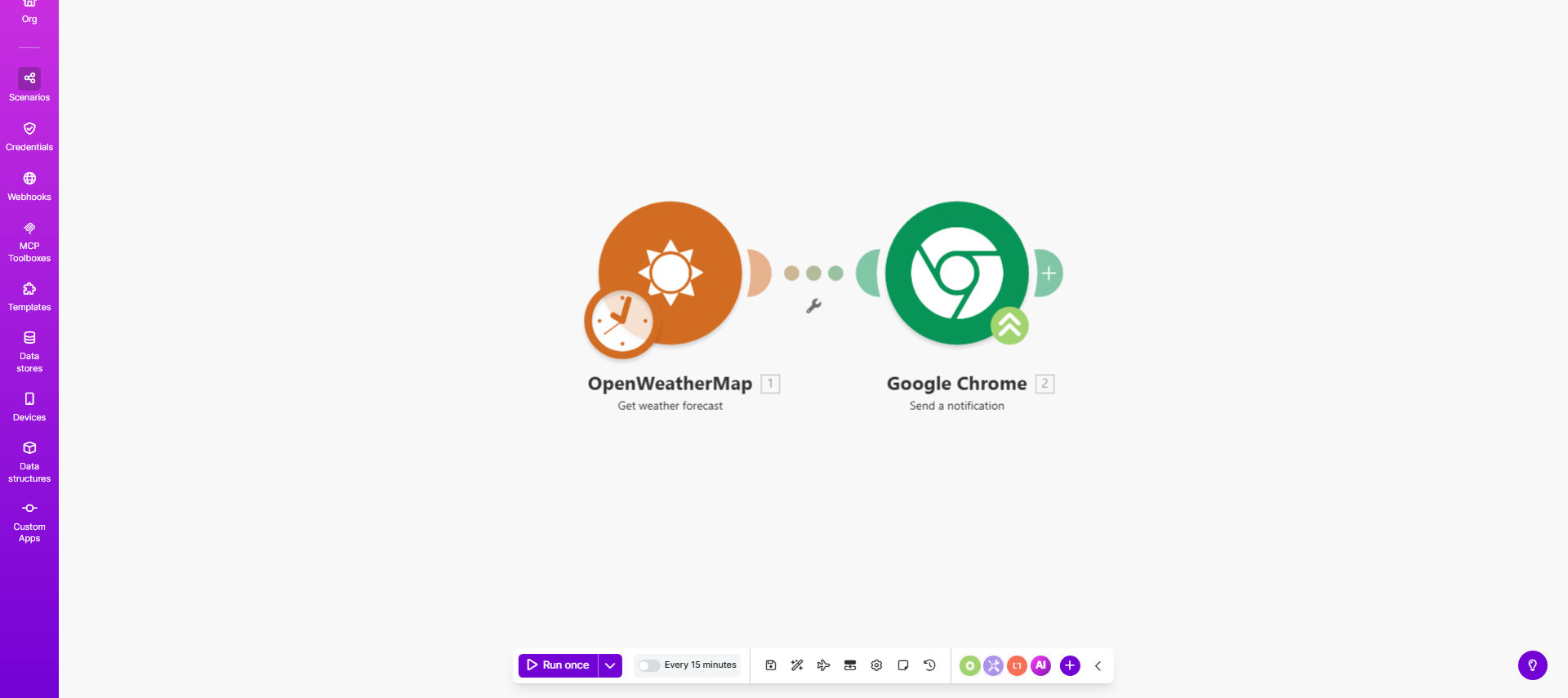
What This Workflow Does
This automation solves the problem of manually checking weather forecasts by delivering tomorrow's weather conditions directly to your Chrome browser as notifications. It connects OpenWeatherMap's reliable forecast data with Chrome's notification system, providing timely updates without any manual effort.
For businesses, this means automatic alerts about conditions that might affect operations, logistics, or outdoor events. The template can be customized to include specific weather parameters like precipitation chances, wind speeds, or temperature thresholds that matter most to your activities.
How It Works
1. Data Fetching
The workflow retrieves tomorrow's forecast from OpenWeatherMap's API at scheduled intervals, typically once every 3-6 hours for optimal accuracy.
2. Data Processing
It extracts key metrics like temperature ranges, precipitation probability, wind conditions, and weather descriptions from the API response.
3. Notification Formatting
The system formats this data into clear, actionable notifications with optional severity indicators for extreme conditions.
4. Chrome Delivery
Notifications are pushed to your Chrome browser, appearing even when the browser is minimized, ensuring you never miss critical weather updates.
Pro tip: Configure temperature thresholds to get special alerts when conditions might require action, like frost warnings for agriculture or heat advisories for outdoor workers.
Who This Is For
This automation benefits anyone who needs reliable weather updates without manual checking. Ideal users include:
- Event planners managing outdoor activities
- Construction and landscaping businesses
- Agricultural operations monitoring field conditions
- Travel and tourism companies
- Individuals planning daily commutes or outdoor exercise
What You'll Need
- A Make.com account (free tier available)
- OpenWeatherMap API key (free tier available)
- Google Chrome browser on your desktop or laptop
- Location coordinates for your weather monitoring
Quick Setup Guide
- Get the template from Make.com and open it in your account
- Connect your OpenWeatherMap account and enter your API key
- Configure your location(s) and weather parameters
- Set your preferred notification schedule (recommended: 6AM daily)
- Test the workflow and adjust notification content as needed
Key Benefits
Time savings: Eliminates daily manual weather checks, saving 5-10 minutes per day that adds up over time.
Proactive planning: Get advance notice of conditions affecting your schedule or operations.
Customizable alerts: Focus only on the weather factors that matter most to your activities.
Reliable delivery: Chrome notifications ensure visibility even when you're not actively monitoring weather sources.