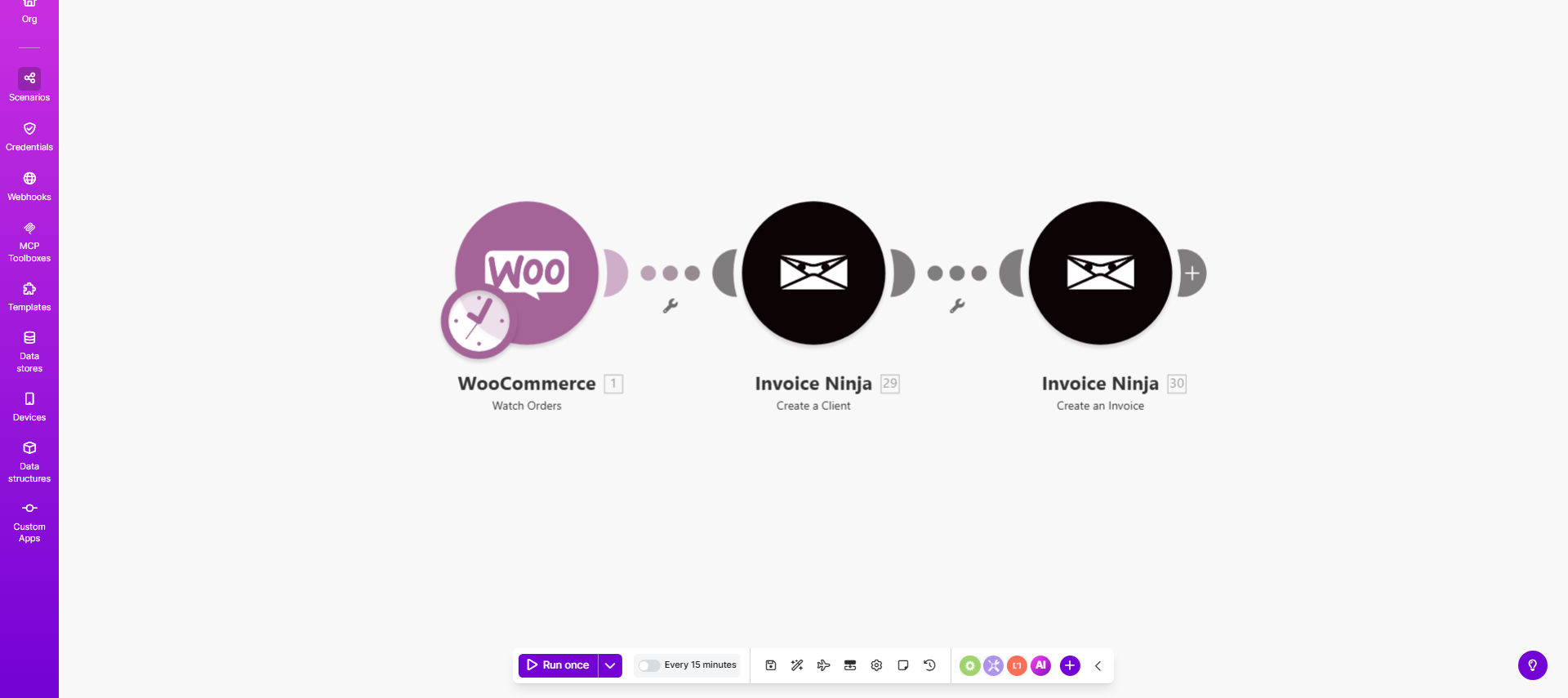
What This Workflow Does
This automation eliminates the tedious manual process of creating invoices for WooCommerce orders by instantly generating professional invoices in Invoice Ninja. Every time a customer places an order on your WooCommerce store, Make.com automatically captures the order details and creates a corresponding invoice with all relevant information - customer details, products purchased, quantities, prices, taxes, and totals.
The workflow ensures your accounting records stay perfectly synchronized with your sales without any manual data entry. It handles the entire process from order confirmation to invoice generation in seconds, reducing administrative overhead and minimizing errors that commonly occur with manual invoice creation.
How It Works
1. New WooCommerce order trigger
The workflow starts when Make.com detects a new order in your WooCommerce store. It immediately retrieves all order details including customer information, products, pricing, and payment status.
2. Data formatting and preparation
The system organizes the raw order data into the structure Invoice Ninja requires, mapping WooCommerce fields to corresponding invoice fields. This includes calculating totals, applying tax rules, and formatting customer addresses.
3. Invoice creation in Invoice Ninja
Make.com connects to your Invoice Ninja account via API and creates a new invoice with all the formatted data. The invoice includes your branding, payment terms, and any custom fields you've configured.
4. Success confirmation
The system verifies the invoice was successfully created and can optionally notify your team or send the invoice directly to the customer based on your preferences.
Pro tip: Add a step to automatically email invoices to customers by enabling Invoice Ninja's notification settings. This completes the order-to-invoice-to-customer communication cycle without any manual intervention.
Who This Is For
This automation is ideal for WooCommerce store owners who use Invoice Ninja for accounting and want to streamline their order-to-invoice process. It's particularly valuable for:
- Ecommerce businesses processing 10+ orders daily
- Stores with complex products or variable pricing
- Businesses that need to maintain accurate accounting records
- Teams looking to reduce administrative tasks and manual errors
- Companies that want to provide professional invoices automatically
What You'll Need
- A WooCommerce store with API access enabled
- An Invoice Ninja account (cloud or self-hosted version)
- A Make.com account (free plan works for basic implementation)
- Admin access to connect these services via API
- Basic understanding of your invoice requirements (tax rules, payment terms, etc.)
Quick Setup Guide
- Install the template in your Make.com account
- Connect your WooCommerce store by entering your API credentials
- Connect your Invoice Ninja account using your API key
- Map the WooCommerce fields to corresponding Invoice Ninja fields
- Test with a real order to verify the invoice creates correctly
- Activate the scenario to run automatically for new orders
Key Benefits
Save 10-15 minutes per order by eliminating manual invoice creation. What used to take your team quarter-hour per order now happens automatically in seconds.
Reduce accounting errors by 90% compared to manual data entry. Automated field mapping ensures perfect consistency between orders and invoices.
Improve cash flow with faster invoice delivery. Customers receive professional invoices immediately after ordering, often resulting in quicker payments.
Maintain brand consistency with automatically generated invoices that use your logo, colors, and preferred layout.
Scale effortlessly as your order volume grows. The automation handles 10 orders or 10,000 orders with equal reliability.