Make.com Knack Slack Notifications Automation

Send Slack Messages for New Knack Records

Get instant team alerts whenever new data enters your Knack database

Get This Workflow → Make.com · Knack · Free Template
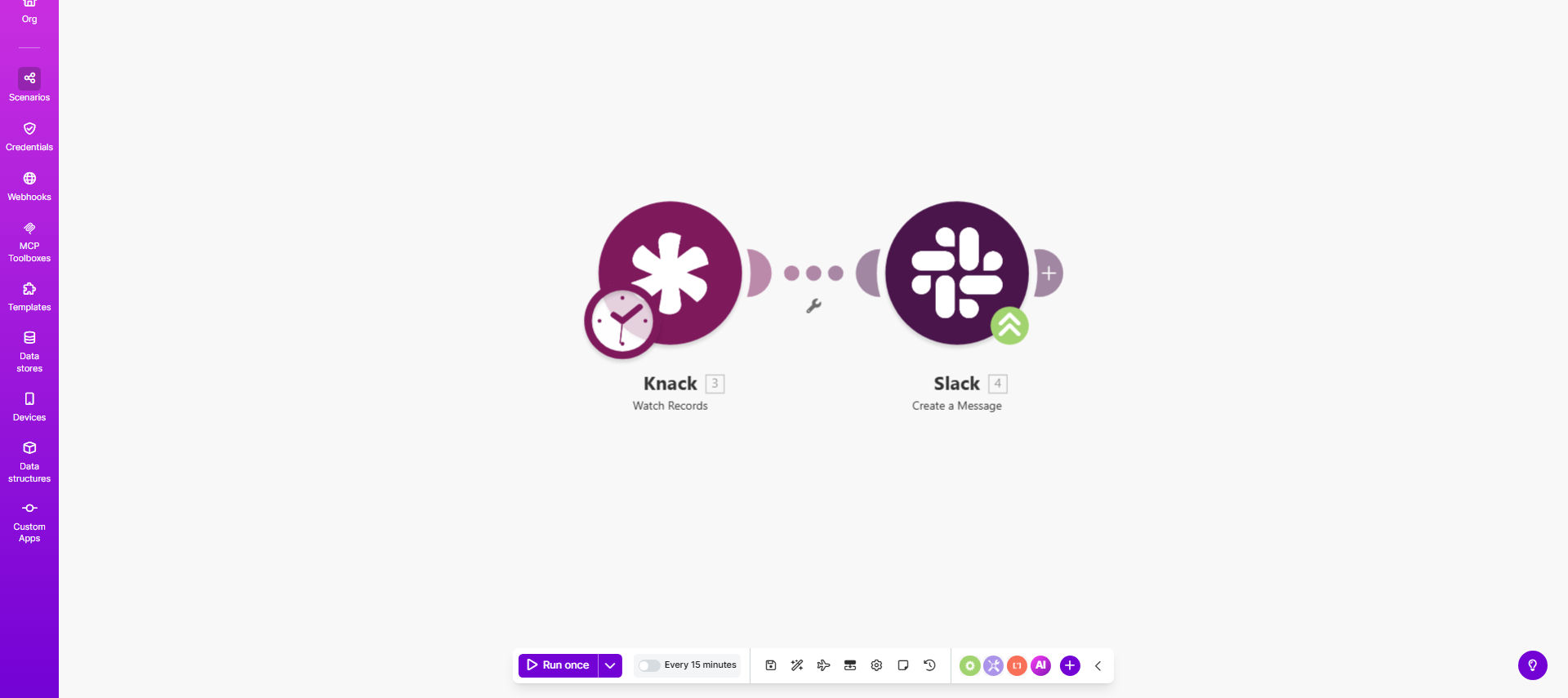
Make.com workflow diagram showing Knack to Slack integration

What This Workflow Does

This automation solves the challenge of delayed team awareness when new records enter your Knack database. Whether you're tracking customer inquiries, support tickets, inventory changes, or form submissions, manually checking Knack for updates creates workflow bottlenecks and response delays.

The Make.com template creates a real-time bridge between Knack and Slack. Whenever a new record appears in your specified Knack object, the workflow automatically formats a notification with relevant details and posts it to your chosen Slack channel. This ensures your team can act immediately on new information without constantly refreshing Knack views.

How It Works

1. Trigger: New Knack Record Detection

The workflow continuously monitors your Knack database for new entries using scheduled API checks. When Make.com detects a new record in your specified Knack object, it immediately captures all available field data.

2. Data Processing & Filtering

Optional filters let you specify which records should trigger notifications based on field values. You can exclude certain record types, require specific field completion, or only alert for high-priority entries.

3. Slack Message Composition

The workflow constructs a detailed Slack message using a template you customize. You can include any Knack field values, format text with markdown, and add emoji reactions for visual scanning.

4. Channel Delivery

The completed message posts to your designated Slack channel, optionally tagging specific team members or user groups. The workflow can route different record types to separate channels based on your rules.

Pro tip: Add a direct link back to the Knack record in your Slack messages so team members can click through to view complete details without searching.

Who This Is For

This automation delivers the most value for teams that:

  • Use Knack as a customer portal, support system, or internal database
  • Need immediate awareness of new submissions or data changes
  • Have distributed teams relying on Slack for real-time collaboration
  • Manage time-sensitive processes like customer onboarding or issue resolution
  • Want to reduce manual data monitoring tasks for staff

What You'll Need

  1. A Make.com account (free tier available)
  2. Admin access to your Knack application
  3. API keys for Knack with appropriate object permissions
  4. A Slack workspace with permission to create incoming webhooks
  5. The specific Knack object(s) you want to monitor identified

Quick Setup Guide

  1. Clone the template in your Make.com account
  2. Connect your Knack account using API credentials
  3. Specify the Knack object to monitor for new records
  4. Set up your Slack connection via incoming webhook
  5. Customize the message template with relevant Knack fields
  6. Test with sample data to verify the notification format
  7. Activate the scenario and monitor initial executions

Key Benefits

Eliminate manual checking: Save 5-15 minutes per staff member daily that would be spent refreshing Knack views looking for new entries.

Faster response times: Reduce customer inquiry response times by 80%+ with instant team alerts about new submissions.

Reduced missed items: Critical records never slip through the cracks with systematic notification routing.

Customizable alerts: Tailor notifications by record type, priority level, or department for targeted awareness.

Audit trail: Slack messages create a secondary record of when items entered your system.

Frequently Asked Questions

Common questions about Knack to Slack automation and integration

Automating Knack to Slack notifications ensures your team gets instant alerts about new records without manual checking. This eliminates delays in responding to new submissions, customer inquiries, or data entries while reducing the risk of missed updates in busy workflows.

For example, a property management company using Knack for maintenance requests saw 90% faster response times after implementing Slack alerts, with technicians dispatched an average of 22 minutes sooner after request submission.

You can configure the automation for any Knack object type - new customer submissions, support tickets, inventory updates, or form entries. The workflow can filter specific record types or fields to create targeted alerts for different teams or channels.

A common setup involves routing high-priority customer issues to a #urgent-support channel while sending standard inquiries to a general #customer-service channel, all based on priority fields in Knack.

Notifications typically appear in Slack within 5-15 seconds of record creation in Knack. Make.com polls Knack's API at regular intervals, with near real-time alerting when configured with webhook triggers for maximum speed.

For time-sensitive processes, you can optimize the check frequency in Make.com's scenario settings, balancing performance with API rate limits from Knack.

Yes, the workflow lets you include specific Knack field values in Slack messages. You can show customer names, submission details, priority levels, or direct links to the Knack record - helping teams understand context immediately.

Advanced formatting options include:

  • Conditional emoji based on record status
  • Collapsible sections for detailed data
  • Interactive buttons linking back to Knack
  • Department-specific message templates

Make.com provides advanced customization like conditional alerts, multi-step workflows, and data transformations. Unlike basic native integrations, you can route different record types to specific channels, format rich messages, or trigger follow-up actions based on Knack data.

A marketing agency uses this to not only alert their team about new lead forms but also automatically check for duplicate entries, enrich with CRM data, and assign follow-up tasks - all impossible with direct integrations.

The workflow includes error handling and retry logic for maximum reliability. Make.com provides logging and alerting if issues occur, while Knack's robust API ensures consistent data access. For critical systems, you can add backup notification channels.

Best practices for mission-critical setups:

  • Configure Make.com error notifications
  • Set up secondary SMS alerts for failures
  • Monitor scenario execution history weekly
  • Test with dummy data during maintenance

Absolutely. Our team at GrowwStacks specializes in building tailored Knack automation solutions. We can create custom workflows with advanced filtering, multi-channel routing, approval steps, or integration with other tools in your stack beyond this template's capabilities.

Recent custom implementations include:

  • Automated ticket triaging with AI priority scoring
  • Multi-level approval workflows for sensitive records
  • Bi-directional syncs between Knack and CRMs
  • Escalation paths for unanswered notifications

Need a Custom Knack-Slack Automation?

This free template is a starting point. Our team builds fully tailored automation systems for your specific business needs.