Make.com Knack Google Sheets Data Sync Automation

Save new Knack records to a Google Sheets spreadsheet

Automatically sync your Knack database with Google Sheets - no manual exports needed

Get This Workflow Make.com · Knack · Free Template
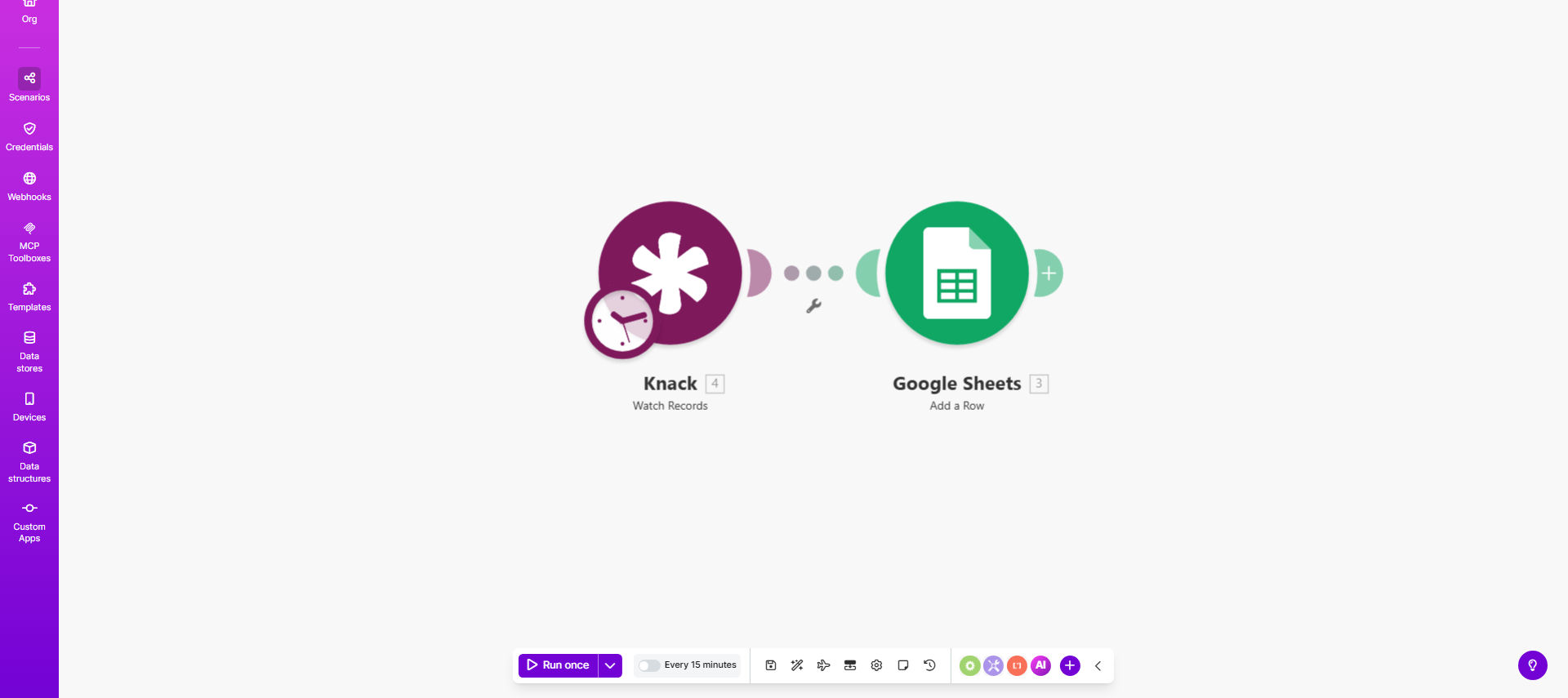
Knack to Google Sheets automation workflow diagram

What This Workflow Does

This automation solves the common problem of maintaining parallel records between your Knack database and Google Sheets spreadsheets. Many businesses need their Knack data available in spreadsheet format for analysis, reporting, or sharing with team members who don't have Knack access.

The workflow automatically detects when new records are created in your Knack application and immediately adds them to your designated Google Sheet. This eliminates hours of manual data entry while ensuring your spreadsheet always reflects the current state of your Knack database.

How It Works

1. New record trigger

The workflow constantly monitors your Knack application for new record creations. When a record is added to your specified Knack table, the automation is triggered.

2. Data extraction

Make.com retrieves all field values from the new Knack record, including any related data from connected tables according to your configuration.

3. Spreadsheet update

The system adds a new row to your Google Sheet with all the extracted data fields properly mapped to your spreadsheet columns.

4. Error handling

The workflow includes basic error handling to notify you if the sync fails, ensuring data integrity between systems.

Who This Is For

This template is ideal for Knack users who need to:

  • Create spreadsheet backups of critical Knack data
  • Share Knack information with stakeholders who prefer spreadsheets
  • Perform complex analysis using Google Sheets functions
  • Integrate Knack data with other systems through Sheets
  • Maintain historical records outside the Knack platform

What You'll Need

  1. A Knack account with admin access to your application
  2. A Google account with edit permissions to your target spreadsheet
  3. A Make.com account (free plan available)
  4. Basic understanding of your Knack data structure

Quick Setup Guide

  1. Copy the template to your Make.com account
  2. Connect your Knack account in the Make.com settings
  3. Select the Knack table you want to monitor
  4. Connect your Google account and select the target spreadsheet
  5. Map Knack fields to your spreadsheet columns
  6. Activate the workflow

Key Benefits

Eliminate manual data entry - Never waste time copying data between systems again. The automation handles all transfers instantly.

Real-time synchronization - Your spreadsheet updates the moment new Knack records are created, with no delay.

Reduced human error - Automated transfers prevent mistakes that occur with manual data copying.

Enhanced reporting - Use Google Sheets' powerful analysis tools on your Knack data without complex exports.

Flexible data sharing - Easily share Knack information with stakeholders who don't have Knack access.

Pro tip: For advanced use cases, you can modify this template to include conditional logic - only syncing records that meet specific criteria or transforming data before it reaches your spreadsheet.

Frequently Asked Questions

Common questions about Knack and Google Sheets integration

Syncing Knack to Google Sheets creates a backup of your database while enabling advanced analysis and reporting. Spreadsheets offer familiar interfaces for non-technical team members to work with your data, plus integration with other business tools through Google's ecosystem.

Many organizations use this approach to combine Knack's powerful database capabilities with Google Sheets' flexibility for ad-hoc analysis and visualization.

The workflow updates your spreadsheet in real-time whenever a new record is created in Knack. There's no delay - as soon as data enters your Knack database, it's immediately added to your Google Sheet.

This instant synchronization ensures your spreadsheet always reflects the current state of your Knack application without requiring manual refreshes.

Yes, you can select exactly which fields from your Knack records should be included in the spreadsheet. The template is fully customizable to match your specific data structure and reporting needs.

During setup, you'll map Knack fields to spreadsheet columns, choosing which data points to include and how they should be formatted in your Google Sheet.

This basic template only adds new records. For updating existing rows, you would need to modify the workflow to include update triggers and matching logic between Knack and Sheets records.

More advanced implementations can track changes and maintain complete synchronization between both platforms, but this requires additional configuration beyond the basic template.

Both Knack and Google Sheets use enterprise-grade security. Make.com acts as a secure conduit between them with encrypted data transfers. You control access permissions on both platforms.

For sensitive data, you can implement additional security measures like limiting spreadsheet access or encrypting specific fields during transfer.

Yes, you can configure the workflow to pull from multiple Knack applications into designated tabs or sections of your Google Sheet. This requires setting up separate triggers for each Knack app.

Many businesses use this approach to consolidate data from different departments or business units into a master reporting spreadsheet while maintaining separation in Knack.

Absolutely! GrowwStacks specializes in building tailored automation solutions. We can create custom workflows that handle complex mappings, transformations, and business logic between Knack and Google Sheets.

Our team will work with you to understand your specific requirements and build a solution that perfectly matches your operational needs and data structure.

  • Custom field transformations
  • Advanced error handling
  • Multi-app synchronization
  • Conditional data flows

Need a Custom Knack Automation?

This free template is a starting point. Our team builds fully tailored automation systems for your specific business needs.