Ecommerce Google Ads Conversion Tracking Salla Make.com

Connect Salla to Google Ads Conversion

Automatically track Salla orders as conversions in Google Ads to measure campaign ROI

Get This Workflow → Make.com · Free Template
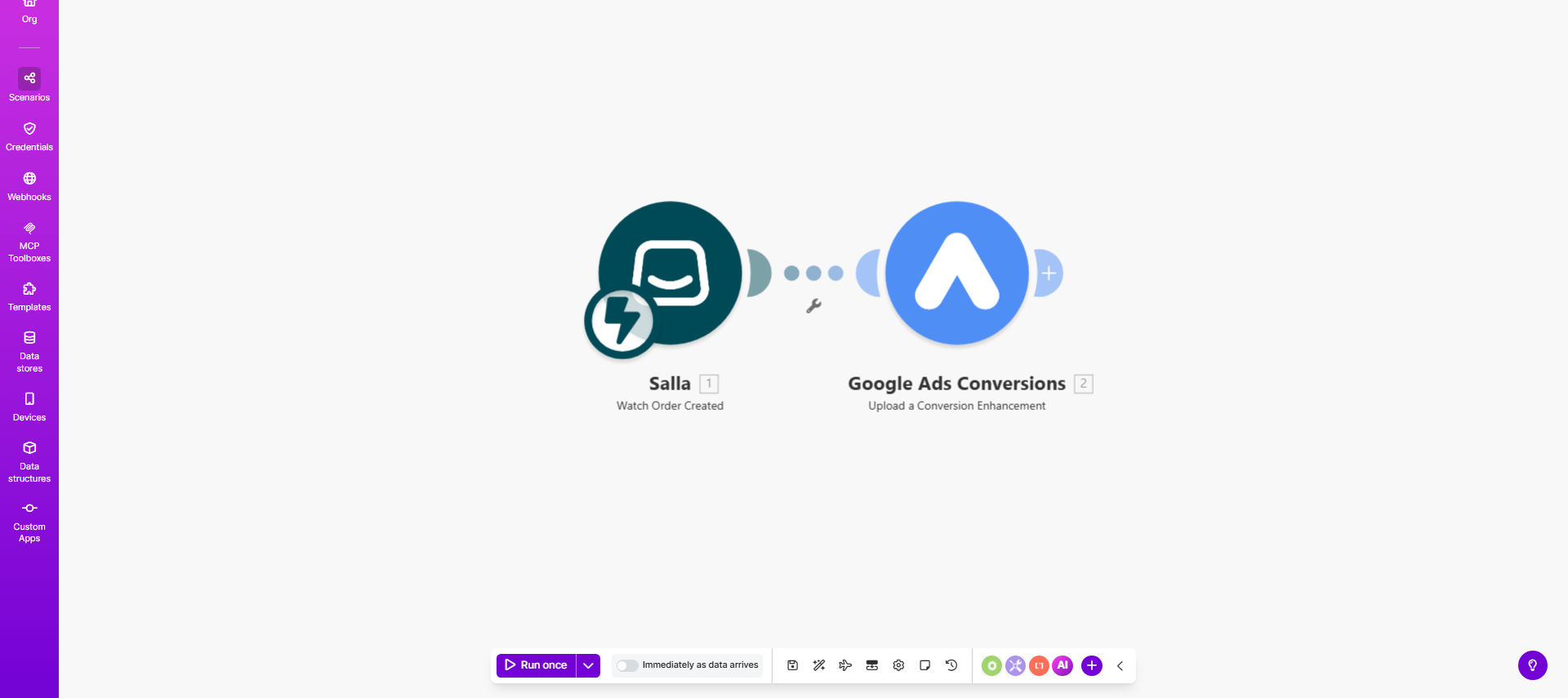
Salla to Google Ads conversion workflow diagram showing order data flow

What This Workflow Does

This automation bridges the gap between your Salla ecommerce store and Google Ads, ensuring every order is accurately tracked as a conversion. When customers complete purchases in Salla, the workflow automatically sends the conversion data to Google Ads, giving you clear visibility into which ads are driving actual sales.

Without this connection, you're essentially flying blind with your ad campaigns. You might know how many clicks you're getting, but not which ones turn into paying customers. This workflow solves that problem by creating a direct pipeline between your store's order data and your advertising platform.

How It Works

1. New Order Trigger

The workflow monitors your Salla store for new completed orders. It captures all relevant order details including transaction value, products purchased, and customer information.

2. Data Formatting

The raw order data is transformed into the specific format Google Ads requires for conversion tracking. This includes currency conversion if needed, proper value assignment, and conversion category classification.

3. Google Ads API Connection

Using Make.com's Google Ads connector, the workflow securely transmits the conversion data to your Google Ads account. The connection uses OAuth for security and can handle your account's specific configuration.

4. Conversion Verification

The workflow includes error handling to ensure conversions are properly recorded. If any issues occur during transmission, the system can retry or notify you about the problem.

Who This Is For

This workflow is essential for:

  • Salla store owners running Google Ads campaigns
  • Marketing teams needing accurate ROI measurement
  • Ecommerce businesses optimizing for customer acquisition cost
  • Brands using value-based bidding strategies in Google Ads

What You'll Need

  1. A Salla store with order tracking enabled
  2. Google Ads account with conversion tracking set up
  3. Make.com account (free plan sufficient for basic implementation)
  4. Admin access to both platforms for API connections

Quick Setup Guide

  1. Install the template from Make.com's template library
  2. Connect your Salla account using OAuth
  3. Authorize access to your Google Ads account
  4. Map your Salla order fields to Google Ads conversion fields
  5. Test with a real order to verify the data flow
  6. Activate the workflow for continuous tracking

Key Benefits

Accurate ROI Measurement: Know exactly which ads drive sales, not just clicks. Track the full customer journey from ad click to purchase.

Better Campaign Optimization: Google Ads' smart bidding algorithms perform best with complete conversion data. This workflow ensures they have all the information needed to optimize effectively.

Time Savings: Eliminates manual conversion tracking spreadsheets or periodic data imports. The system works automatically for every order.

Data Consistency: Reduces errors from manual data entry or mismatched tracking periods between platforms.

Pro tip: For best results, configure value rules in Google Ads to properly categorize different order values. This helps the bidding system distinguish between high and low-value conversions.

Frequently Asked Questions

Common questions about Salla and Google Ads integration

Tracking Salla orders as Google Ads conversions helps you measure the true ROI of your ad campaigns. Without this connection, you might be missing valuable data about which ads actually drive purchases, making it difficult to optimize your ad spend effectively.

For example, you might discover that mobile ads perform better than desktop for your products, or that certain product categories have higher conversion rates from specific audience segments.

The workflow typically sends order value, currency, transaction ID, and conversion type to Google Ads. This allows for accurate revenue attribution and helps you understand which campaigns generate the most valuable customers.

Additional data points can include product IDs, quantities, and customer segments if configured. The exact fields depend on your Salla store setup and Google Ads conversion action configuration.

By automatically tracking conversions, Google Ads can optimize your campaigns for actual purchases rather than just clicks. The system learns which audiences and keywords drive real sales, allowing for better automated bidding and budget allocation.

Over time, this results in lower customer acquisition costs as the algorithm shifts spend toward the highest-converting traffic sources while reducing waste on underperforming placements.

Google Ads conversions track actions valuable to your business (like purchases) directly within the ad platform, while Google Analytics provides broader website behavior insights. For ad optimization, Google Ads conversion data is more actionable as it's used for automated bidding strategies.

While Analytics shows you the complete customer journey, Google Ads conversions are specifically designed to feed the machine learning models that optimize your ad delivery and bidding.

Yes, you can configure the workflow to categorize different Salla order types (like first-time purchases vs. repeat orders) as separate conversion actions in Google Ads. This helps you understand customer lifetime value and optimize for high-value segments.

For instance, you might value repeat customers higher than first-time buyers, or prioritize certain product categories that have better margins or upsell potential.

Conversions typically appear in Google Ads within 3-6 hours after the order is placed in Salla. The workflow processes orders in near real-time, but Google Ads has a brief processing delay before the data becomes available in reports.

For time-sensitive optimizations, you can configure the workflow to process orders more frequently, though Google Ads' reporting systems will still have their own processing timelines.

Absolutely! Our team can build a tailored automation solution that matches your specific Salla store configuration and Google Ads conversion tracking requirements. We'll ensure all relevant order data flows accurately to optimize your ad performance.

Custom implementations can include special handling for subscription orders, multi-currency support, enhanced customer segmentation, and integration with other marketing platforms in your stack.

  • Custom conversion value rules based on your margins
  • Multi-touch attribution modeling
  • Integration with CRM or email marketing platforms

Need a Custom Salla to Google Ads Automation?

This free template is a starting point. Our team builds fully tailored automation systems for your specific business needs.