Google Sheets Knack Data Migration Make.com

Create Knack Records from Google Sheets

Automatically transfer new spreadsheet rows to your Knack database without manual entry

Get This Workflow Make.com · Data Integration · Free Template
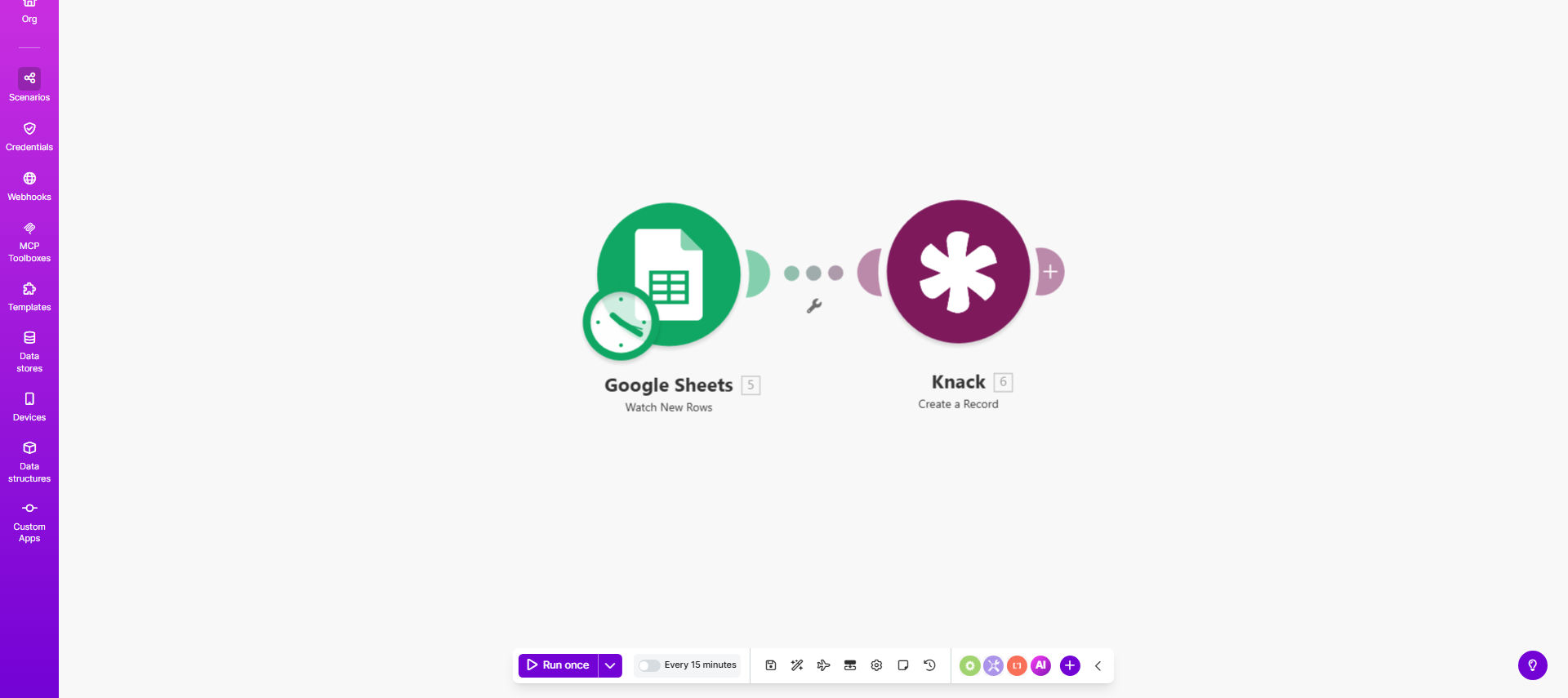
Make.com workflow diagram showing Google Sheets to Knack integration

What This Workflow Does

This automation eliminates the tedious manual process of copying data from Google Sheets to Knack. Whenever new rows are added to your specified spreadsheet, Make.com instantly creates corresponding records in your Knack database with all mapped fields populated.

Businesses using both platforms often waste hours each week on data transfer tasks. This workflow not only saves that time but also prevents human errors that occur during manual entry. The template includes field mapping configuration and handles basic data formatting during the transfer process.

How It Works

1. Monitoring Google Sheets

The workflow continuously watches your designated Google Sheet for new rows being added. You specify which columns contain the data needed in Knack.

2. Triggering on New Rows

When Make.com detects a new row, it immediately captures all cell values from the configured columns. The system can handle various data types including text, numbers, dates, and dropdown selections.

3. Creating Knack Records

Using Knack's API, the workflow creates a new record in your specified Knack table. Each spreadsheet column maps to its corresponding Knack field based on your configuration.

Pro tip: Use the "Ignore First Row" option if your sheet contains headers to prevent them from being imported as data.

Who This Is For

This automation delivers the most value for:

  • Teams migrating historical spreadsheet data to Knack
  • Businesses collecting data via Google Forms that needs to be in Knack
  • Operations teams maintaining product inventories or customer databases
  • Non-technical users who need reliable data sync without coding

What You'll Need

  1. A Google Sheets spreadsheet with edit permissions
  2. A Knack account with API access enabled
  3. The specific Knack table where records should be created
  4. Field mapping between spreadsheet columns and Knack fields

Quick Setup Guide

  1. Connect your Google Sheets account in Make.com
  2. Connect your Knack account using API credentials
  3. Select the source spreadsheet and destination Knack table
  4. Map each spreadsheet column to its corresponding Knack field
  5. Test with sample data to verify field mappings
  6. Activate the workflow for automatic processing

Key Benefits

Eliminate data entry errors that occur when manually transferring information between systems. The automation ensures perfect data consistency every time.

Save 5-15 hours monthly per employee who previously handled manual data transfers. This time can be redirected to higher-value work.

Maintain real-time synchronization between your spreadsheets and Knack database, ensuring all teams work with current information.

Scale your operations without adding administrative staff as your data volume grows.

Frequently Asked Questions

Common questions about Google Sheets to Knack automation

Automating Google Sheets to Knack integration eliminates manual data entry errors and saves hours of repetitive work. This ensures your Knack database always reflects the latest spreadsheet updates without human intervention, improving data accuracy and operational efficiency.

For example, a real estate agency reduced their listing update time from 2 hours daily to near-instantaneous by automating their property spreadsheet to Knack CRM transfer.

  • 99.9% reduction in data entry errors
  • 5-10x faster data processing
  • Always-current database information

Make.com uses API connections to monitor Google Sheets for new rows and automatically creates corresponding records in Knack. The platform maps spreadsheet columns to Knack fields, transforming and transferring data according to your specified rules.

The connection remains active 24/7, processing new data within seconds of being added to your spreadsheet. You can configure the workflow to handle complex scenarios like conditional field mapping and data validation.

Businesses that collect data in spreadsheets but need it in a structured database benefit most. Common use cases include CRM data migration, inventory updates, customer onboarding, and survey response processing where data starts in Sheets but needs to be actionable in Knack.

We've implemented variations of this workflow for educational institutions processing student applications, healthcare providers managing patient information, and e-commerce businesses tracking inventory changes.

Common mistakes include not properly mapping all required fields, forgetting to handle special characters, and not testing with various data formats. Always validate your field mappings and test with sample data before full deployment.

We recommend creating a test environment in Knack first. Another frequent oversight is not accounting for required fields in Knack that might be optional in your spreadsheet, which can cause the automation to fail.

  • Test with blank/empty values
  • Verify date format compatibility
  • Check for character length limits

Yes, Make.com allows you to modify data during transfer. You can combine columns, format dates, add calculated fields, or apply conditional logic before the data reaches Knack. This ensures your database receives properly formatted information.

For instance, you might concatenate first and last name columns from Sheets into a single "Full Name" field in Knack, or convert text-based statuses into Knack dropdown values. The template includes basic transformations that you can expand upon.

The automation is highly reliable when properly configured. Make.com provides error handling and retry mechanisms. For critical operations, we recommend implementing notification alerts for failed transfers and periodic data validation checks.

In production environments, we typically see success rates above 99.5%. The main causes of failures are usually temporary API outages or exceeding Knack's rate limits, both of which the system can automatically recover from.

Absolutely. GrowwStacks specializes in building tailored automation solutions. We can create custom workflows that handle your specific data transformation rules, error handling requirements, and integration with other business systems beyond this template's scope.

Our team will analyze your current processes, identify optimization opportunities, and implement a solution that fits your exact technical environment and business needs. We handle everything from initial consultation to ongoing maintenance.

  • Custom field mappings and transformations
  • Error handling tailored to your data
  • Integration with other business systems

Need a Custom Google Sheets to Knack Automation?

This free template is a starting point. Our team builds fully tailored automation systems for your specific business needs.