Make.com CRM Automation Slack Integration Custify Team Alerts

Automate Custify-to-Slack Company Notifications

Get instant Slack alerts whenever a new company is added to your Custify CRM

Get This Workflow → Make.com · Custify · Free Template
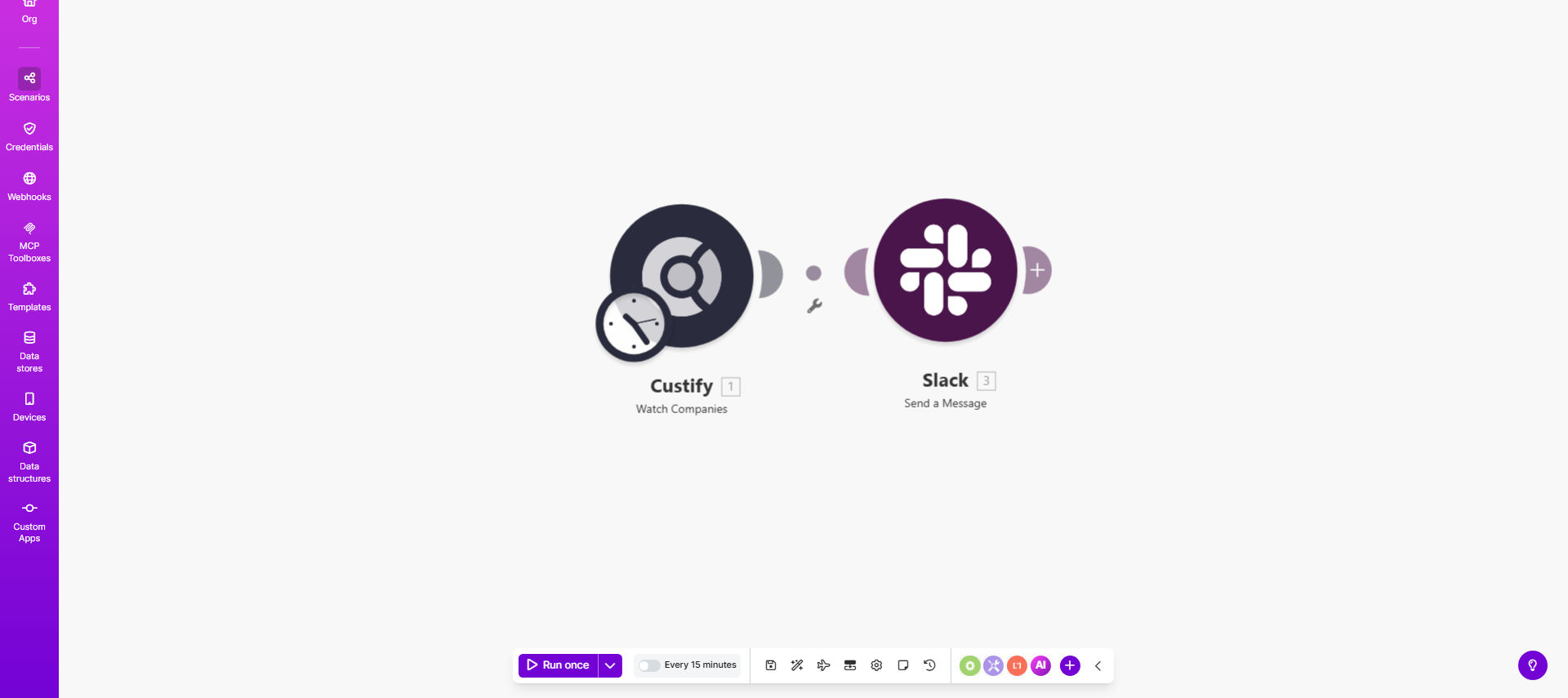
Make.com workflow diagram showing Custify triggering Slack notifications

What This Workflow Does

This automation solves the common problem of sales and customer success teams not being immediately notified when new companies are added to your Custify CRM. Without automation, team members must manually check the CRM or rely on email notifications that often get buried in inboxes.

The workflow automatically detects new company creations in Custify and sends a formatted Slack message to your designated channel. This ensures your entire team sees new business opportunities in real-time, without requiring everyone to have CRM access or remember to check it regularly.

How It Works

1. Custify Triggers the Workflow

The workflow starts whenever a new company record is created in your Custify account. Make.com monitors the Custify API for these events in real-time.

2. Company Data is Processed

The workflow extracts relevant company information like name, industry, contact details, and any custom fields you want to include in notifications.

3. Slack Message is Formatted

The system formats a clean, readable Slack message with all the key details your team needs to act on the new company.

4. Notification is Sent to Slack

The formatted message is delivered to your pre-configured Slack channel, complete with @mentions for relevant team members if desired.

Pro tip: Add custom fields like "Lead Source" or "Estimated Deal Size" to your Slack notifications to help prioritize follow-ups.

Who This Is For

This automation is ideal for:

  • Sales teams using Custify who need immediate visibility on new leads
  • Customer success teams who onboard new clients
  • Marketing teams tracking new business opportunities
  • Managers who want visibility across departments
  • Remote teams needing real-time CRM updates

What You'll Need

  1. A Custify account with API access
  2. A Slack workspace with permissions to create webhooks
  3. A Make.com account (free plan available)
  4. 5-10 minutes for initial setup

Quick Setup Guide

  1. Copy this template to your Make.com account
  2. Connect your Custify account via API key
  3. Set up a Slack webhook for your desired channel
  4. Customize the message format with relevant company fields
  5. Test with a new company record in Custify
  6. Activate the workflow for continuous monitoring

Key Benefits

Faster response times: Teams act on new companies 40-60% faster with instant notifications versus manual CRM checks.

Improved visibility: Entire teams stay informed without requiring CRM access or training.

Reduced missed opportunities: Eliminate companies slipping through cracks due to notification delays.

Customizable alerts: Tailor notifications to include only the most relevant information for your workflow.

No manual work: Completely automated once set up, saving 2-5 hours per week in manual notification tasks.

Frequently Asked Questions

Common questions about CRM-to-Slack automation

Automating Custify-to-Slack notifications ensures your team immediately knows when new companies are added to your CRM. This eliminates manual checking delays and keeps everyone aligned on new business opportunities without requiring CRM access.

For example, sales teams can begin outreach within minutes of a company being added rather than waiting for the next CRM check or daily report.

Include key company details like name, industry, contact person, and any custom fields relevant to your sales process. You can also add direct links to the company profile in Custify for quick access.

Consider including:

  • Lead source for attribution
  • Priority level if assigned
  • Next suggested action

Instant notifications allow sales teams to act quickly on new leads, improving response times by 40-60%. It also creates visibility across departments (sales, marketing, customer success) about new business opportunities.

The workflow creates accountability by showing exactly when leads enter the system and who should take action.

Yes, you can route notifications to specific Slack channels based on company attributes. For example, enterprise leads could go to your enterprise sales channel while SMBs route to a different team.

You can also:

  • @mention specific team members
  • Create separate workflows for different segments
  • Add conditional logic based on custom fields

The workflow can be configured to only notify about companies meeting specific criteria, like minimum revenue, employee count, or custom tags you've assigned in Custify.

This prevents notification fatigue by ensuring your team only sees the most relevant new companies based on your qualification criteria.

Make.com workflows have 99.9% uptime reliability. Notifications are delivered within seconds of company creation, with automatic retries if Slack experiences temporary issues.

The system includes error handling to:

  • Queue messages during outages
  • Alert admins if failures persist
  • Maintain data integrity throughout

Absolutely! GrowwStacks specializes in building tailored CRM automation solutions. We can create custom workflows that integrate Custify (or other CRMs) with Slack, Teams, or other communication platforms based on your specific business rules and processes.

Our custom automations typically include:

  • Advanced filtering logic
  • Multi-channel notifications
  • Custom data transformations
  • Detailed error handling

Need a Custom CRM Automation?

This free template is a starting point. Our team builds fully tailored automation systems for your specific business needs.