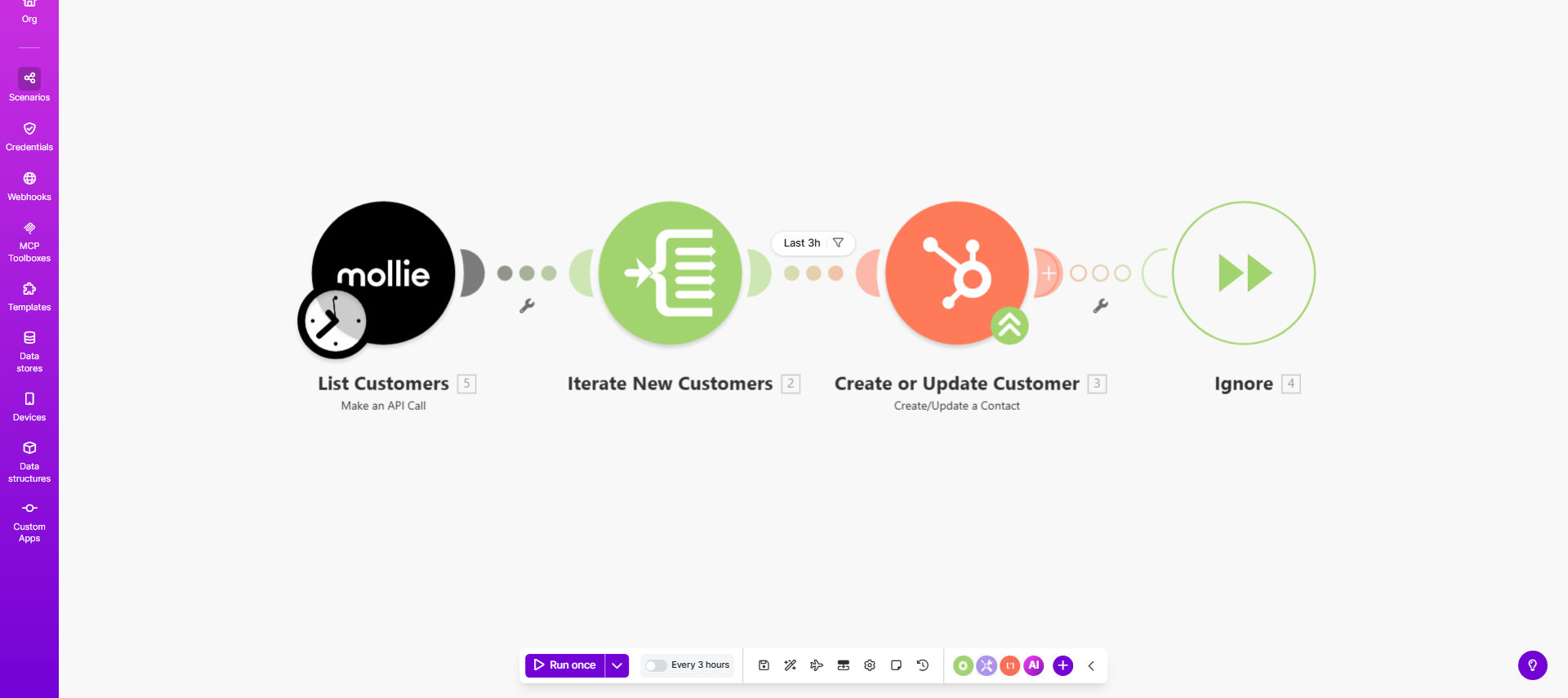
What This Workflow Does
This automation solves the common problem of payment system data being siloed from your CRM. When customers sign up or make payments through Mollie, their information often needs to be manually added to HubSpot, creating delays and potential errors.
The workflow automatically creates new HubSpot contacts whenever a customer is added in Mollie, or updates existing contacts if they're already in your CRM. This ensures your sales and marketing teams always have access to complete, up-to-date customer information without manual data entry.
How It Works
1. New customer trigger in Mollie
The workflow monitors your Mollie account for new customer creations through webhooks or API polling.
2. Data extraction and formatting
Key customer information (name, email, billing details) is extracted from Mollie and formatted for HubSpot's API requirements.
3. HubSpot contact lookup
The system checks HubSpot for an existing contact matching the customer's email address to prevent duplicates.
4. Create or update contact
Depending on the lookup result, the workflow either creates a new HubSpot contact or updates the existing record with the latest Mollie data.
Pro tip: Add a custom property in HubSpot to track which contacts came from Mollie for better segmentation in your marketing campaigns.
Who This Is For
This integration is ideal for:
- Ecommerce businesses using Mollie payments that want seamless CRM integration
- SaaS companies with recurring payments needing automatic customer profile updates
- Marketing teams wanting to trigger automated campaigns based on payment activity
- Sales teams needing real-time visibility into new customers and their payment status
What You'll Need
- An active Mollie account with API access
- A HubSpot account with admin permissions
- A Make.com account (free tier available)
- Clear mapping of which Mollie fields should sync to which HubSpot properties
Quick Setup Guide
- Copy the template to your Make.com account
- Connect your Mollie account via API key
- Authenticate with HubSpot using OAuth
- Review and adjust field mappings as needed
- Test with a sample Mollie customer
- Activate the scenario
Key Benefits
Eliminate manual data entry - Save 2-5 hours per week by automatically syncing customer information instead of copying between systems.
Improve data accuracy - Reduce human error in contact information transfer with automated field mapping.
Faster sales follow-up - New customers appear in HubSpot immediately after payment signup, enabling quicker outreach.
Better customer insights - Combine payment history with marketing/sales data for complete customer profiles.
Scalable processes - The integration handles any volume of new customers without additional staff time.