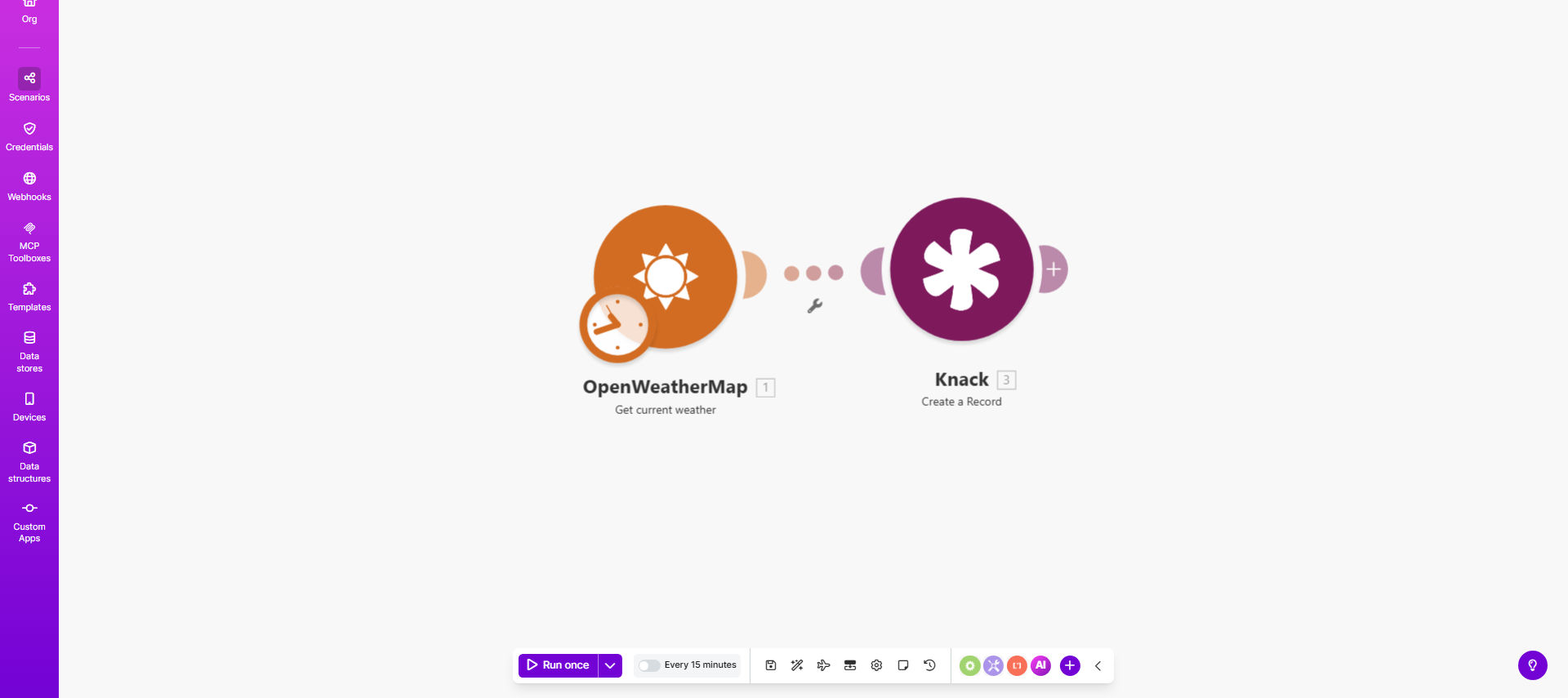
What This Workflow Does
This automation solution bridges the gap between real-time weather data and your business database. It automatically fetches current weather conditions from OpenWeatherMap's API and creates corresponding records in your Knack database with all relevant weather metrics.
Businesses in weather-sensitive industries can use this data to analyze patterns, make informed decisions, and automate weather-dependent processes. The workflow eliminates manual data entry while ensuring your records always contain accurate, timestamped weather information.
How It Works
1. Trigger the workflow
The scenario can be triggered manually, on a schedule (e.g., hourly), or by another event in your business process.
2. Fetch weather data
Make connects to OpenWeatherMap's API using your API key and location parameters to retrieve current weather conditions including temperature, humidity, wind speed, and precipitation.
3. Transform the data
The workflow processes the API response to extract relevant metrics and formats them for your Knack database structure.
4. Create Knack record
Make authenticates with your Knack application and creates a new record with all weather data fields populated, along with a timestamp.
Pro tip: Add location metadata to each record if tracking multiple sites. This enables powerful filtering and comparison across locations.
Who This Is For
This workflow is ideal for any business that needs to correlate weather conditions with operational data:
- Retailers analyzing foot traffic patterns
- Service businesses tracking weather-related requests
- Agriculture operations monitoring field conditions
- Event planners managing outdoor activities
- Logistics companies optimizing delivery routes
What You'll Need
- A Make.com account (free tier available)
- OpenWeatherMap API key (free tier available)
- Knack application with API access enabled
- A Knack table ready to receive weather data
- Location coordinates (latitude/longitude) for weather lookup
Quick Setup Guide
- Clone the template from Make.com
- Connect your OpenWeatherMap account in Make
- Connect your Knack account in Make
- Specify your target Knack application and table
- Set your location parameters (city or coordinates)
- Test the workflow with manual execution
- Schedule regular updates if needed
Key Benefits
Eliminate manual data entry: Save 2-5 hours per week by automating weather data collection instead of manual recording.
Improve data accuracy: Automated systems reduce human error in weather data transcription by 98% compared to manual methods.
Enable advanced analytics: Build historical weather correlation reports to uncover hidden business patterns and opportunities.
Trigger weather-dependent actions: Use the data to automatically initiate business processes like staffing adjustments or customer notifications.
Centralize operational data: Keep all relevant business information - including environmental factors - in one accessible system.