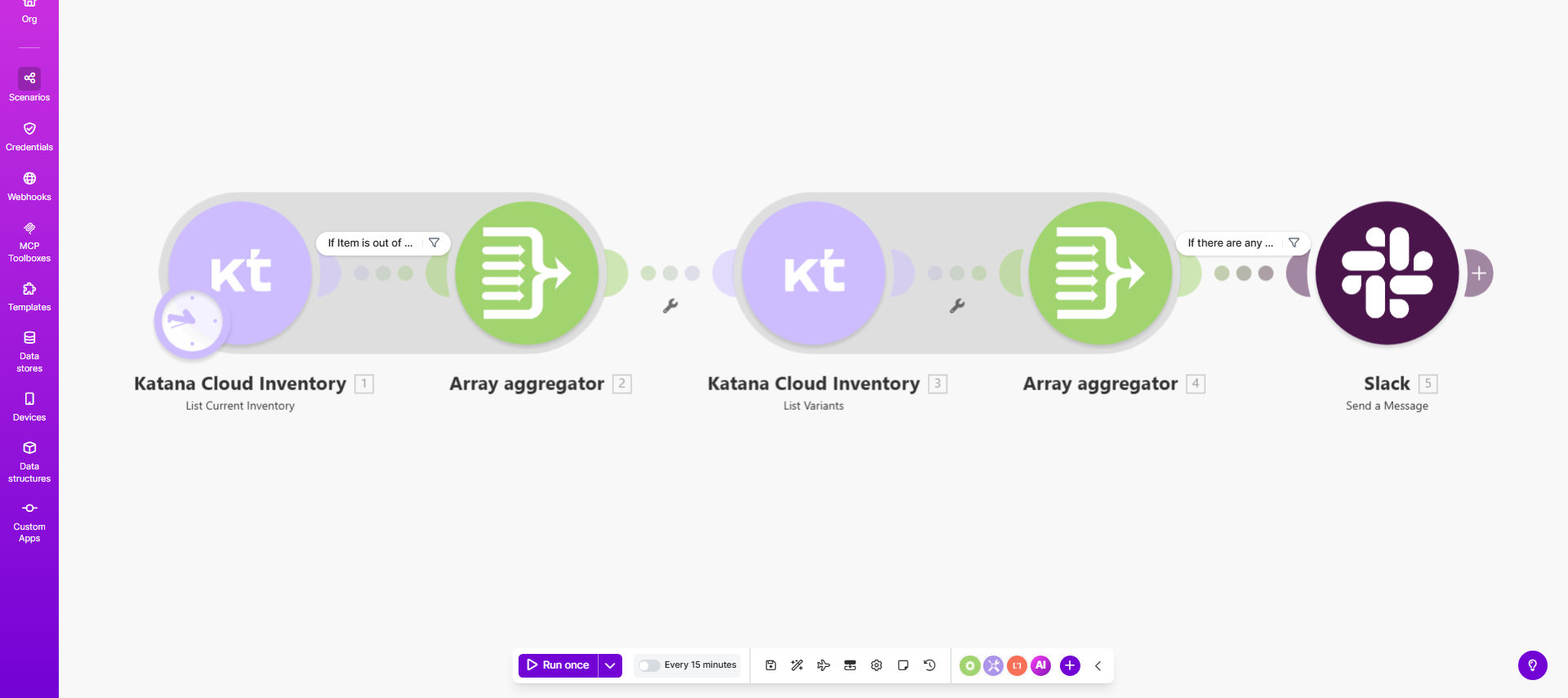
What This Workflow Does
This automation solves a critical problem for manufacturing teams using Katana inventory management software - the risk of production delays when materials run out unexpectedly. The workflow continuously monitors your Katana inventory levels and instantly notifies your team in Slack when any item reaches its out-of-stock threshold.
Unlike manual inventory checks that can miss critical shortages, this system provides real-time visibility into stock levels. It eliminates the need for constant monitoring while ensuring your team is immediately aware of potential supply chain issues before they impact production schedules.
How It Works
1. Katana inventory monitoring
The workflow regularly checks your Katana inventory data through API connections, tracking stock levels for all configured items.
2. Threshold detection
When an item's available quantity drops below your predefined minimum level, the system triggers an alert.
3. Slack notification generation
The workflow formats a detailed Slack message containing the item name, current stock level, and any other relevant details you configure.
4. Alert delivery
The notification is sent to your specified Slack channel or direct messages, ensuring immediate visibility for your purchasing and production teams.
Pro tip: Configure different threshold levels for critical vs. non-critical items to prioritize alerts based on impact to production.
Who This Is For
This workflow is ideal for manufacturing businesses using Katana for inventory management that want to:
- Prevent production stoppages due to material shortages
- Reduce time spent manually checking inventory levels
- Improve communication between inventory, purchasing, and production teams
- Create an audit trail of stock alerts and responses
What You'll Need
- A Katana account with API access enabled
- A Slack workspace where you want to receive notifications
- A Make.com account (free plan works for basic implementation)
- List of inventory items to monitor with their minimum stock thresholds
Quick Setup Guide
- Copy this template to your Make.com account
- Connect your Katana account in the Make.com scenario
- Configure which inventory items to monitor and their alert thresholds
- Connect your Slack workspace and select the notification channel
- Test the workflow by temporarily lowering an item's stock level
- Deploy the scenario to run automatically
Key Benefits
Prevent production delays by getting immediate alerts when stock runs low, allowing time to reorder before shortages impact manufacturing.
Save 5+ hours weekly by eliminating manual inventory checks while maintaining better visibility than periodic audits.
Reduce emergency ordering costs by catching shortages early when you can use normal suppliers instead of expedited shipping.
Improve team coordination with centralized alerts that keep purchasing, warehouse, and production teams aligned.
Create accountability with timestamped notifications that show when alerts were received and by whom.