Make.com Twilio Knack SMS Automation Database Triggers

Send Twilio SMS messages for new Knack records

Automatically send SMS notifications whenever new data enters your Knack database

Get This Workflow → Make.com · Twilio SMS · Free Template
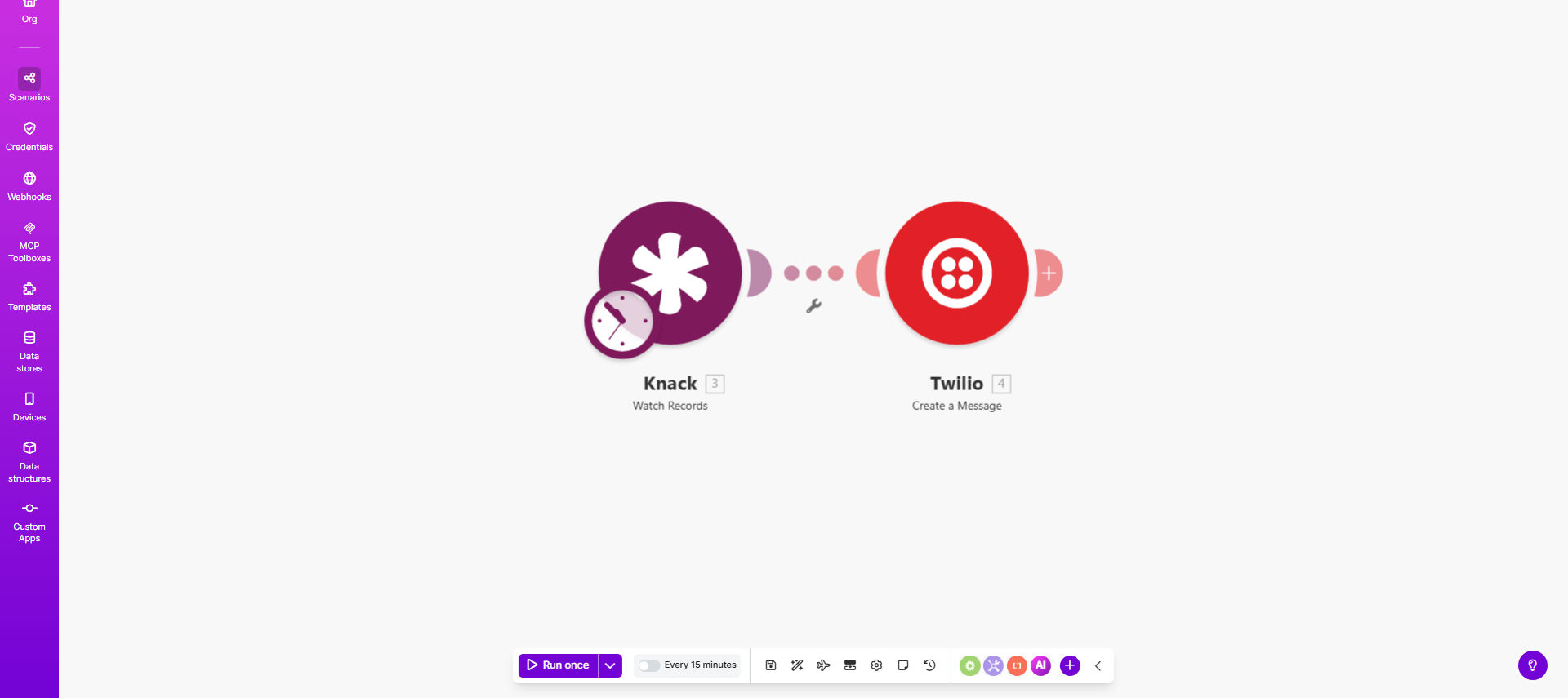
Make.com workflow diagram showing Knack triggering Twilio SMS messages

What This Workflow Does

This automation solves the challenge of timely communication when new data enters your Knack database. Many businesses lose valuable response time when staff must manually check for new records and send notifications. The delay between data entry and customer/team awareness creates operational friction and missed opportunities.

The workflow automatically detects new Knack records through real-time monitoring, then triggers personalized SMS messages via Twilio's reliable messaging platform. Whether you're notifying customers about appointment confirmations, alerting field teams about new service requests, or updating stakeholders about inventory changes, this automation ensures instant communication without manual intervention.

How It Works

1. Knack database trigger

The workflow constantly monitors your specified Knack database table for new record creations. Make.com's integration polls Knack at configurable intervals (as frequent as every 5 minutes) to detect additions.

2. Data extraction and validation

When a new record appears, the workflow extracts relevant fields like phone numbers, customer names, and message content variables. It validates phone number formats and checks for any opt-out flags before proceeding.

3. SMS message composition

Using Twilio's API, the system constructs an SMS message incorporating dynamic data from the Knack record. You can customize message templates with merge fields that pull specific database values for personalization.

4. Message delivery and logging

Twilio delivers the SMS to the recipient's phone and returns delivery confirmation data. The workflow can optionally update the original Knack record with timestamps, delivery status, or error messages for tracking.

Pro tip: Add a conditional branch to resend failed messages after address corrections or service interruptions, improving overall delivery rates.

Who This Is For

This automation delivers the most value for businesses where:

  • Knack serves as the system of record for time-sensitive transactions
  • Customers or staff require immediate awareness of database changes
  • Current manual notification processes create delays or inconsistencies
  • SMS is the preferred communication channel for urgent updates

Common use cases include medical appointment reminders, field service dispatches, order status updates, emergency alerts, and time-sensitive customer notifications.

What You'll Need

  1. An active Knack account with API access enabled
  2. A Twilio account with SMS capabilities
  3. Make.com account (free tier sufficient for basic usage)
  4. Knack database table containing phone numbers and message data
  5. Approved SMS use case complying with Twilio's messaging policies

Quick Setup Guide

  1. Clone the template in your Make.com account
  2. Connect your Knack account in the "Watch Records" module
  3. Specify which table and fields to monitor
  4. Configure your Twilio connection with account SID and auth token
  5. Design your SMS message template using Knack field variables
  6. Test with sample data before activating the live workflow

Key Benefits

Eliminate notification delays: Reduce the gap between data entry and customer awareness from hours/days to minutes, improving response times and customer satisfaction.

Reduce manual workload: Save 3-5 minutes per notification versus manual processing - at 100 messages daily, that's 25-40 staff hours monthly reclaimed.

Ensure message consistency: Automated templates maintain brand voice and compliance standards better than ad-hoc manual messages.

Scale communication effortlessly: Handle message volume spikes without additional staffing as your Knack database grows.

Gain delivery analytics: Track successful/failed messages directly in Knack or export to analytics platforms for performance monitoring.

Frequently Asked Questions

Common questions about Knack-Twilio SMS automation and integration

Automating SMS notifications ensures immediate communication with customers or team members when new records are created, eliminating manual sending delays. This is critical for time-sensitive alerts like appointment confirmations, order updates, or emergency notifications where timely information delivery impacts customer satisfaction or operational efficiency.

Manual processes often create bottlenecks - staff may batch process notifications at specific times, or messages get delayed during busy periods. Automation guarantees consistent execution regardless of workload or business hours.

Service businesses with appointment systems, delivery companies needing real-time updates, field service teams requiring instant dispatch notifications, and healthcare providers sending patient reminders benefit most. Any operation where database changes require immediate human response gains value from this automation.

For example, a home healthcare agency using Knack for patient visits could automatically text both caregivers and patients when new appointments are booked, reducing no-shows through instant confirmation.

  • Service-based businesses with scheduling needs
  • Operations with mobile workforce coordination
  • Organizations requiring regulatory compliance logging

The integration is highly reliable with 99.95% uptime for Twilio's API and Make's robust workflow engine. For mission-critical messages, implement fail-safes like delivery status tracking and fallback email notifications within your workflow design to ensure message delivery even during rare service interruptions.

Best practice includes setting up alerts for failed messages and building automatic retry logic for temporary failures. The workflow can also log all communication attempts back to Knack for audit trails and follow-up.

Yes, Make's workflow builder lets you dynamically insert any Knack field data into SMS messages. Include customer names, appointment details, order numbers, or location-specific information by mapping Knack fields to Twilio message variables for highly personalized communications at scale.

For instance, a dental practice could automatically send messages like "Hi [Patient Name], your cleaning with Dr. [Dentist] is confirmed for [Date] at [Time]. Reply YES to confirm or CALL to reschedule." where bracketed elements pull directly from Knack fields.

Automation reduces labor costs by eliminating manual message processing while ensuring consistent message timing. At scale, businesses save 3-5 minutes per notification versus manual sending. For 100 daily messages, that's 5-8 hours weekly staff time saved, plus reduced human error risks.

Additional savings come from preventing missed communications that could lead to canceled appointments, late payments, or customer dissatisfaction. The ROI often justifies the setup within weeks for medium-volume senders.

Build compliance directly into your workflow by adding a Knack field for communication preferences. Route messages only to opted-in recipients and automatically process opt-out requests. Twilio also provides built-in STOP handling that you can integrate with your Knack data updates.

For full TCPA compliance, include clear opt-in language during data collection and maintain records of consent. The workflow can automatically suppress messages to any record marked "Do Not Contact" or where previous messages received STOP replies.

Absolutely. GrowwStacks specializes in tailored automation solutions combining Knack, Twilio, and other tools specific to your workflows. Our consultants design systems with advanced features like multilingual messaging, two-way interactions, and analytics dashboards beyond this template's scope.

We'll assess your specific communication needs, compliance requirements, and integration points to build a solution that fits seamlessly into your operations. Custom implementations typically include:

  • Workflow optimization for your message volume
  • Custom reporting and analytics
  • Omnichannel fallback strategies

Need a Custom SMS Automation?

This free template is a starting point. Our team builds fully tailored automation systems for your specific business needs.