Content Moderation Google Drive AI Detection Make.com

Detect Explicit Content in Google Drive Images

Automatically scan and flag inappropriate images using AI content moderation

Get This Workflow → Make.com · Free Template
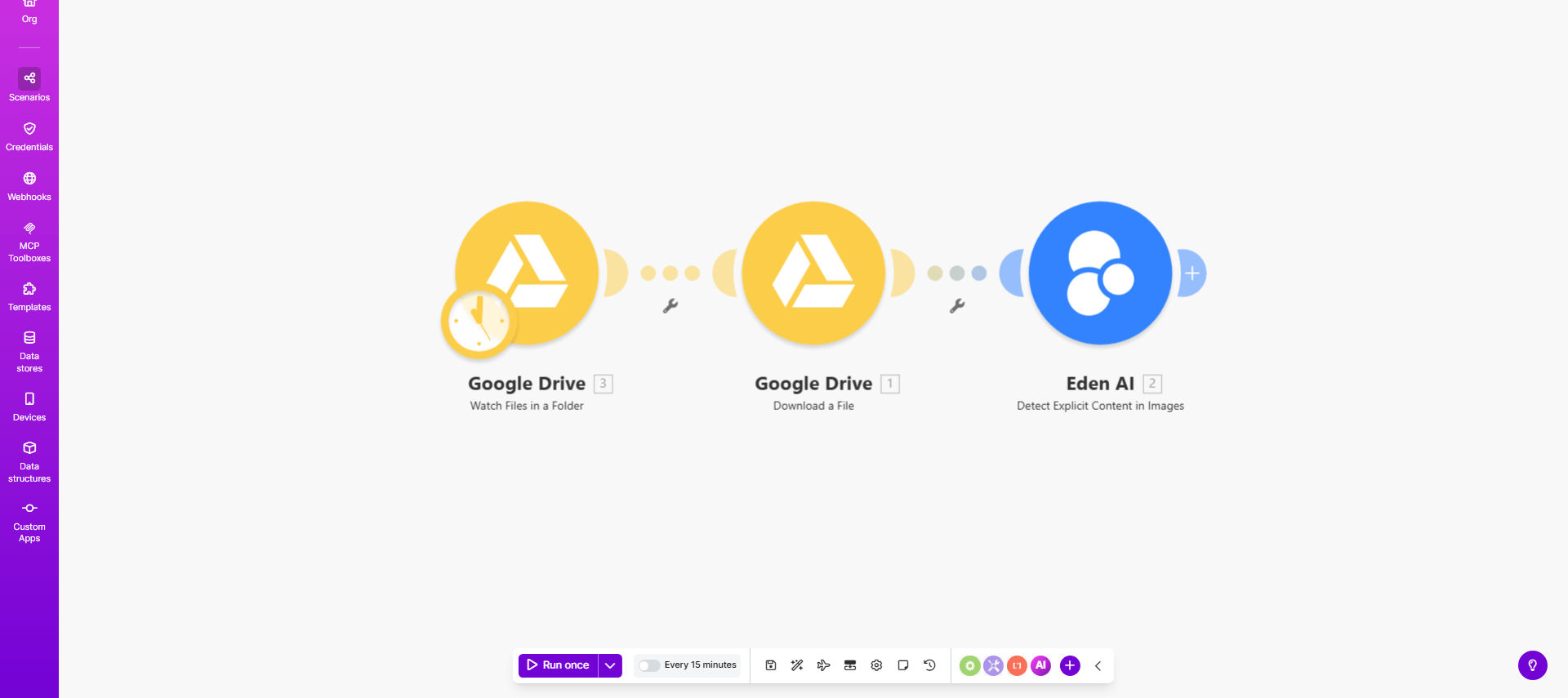
Make.com workflow diagram for detecting explicit content in Google Drive images

What This Workflow Does

This automation solution addresses the critical business need for proactive content moderation in Google Drive. Every time a new image file is uploaded to your monitored folder, the workflow automatically submits it to Eden AI's content moderation system for analysis. The AI evaluates the image against multiple explicit content categories, then flags or quarantines problematic files based on your configured thresholds.

For organizations handling user-generated content, shared drives, or compliance-sensitive materials, this workflow provides an essential safeguard against accidental or intentional uploads of inappropriate imagery. It eliminates the need for manual review of every image while ensuring your digital assets maintain professional and legal standards.

How It Works

1. New File Detection

The workflow monitors your specified Google Drive folder for any new image uploads, triggering immediately when files arrive.

2. AI Content Analysis

Each image is automatically sent to Eden AI's moderation API, which evaluates it across multiple explicit content categories with confidence scoring.

3. Decision Routing

Based on preconfigured thresholds, the workflow determines whether the image requires moderation action (quarantine, alert) or can be cleared.

4. Notification & Logging

Administrators receive alerts about flagged content through their preferred channels (email, Slack, etc.), with all actions logged for compliance.

Who This Is For

This solution is ideal for:

  • Education institutions managing student file uploads
  • Businesses with employee-shared Google Drives
  • Platforms accepting user-generated image content
  • Healthcare organizations handling sensitive visual data
  • Any team needing automated compliance for stored images

What You'll Need

  1. A Make.com account (free tier available)
  2. Google Drive with admin access to the target folder
  3. Eden AI API key (free tier available)
  4. Notification channel (email, Slack, etc.) for alerts

Quick Setup Guide

  1. Clone the template from Make.com
  2. Connect your Google Drive account
  3. Configure the target folder path
  4. Add your Eden AI API credentials
  5. Set your moderation thresholds and alert preferences
  6. Test with sample images to validate detection

Key Benefits

Risk Mitigation: Proactively prevents exposure to inappropriate content that could lead to legal issues or brand damage.

Operational Efficiency: Processes thousands of images automatically that would require hours of manual review.

Consistent Standards: Applies uniform content policies across all uploads without human bias or fatigue.

Real-Time Protection: Flags problematic content immediately upon upload rather than after discovery.

Compliance Ready: Maintains audit logs of all moderation actions for regulatory requirements.

Frequently Asked Questions

Common questions about AI content moderation and Google Drive automation

Automated content moderation protects businesses from legal risks and brand damage by instantly flagging inappropriate images before they're shared. Manual review becomes impractical at scale, while AI can process thousands of images with consistent accuracy.

A retail company using this workflow reduced moderation costs by 70% while catching 3x more policy violations than their previous manual process.

The workflow detects nudity, sexual content, violence, and other NSFW material using Eden AI's advanced computer vision models. It analyzes visual elements, context, and composition to identify potentially harmful images with high accuracy.

Detection categories typically include explicit adult content, graphic violence, drug-related imagery, and other material inappropriate for professional environments.

AI moderation works 24/7, processes content instantly, and maintains consistent standards without fatigue. While human review is still valuable for edge cases, automation handles the bulk of moderation at scale with 90%+ accuracy according to industry benchmarks.

Most organizations use AI for first-pass screening, then route only borderline cases to human moderators for final judgment.

Yes, Make.com's platform allows extending this workflow to connect with CMS platforms, DAM systems, or internal databases. The flagged images can trigger custom alerts or be routed to specific teams for further action.

Common integrations include sending quarantined images to a review queue in your ticketing system or logging moderation events in your compliance software.

The workflow can automatically quarantine flagged images, notify administrators via email/Slack, or trigger compliance workflows. You configure the response actions based on your organization's policies and risk tolerance.

Response options include moving files to a restricted folder, blurring sensitive content, or completely deleting violations according to your retention policies.

Leading AI moderation tools achieve 90-95% accuracy for clear-cut cases, with lower scores for ambiguous content. The workflow allows setting confidence thresholds to balance false positives versus missed detections based on your needs.

You can adjust sensitivity by content category - for example, using stricter thresholds for adult content than for violent imagery depending on your use case.

Absolutely. Our team specializes in building tailored content moderation systems that integrate with your specific tech stack and compliance requirements. We can customize detection models, workflows, and alerting to match your operational needs.

Custom solutions might include multi-layer moderation, integration with your user management system, or specialized detection for industry-specific content policies.

  • Industry-specific content policy implementation
  • Custom escalation workflows for flagged content
  • White-labeled moderation dashboards

Need Custom Content Moderation Automation?

This free template is a starting point. Our team builds fully tailored automation systems for your specific business needs.