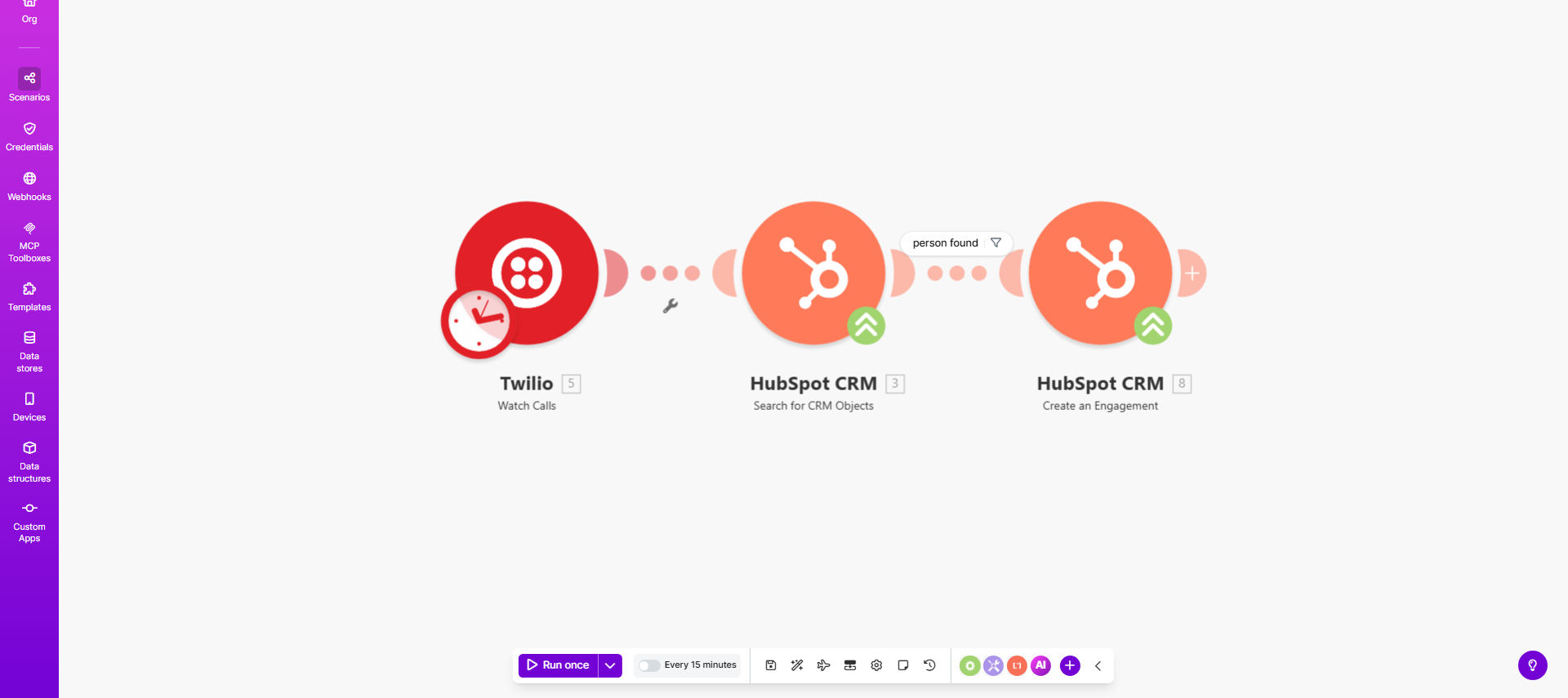
What This Workflow Does
This automation bridges the gap between your phone system (Twilio) and CRM (HubSpot) by automatically creating call engagement records for every inbound or outbound call. It solves the common problem of sales teams forgetting to log calls or spending valuable time manually entering call details.
The workflow checks for new calls in Twilio every 15 minutes (configurable), verifies if the caller exists in HubSpot, and creates a detailed engagement record with call metadata. This ensures your sales pipeline reflects all customer interactions without manual data entry.
How It Works
1. Scheduled Check for New Calls
The workflow runs on a schedule (default every 15 minutes) to check Twilio's call logs for new activity since the last run.
2. Retrieve Call Details
For each new call found, the system pulls detailed information including call direction, duration, timestamps, and phone numbers.
3. Contact Verification
The workflow searches HubSpot to verify if the caller's phone number matches an existing contact record.
4. Engagement Creation
If a matching contact is found, the system creates a new call engagement in HubSpot with all relevant call details.
Pro tip: Customize the engagement notes to include call disposition or next steps to make the data even more actionable for your team.
Who This Is For
This workflow is ideal for:
- Sales teams using Twilio for business calls and HubSpot as their CRM
- Customer support teams tracking support calls
- Businesses that need accurate call tracking for reporting
- Organizations wanting to eliminate manual data entry from their sales process
What You'll Need
- Active Twilio account with call logging enabled
- HubSpot account with API access
- Make.com account (free tier works for basic usage)
- Phone numbers properly formatted in HubSpot contacts
Quick Setup Guide
- Copy the template to your Make.com account
- Connect your Twilio and HubSpot accounts
- Verify the phone number matching logic works with your HubSpot data
- Test with sample call data
- Adjust the schedule frequency as needed
- Activate the scenario
Key Benefits
Save 5-10 minutes per call by eliminating manual logging while ensuring no calls are missed in your CRM.
Improve sales visibility with complete call history attached to each contact record in HubSpot.
Enhance team accountability with automated tracking of all customer interactions.
Gain better insights from call analytics and reporting in HubSpot.
Reduce data entry errors with automated transfer of call details from Twilio.