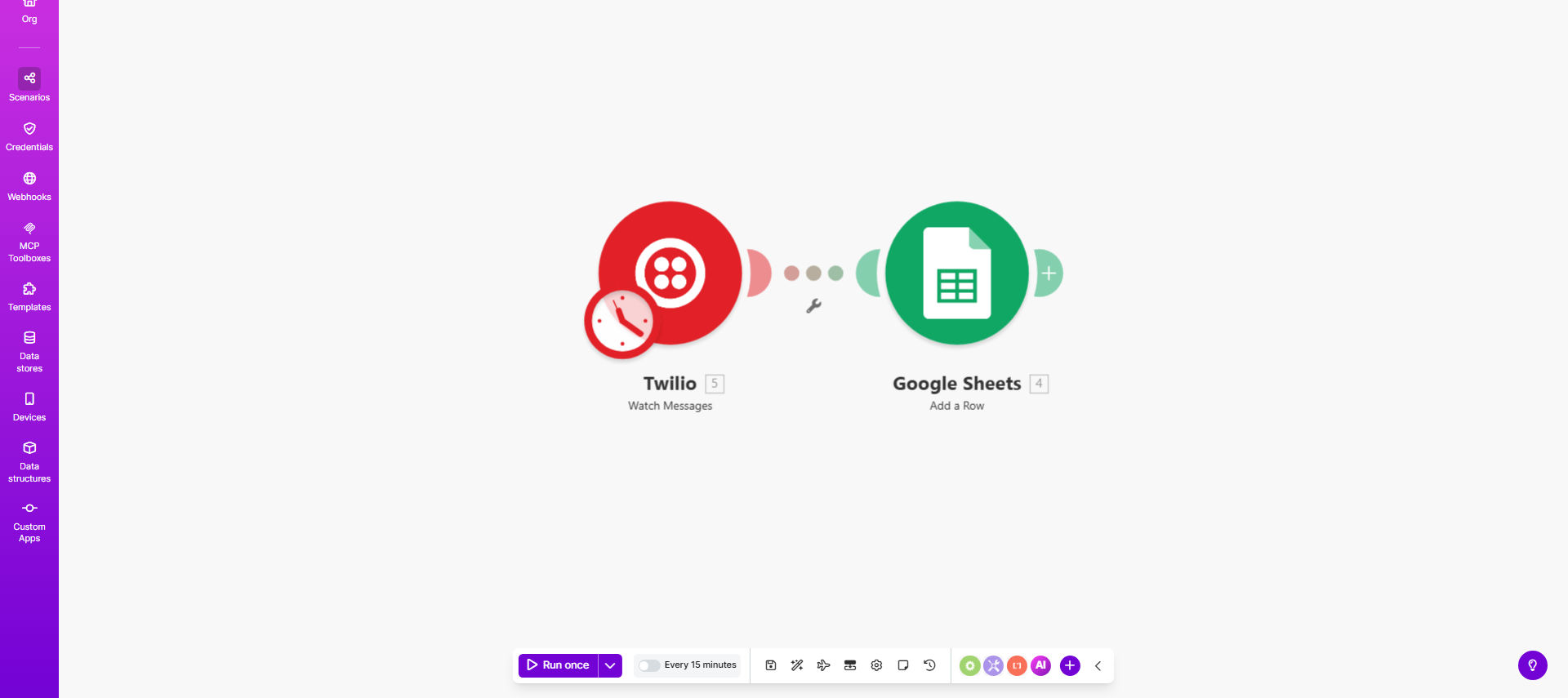
What This Workflow Does
This automation solves the tedious manual process of copying SMS message data between Twilio and spreadsheets. Every time you send or receive an SMS through Twilio, the workflow automatically creates a new row in your specified Google Sheet with the message details.
Businesses using SMS for customer support, appointment reminders, or marketing campaigns benefit from having all message history organized in Sheets. You can analyze response times, track conversation threads, and maintain compliance records without wasting hours on data entry.
How It Works
1. Trigger on new Twilio messages
The workflow activates whenever Twilio receives or sends an SMS message through your account. It captures the full message context including timestamps.
2. Extract key message data
The template parses the Twilio webhook to isolate important fields like sender/recipient numbers, message body, and any custom metadata.
3. Format for spreadsheet entry
Data gets structured into columns matching your Google Sheet layout, with proper formatting for dates, phone numbers, and text content.
4. Add row to Google Sheets
Make.com appends the formatted message data as a new row in your designated spreadsheet, maintaining all historical records in one place.
Who This Is For
This automation delivers the most value for:
- Customer support teams handling SMS inquiries
- Healthcare providers managing appointment reminders
- Marketing agencies running SMS campaigns
- Small businesses using texting for order confirmations
- Any team needing audit trails for SMS communications
Pro tip: Combine this with Data Studio to create real-time dashboards showing SMS response metrics, common customer questions, and team performance.
What You'll Need
- An active Twilio account with SMS capabilities
- Google Sheets access (personal or Workspace)
- Make.com free or paid account
- A prepared Google Sheet with column headers
Quick Setup Guide
- Copy the template from Make.com to your account
- Connect your Twilio account via OAuth
- Select your target Google Sheet and worksheet
- Map Twilio message fields to your Sheet columns
- Activate the scenario and test with sample messages
Key Benefits
Eliminates manual data entry - No more copying message details between systems, saving 5-15 minutes per conversation.
Creates searchable records - Find any past message instantly using Sheets' filter and search functions.
Enables data analysis - Calculate response times, tag frequent inquiries, and identify trends with pivot tables.
Maintains compliance - Automatic logging ensures you have complete records for regulatory requirements.
Works in real-time - Messages appear in Sheets within seconds, keeping teams aligned on customer conversations.