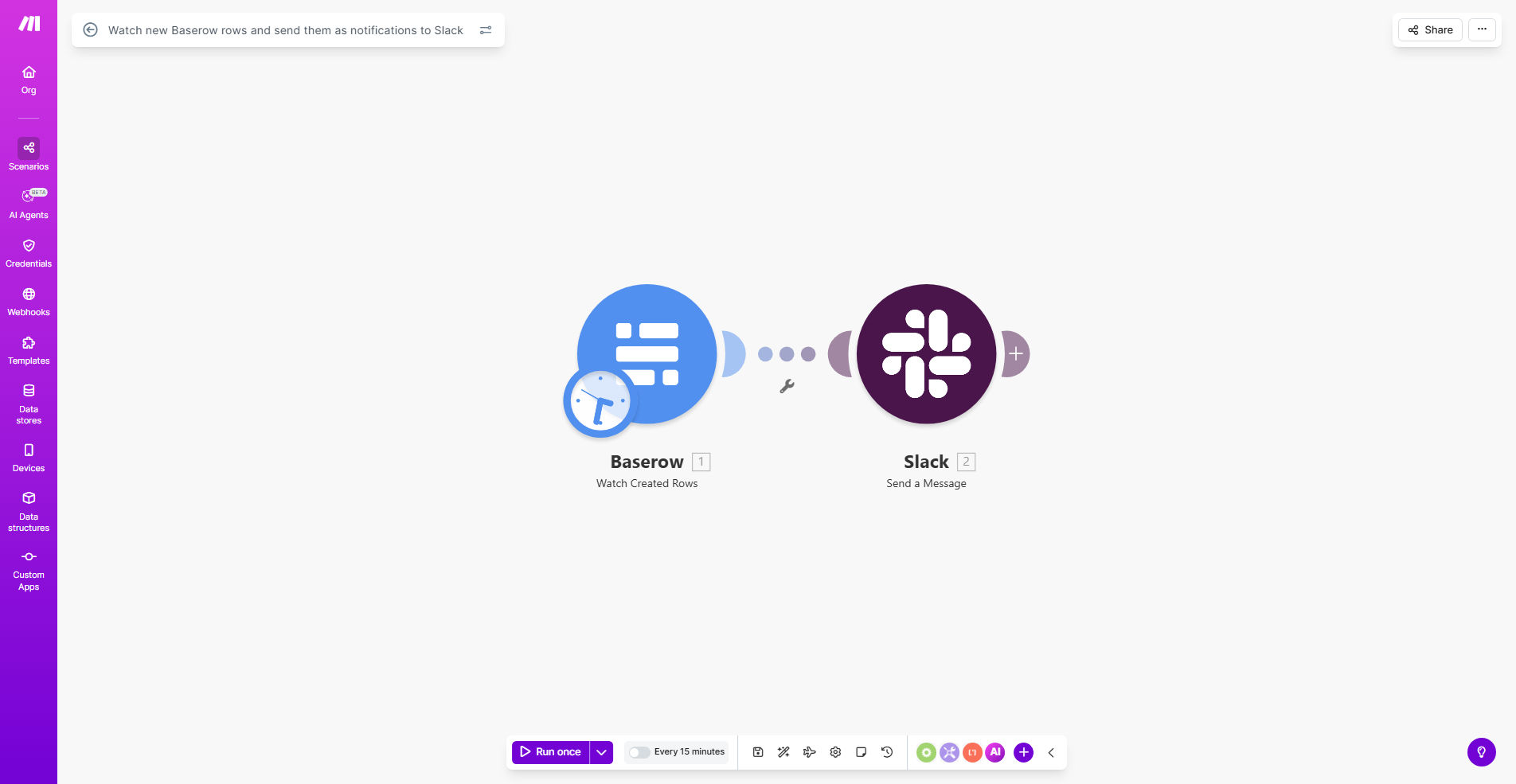
What This Workflow Does
This automation solves the common problem of delayed response times when new data enters your Baserow database. Instead of requiring team members to constantly check Baserow for updates, the system proactively pushes notifications to your Slack channel whenever new rows are added.
The workflow connects directly to your Baserow account, monitors specified tables for new entries, and formats customized Slack messages containing the relevant data fields. You control exactly which information gets included in each notification and how it's presented to your team.
How It Works
1. Baserow connection
The workflow first establishes a secure connection to your Baserow account using API authentication. You'll select which database and table to monitor for new entries.
2. New row detection
Make.com continuously polls your specified Baserow table at intervals you define (from 1 minute to 1 hour). It tracks the most recent row processed to avoid duplicate notifications.
3. Data formatting
New row data is extracted and transformed into a clean, readable format. You can include specific fields, add labels, and structure the information for optimal clarity in Slack.
4. Slack notification
The formatted message is sent to your designated Slack channel. You can customize the notification style (as a simple message, rich attachment, or even a threaded conversation starter).
Pro tip: Add conditional logic to route different types of Baserow entries to different Slack channels based on content. For example, sales leads to #sales-team while support tickets go to #customer-support.
Who This Is For
This workflow benefits any team using Baserow as their database solution who needs real-time awareness of new entries. Common use cases include:
- Sales teams tracking new leads from web forms
- Support teams monitoring incoming tickets
- Operations teams receiving inventory updates
- HR departments processing job applications
- Marketing teams collecting survey responses
What You'll Need
- A Baserow account with at least one database table
- A Slack workspace where you have posting permissions
- A Make.com account (free plan sufficient)
- API credentials for both Baserow and Slack
Quick Setup Guide
- Clone the template in your Make.com account
- Connect your Baserow account and select your target table
- Connect your Slack account and choose the notification channel
- Customize the message format in the Slack module
- Set your preferred polling interval (start with 5 minutes)
- Run a test with a new Baserow row to verify the notification
Key Benefits
Eliminate manual database checks - Your team no longer needs to refresh Baserow constantly. New information comes to them automatically in Slack where they're already working.
Faster response times - Studies show teams using automated notifications respond to new data 3-5x faster than those relying on manual monitoring.
Customizable alerts - Tailor notifications to include only relevant fields, formatted exactly how your team needs to see them.
No missed entries - The automated system won't overlook new rows like human monitoring might during busy periods.
Centralized awareness - Keep entire teams synchronized by broadcasting important database updates to shared channels.