What This Workflow Does
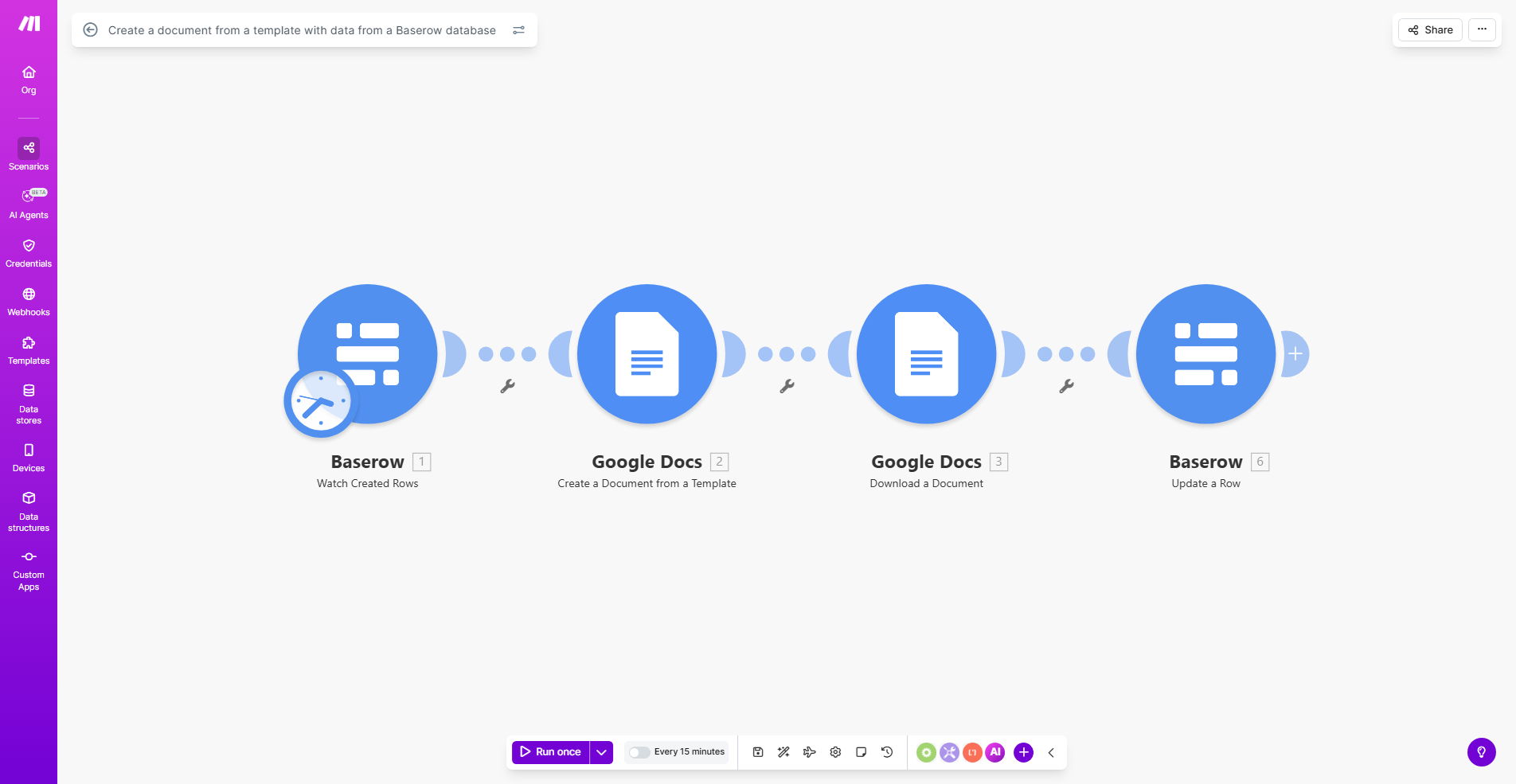
This automation eliminates the tedious manual process of creating documents from database entries. Whenever new data enters your Baserow database, the workflow automatically generates a complete Google Doc by merging the data with your predefined template.
Businesses waste countless hours copying information between systems and manually formatting documents. This workflow solves that by creating polished, consistent documents instantly. Whether you're generating client contracts, service agreements, or personalized reports, the system handles the repetitive work while you focus on higher-value tasks.
How It Works
1. Trigger on new Baserow entries
The workflow activates whenever new data appears in your specified Baserow table. You can configure it to watch for specific types of entries or process all new additions.
2. Extract relevant data fields
The system pulls the necessary information from Baserow, including all fields you've mapped to your document template. This ensures no critical data gets missed during document creation.
3. Merge data with Google Docs template
Using your predefined Google Docs template (with merge fields matching Baserow columns), the workflow populates all placeholder fields with the actual data values.
4. Save the completed document
The final document gets saved to your specified Google Drive location with a consistent naming convention. You can organize documents by client, date, or other metadata automatically.
Pro tip: Create multiple template variations in Google Drive for different document types. The workflow can select the appropriate template based on data in your Baserow entries.
Who This Is For
This automation benefits any business that regularly creates standardized documents from database information:
- Legal firms generating client contracts
- Consultants creating service proposals
- HR teams preparing employment agreements
- Marketing agencies producing client reports
- Real estate agents generating property listings
What You'll Need
- A Baserow database with the data you want to include in documents
- A Google Docs template with merge fields matching your Baserow columns
- A Make.com account (free plan available)
- Google Drive access to store generated documents
Quick Setup Guide
- Connect your Baserow and Google accounts to Make.com
- Upload your document template to Google Drive with merge fields
- Map Baserow fields to corresponding merge fields in the template
- Specify the destination folder for generated documents
- Test with sample data to verify field mapping
- Activate the workflow to process new Baserow entries automatically
Key Benefits
Save 5-15 minutes per document by eliminating manual copying and formatting. For businesses creating 20+ documents weekly, this adds up to 40+ hours saved monthly.
Ensure 100% consistency across all documents since every version uses the same approved template with identical formatting and branding.
Reduce human errors that occur during manual data transfer between systems. The automation pulls data directly from source to destination.
Scale document production instantly without adding staff. The system handles volume spikes effortlessly while maintaining quality.
Improve document tracking with automatic naming conventions and organized folder structures based on your business rules.