Make.com Shopify Baserow Ecommerce Order Sync

Save new Shopify orders to a Baserow database

Automatically sync every Shopify order to your Baserow database in real-time

Get This Workflow → Make.com · Shopify · Free Template
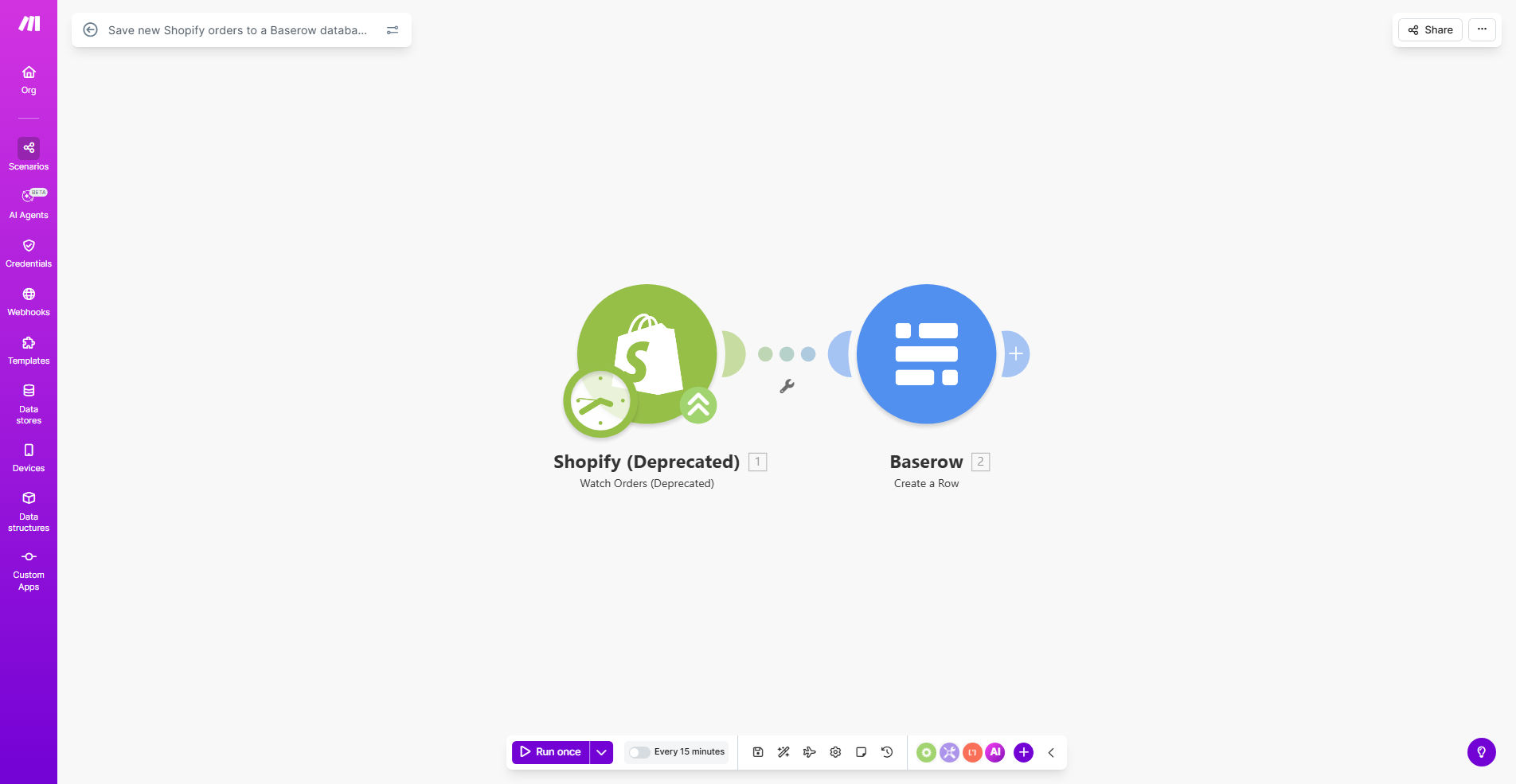
Shopify to Baserow order sync workflow diagram

What This Workflow Does

This automation solves a critical data management challenge for ecommerce businesses using Shopify. While Shopify stores order data, it lacks the flexibility of a proper database system for analysis, reporting, and integration with other business tools.

The workflow automatically creates a new record in your Baserow database every time an order is placed in Shopify. This gives you an independent, customizable record of all transactions that you can structure however you need - without being limited by Shopify's rigid data model.

How It Works

1. New order trigger

The workflow monitors your Shopify store for new orders using Make.com's Shopify connector. It triggers instantly when an order is created.

2. Data extraction

Key order details are extracted including customer information, products, pricing, shipping details, and any custom order metadata.

3. Baserow record creation

The workflow maps Shopify's order data to your Baserow table structure and creates a new row with all relevant information.

Pro tip: Add custom fields in Baserow for internal processing flags, profit calculations, or fulfillment workflow status that Shopify doesn't track.

Who This Is For

This automation is ideal for:

  • Ecommerce stores needing better order analytics
  • Businesses that want to integrate order data with other systems
  • Teams requiring custom order processing workflows
  • Companies wanting a backup of their transaction data
  • Merchants preparing for scaling or potential platform migration

What You'll Need

  1. A Shopify store with orders enabled
  2. A Baserow account with API access
  3. A Make.com account (free plan works)
  4. Admin access to both Shopify and Baserow

Quick Setup Guide

  1. Duplicate the template in Make.com
  2. Connect your Shopify store
  3. Connect to your Baserow database
  4. Map Shopify fields to your Baserow table columns
  5. Test with a recent order
  6. Activate the automation

Key Benefits

Centralized order records: Maintain all order data in a flexible database separate from Shopify for better control and security.

Custom reporting: Create reports in Baserow that Shopify can't provide, combining order data with other business metrics.

Process automation: Use the Baserow data to trigger other automations for accounting, fulfillment, or customer follow-ups.

Data redundancy: Protect against Shopify account issues or accidental data deletion with an independent record.

Future-proofing: Easily migrate to other platforms while maintaining your complete order history in your preferred format.

Frequently Asked Questions

Common questions about Shopify-Baserow automation and integration

Syncing Shopify orders to a database like Baserow creates a centralized record system separate from Shopify. This provides better data security, easier reporting, and prevents data loss if Shopify accounts get compromised.

Businesses use this for historical analysis, custom reporting, and integrating with other business systems. Unlike Shopify's limited data retention, your database preserves all order details indefinitely in your preferred structure.

  • Enables custom analytics not possible in Shopify
  • Creates redundancy for business continuity
  • Simplifies integration with accounting/ERP systems

Baserow offers flexible database structures that Shopify lacks. You can customize fields, create relationships between tables, and build custom views without coding.

Unlike Shopify's rigid order structure, Baserow lets you add custom fields for internal notes, fulfillment status, or custom reporting metrics. Teams can collaborate on order processing directly in the database with granular permissions.

  • No-code database customization
  • Real-time collaboration features
  • API access for further automation

This workflow triggers instantly when new orders are created in Shopify. The automation runs in real-time, typically syncing orders within seconds of being placed.

You can adjust the polling frequency in Make.com if needed, but immediate syncs help prevent missed or duplicate orders in your database. The template includes basic error handling for temporary API issues.

The template transfers all standard Shopify order fields including customer details, products, quantities, prices, shipping info, and order metadata. You can customize which fields to include during setup.

Common additions are calculated fields like profit margins or custom tags for internal processing. The workflow preserves Shopify's raw data while letting you enhance it in Baserow.

Yes, Baserow's flexible schema lets you add custom fields anytime. After initial setup, you can add columns for internal workflows, analytics tags, or integration with other tools.

The automation will continue working while you evolve your database structure to match changing business needs. New fields won't break existing syncs unless you modify mapped columns.

Make.com handles Shopify's API rate limits automatically. For stores with 100+ daily orders, we recommend adding error handling and queue systems.

The template works well for most small-to-medium businesses, but high-volume stores may need custom optimizations to prevent sync delays during traffic spikes. Our team can help scale the solution for your order volume.

Yes, GrowwStacks specializes in custom ecommerce automations. Our team can build tailored solutions that include order processing logic, custom field mappings, error handling for high-volume stores, and integration with your specific business systems.

We'll design workflows that match your exact operational needs, whether you require complex order routing, multi-channel syncs, or specialized data transformations before storage.

  • Custom field mappings
  • High-volume optimizations
  • Multi-system integration

Need a Custom Shopify-Baserow Automation?

This free template is a starting point. Our team builds fully tailored automation systems for your specific business needs.