Make.com Stripe Google Sheets Slack Reporting

Automate Stripe Customer Tracking to Google Sheets

Get monthly updates on your active customer count with automated Slack notifications

Get This Workflow → Make.com · Stripe · Free Template
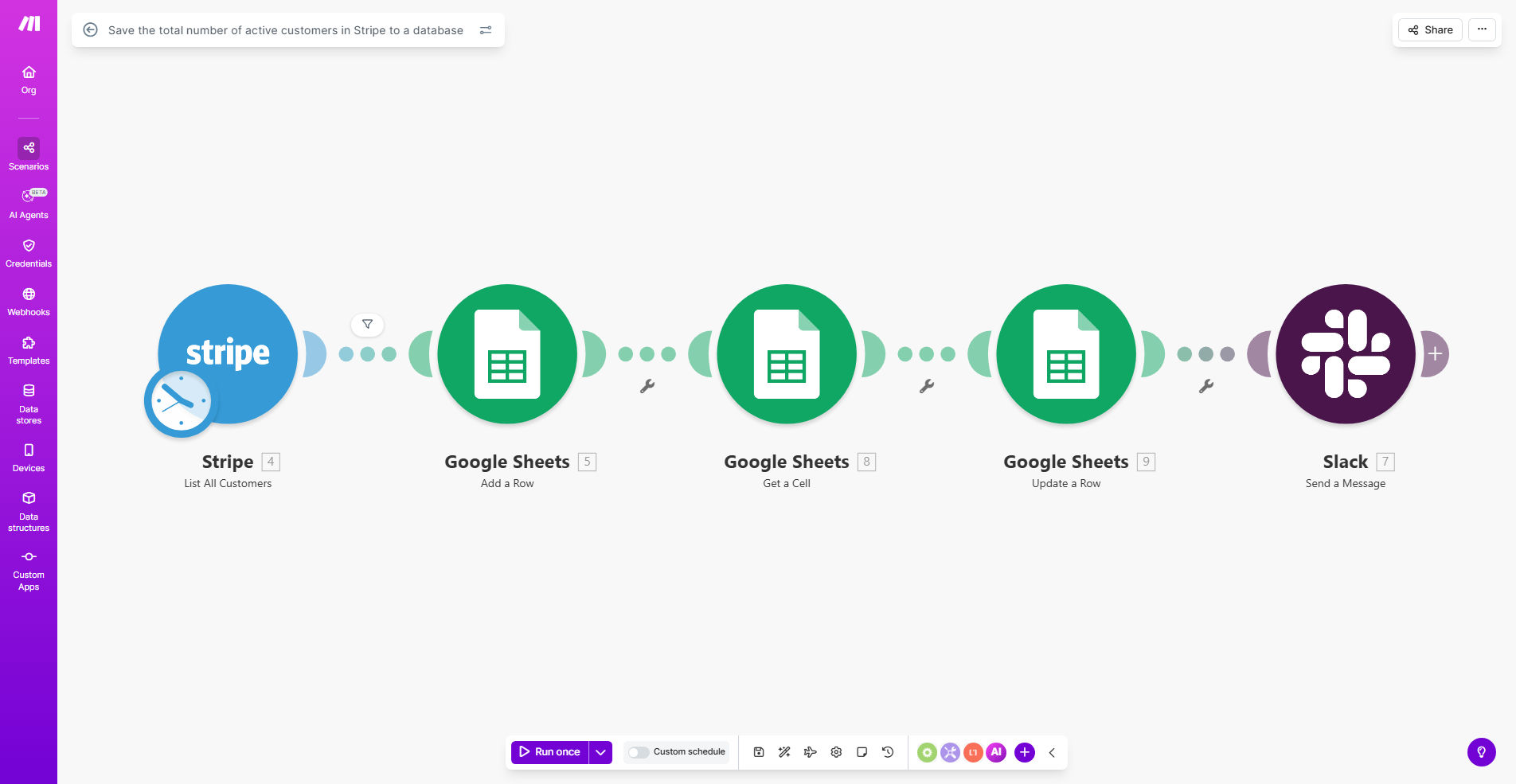
Make.com workflow diagram showing Stripe to Google Sheets integration

What This Workflow Does

This automation solves the tedious manual process of tracking your Stripe customer growth by automatically recording your active customer count in Google Sheets and notifying your team via Slack. Designed to run on the first of each month, it provides consistent, accurate customer metrics without any manual work.

Businesses using Stripe often need to track customer growth for investor reporting, team performance metrics, or churn analysis. Without automation, this requires logging into Stripe, running reports, and manually updating spreadsheets - a process prone to human error and often neglected when teams are busy.

How It Works

1. Monthly Trigger

The workflow automatically activates on the first day of each month using Make.com's scheduler.

2. Fetch Stripe Data

It connects to your Stripe account via API to retrieve the current count of active customers.

3. Update Google Sheets

The customer count is appended to your specified Google Sheet with a timestamp, creating a historical record.

4. Slack Notification

Your team receives an instant Slack message with the updated customer count and any custom commentary you've configured.

Pro tip: Add conditional formatting in Google Sheets to highlight growth trends and set up charts for visual reporting.

Who This Is For

This automation is ideal for SaaS companies, subscription businesses, and any organization using Stripe that needs to:

  • Track monthly growth metrics for investors
  • Monitor customer acquisition and retention
  • Eliminate manual reporting processes
  • Keep distributed teams informed with Slack alerts
  • Maintain accurate historical records for analysis

What You'll Need

  1. A Stripe account with active customers
  2. A Google Sheet set up to receive the data
  3. A Slack workspace and channel for notifications
  4. Make.com account (free tier available)

Quick Setup Guide

  1. Clone the template in your Make.com account
  2. Connect your Stripe account via OAuth
  3. Specify your target Google Sheet and tab
  4. Configure your Slack notification channel and message
  5. Test the workflow with manual execution
  6. Schedule it to run monthly (already configured)

Key Benefits

Save 2-3 hours monthly by eliminating manual customer counting and spreadsheet updates.

Improve data accuracy with automated recording that eliminates human error in manual processes.

Enhance team visibility with instant Slack notifications keeping everyone informed.

Create reliable historical data for year-over-year growth analysis and forecasting.

Focus on growth rather than administrative reporting tasks.

Frequently Asked Questions

Common questions about Stripe customer tracking automation

Tracking active customers helps businesses understand growth trends, forecast revenue, and measure retention. Without automation, teams waste time manually counting customers and risk working with outdated data.

For example, SaaS companies use this metric to calculate churn rate and customer lifetime value. Investors often request active customer counts during funding rounds as a key performance indicator.

Monthly updates are ideal for most businesses to track growth trends without data overload. This workflow automatically runs on the 1st of each month for consistent reporting.

Some high-growth startups may prefer weekly tracking during rapid scaling periods. The workflow can be easily modified for different schedules while maintaining data consistency.

Google Sheets provides historical tracking, easy sharing with stakeholders, and integration with other business tools. Automated updates eliminate manual data entry errors.

You can connect Sheets to Data Studio for visual dashboards, or use it as a data source for investor reports. The timestamped records create an audit trail for growth analysis.

  • Centralized access for multiple team members
  • Version history and change tracking
  • Formula-based calculations and visualizations

Yes, the Slack notification message can be fully customized in Make.com to include additional context, emojis, or formatting that suits your team's communication style.

Many businesses add month-over-month growth percentages, comparison to targets, or celebratory messages when hitting milestones. You can even @mention specific team members in the alerts.

Consider tracking MRR (monthly recurring revenue), churn rate, and average revenue per user alongside customer count for comprehensive business insights.

These additional metrics help identify whether growth is coming from higher-value customers or just volume. You can extend this workflow to capture those metrics using similar automation patterns.

  • MRR growth rate
  • Customer acquisition cost
  • Lifetime value

Make.com uses OAuth for secure Stripe access without exposing API keys. The workflow only retrieves customer count, not sensitive payment details.

The connection follows Stripe's security best practices, and you can revoke access at any time. For added security, consider using a restricted API key that only has permission to read customer counts.

Absolutely. Our team specializes in tailored Stripe automation solutions that connect with your specific business tools and reporting needs.

We can build custom dashboards, combine Stripe data with other platforms like your CRM, or create advanced churn prediction models. Many clients start with this template and then expand to more sophisticated reporting.

  • Custom metric calculations
  • Multi-platform integrations
  • Executive-level reporting

Need a Custom Stripe Reporting Automation?

This free template is a starting point. Our team builds fully tailored automation systems for your specific business needs.