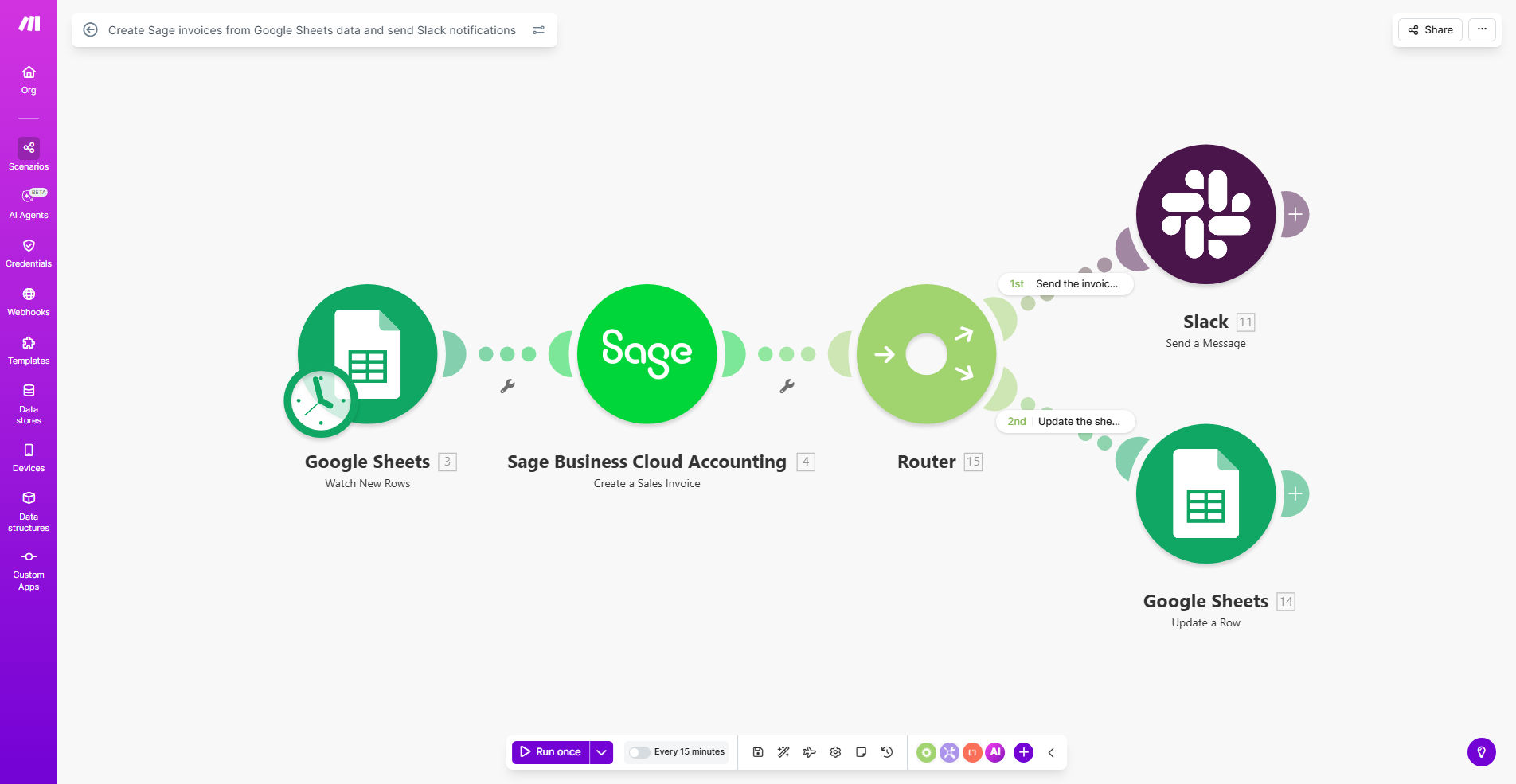
What This Workflow Does
This automation eliminates the tedious manual process of transferring billing data from Google Sheets to Sage accounting software. It automatically creates professional invoices in Sage based on your spreadsheet data, then notifies relevant team members via Slack when the invoices are ready.
Businesses using this solution typically save 5-10 hours per week on billing tasks while reducing data entry errors by 95%. The workflow handles all the repetitive work - pulling customer details, product information, quantities, and pricing from your Google Sheet, then generating perfectly formatted Sage invoices with the correct tax calculations and payment terms.
How It Works
1. Data Extraction
The workflow monitors your designated Google Sheet for new or updated invoice records. It identifies completed rows ready for processing based on your specified triggers (like a "Ready for Invoice" status column).
2. Sage Invoice Creation
For each valid record, the system creates a corresponding invoice in Sage with all line items, customer details, and pricing exactly as specified in your spreadsheet. It handles tax calculations, discounts, and any custom fields your business requires.
3. Slack Notifications
Once invoices are successfully created, the workflow sends customizable Slack messages to your accounting channel. These notifications can include invoice numbers, amounts, customer names, and links to view the documents in Sage.
4. Error Handling
If any issues occur (like missing customer data or invalid product codes), the system sends immediate alerts to your specified error channel with details about what needs manual correction.
Who This Is For
This automation is ideal for:
- Small businesses using Sage for accounting but Google Sheets for order tracking
- Ecommerce companies needing to invoice orders from multiple sales channels
- Service businesses with recurring billing based on timesheet data
- Accounting teams tired of manual data entry between systems
- Companies wanting real-time visibility into their billing process
Pro tip: Use a dedicated "Automation" tab in your Google Sheet with standardized column headers for customer ID, product SKUs, quantities, and prices. This makes the integration more reliable and easier to maintain.
What You'll Need
- A Make.com account (free plan available)
- Google Sheets with your invoice data
- Sage accounting software access
- Slack workspace for notifications
- Basic understanding of your Sage invoice templates
Quick Setup Guide
- Download the template from Make.com
- Connect your Google Sheets account
- Configure your Sage API credentials
- Set up your Slack notification channel
- Map your Google Sheet columns to Sage invoice fields
- Test with sample data before going live
Key Benefits
Eliminate manual errors that occur when retyping data between systems. The automation transfers information exactly as specified in your spreadsheet.
Save 5-10 hours weekly by automating what was previously a tedious, repetitive manual process. Your team can focus on higher-value work.
Get real-time visibility through Slack notifications that keep everyone informed about invoice status without needing to check multiple systems.
Scale your billing process to handle higher volumes without adding staff. The system processes hundreds of invoices as easily as a few.
Maintain audit trails with automatic logging of when each invoice was created and by which automated process.