Sage Google Sheets Accounting Automation

Automatically Save Sage Invoices to Google Sheets

Sync invoice data without manual entry for real-time team access and better financial reporting

Get This Workflow → Make.com · Accounting · Free Template
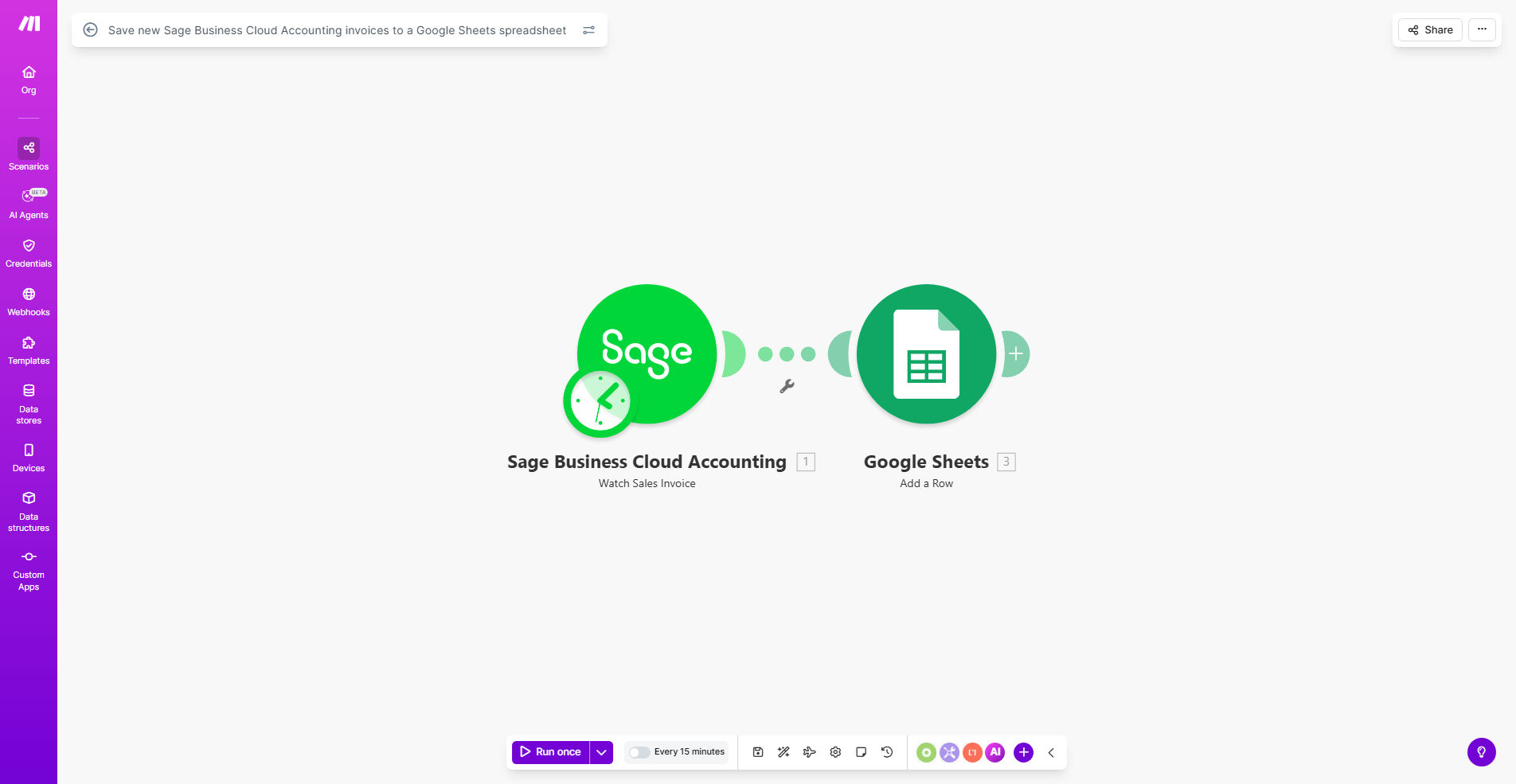
Sage to Google Sheets invoice sync workflow diagram

What This Workflow Does

This automation solves the common accounting headache of manually transferring invoice data between systems. Whenever a new invoice is created in Sage Business Cloud, the workflow automatically captures all relevant details and adds them as a new row in your designated Google Sheet.

By eliminating manual data entry, you reduce errors while giving your team instant access to invoice records without needing Sage login credentials. The synchronized data becomes searchable, sortable, and reportable in Sheets - perfect for creating custom financial dashboards or sharing specific records with team members.

How It Works

1. New Invoice Trigger

The workflow monitors your Sage account for newly created invoices, activating whenever accounting staff finalize a bill.

2. Data Extraction

Key fields like invoice number, date, client details, line items, taxes, and totals are extracted with proper formatting.

3. Google Sheets Update

The system adds a new row to your specified spreadsheet, maintaining consistent column structure across all entries.

4. Optional Notifications

Configure email/Slack alerts when high-value invoices sync or if errors occur during transfer.

Pro tip: Create a separate "Raw Data" tab in your Sheet for the automated entries, then build reporting tabs that reference this data. This preserves the automated structure while allowing custom views.

Who This Is For

This workflow delivers the most value for:

  • Accounting teams tired of manual Sage data exports
  • Businesses requiring shared invoice access across departments
  • Companies needing custom financial reporting beyond Sage's capabilities
  • Remote teams where multiple users need read-only invoice access

What You'll Need

  1. A Sage Business Cloud account with admin permissions
  2. A Google account with edit access to Sheets
  3. A Make.com account (free tier available)
  4. 10 minutes for initial setup

Quick Setup Guide

  1. Click "Get This Workflow" to copy the template to your Make.com account
  2. Connect your Sage Business Cloud account following the OAuth prompts
  3. Select your destination Google Sheet and specify the worksheet
  4. Run a test with an existing Sage invoice to verify data mapping
  5. Activate the workflow to begin automatic syncing

Key Benefits

Time savings: Eliminates 5-10 hours monthly of manual invoice logging and spreadsheet updates.

Error reduction: Automated transfers prevent typos and missed entries common in manual processes.

Enhanced visibility: Finance, sales, and operations teams can access invoice data without Sage licenses.

Reporting flexibility: Build custom pivot tables, charts, and dashsheets impossible in Sage alone.

Audit readiness: Maintains a timestamped record of all invoices separate from your accounting system.

Frequently Asked Questions

Common questions about Sage and Google Sheets integration

Automating invoice transfers from Sage to Google Sheets eliminates manual data entry, reducing errors and saving 5-10 hours per month. Team members can access real-time invoice data without Sage login credentials, streamlining accounting workflows.

For example, a retail business processing 200 monthly invoices reduced their monthly close process from 3 days to 1 day simply by eliminating manual spreadsheet updates.

  • No more switching between systems to copy data
  • Simultaneous access for multiple team members
  • Historical data always available for comparisons

Synced invoice data enables automated aging reports, revenue tracking by client/product, and tax preparation summaries. Google Sheets allows custom pivot tables and visualizations that Sage may not provide natively.

A marketing agency uses connected Sheets to automatically calculate client profitability by comparing invoice amounts against project hours from their time-tracking system.

  • Create client-specific views without Sage filters
  • Combine invoice data with other business metrics
  • Build dashboards updated in real-time

Make.com uses OAuth 2.0 for secure connections, with read-only access to Sage data. Only specified Google Sheets receive data, maintaining your existing permission structures.

The connection doesn't store your Sage credentials - it uses temporary tokens that expire. You can revoke access at any time through Sage's security settings without affecting other integrations.

  • Data encrypted in transit
  • No financial data stored on Make.com servers
  • Sheet access controlled by your Google permissions

Yes, the workflow can be modified to include/exclude specific fields like line items, taxes, or payment terms. This helps create focused reports without unnecessary data clutter.

Many businesses exclude sensitive notes or internal reference numbers while adding custom fields like project codes that aren't part of standard Sage invoices.

  • Add custom Sage fields to your sync
  • Exclude line item details for summary views
  • Map Sage fields to different Sheet columns

The workflow can be configured to backfill existing invoices during initial setup. For large histories, batch processing prevents system overload while ensuring complete records.

We recommend syncing the current fiscal year initially, then adding older invoices during off-peak hours if needed. The system automatically handles new invoices moving forward.

  • Preserve your existing Sage reporting periods
  • Schedule historical syncs during downtime
  • Verify data consistency after large imports

Google Sheets offers superior collaboration, customization, and integration with other tools. While Sage provides standard reports, Sheets enables cross-system analysis with CRM or inventory data.

A manufacturing company combines invoice data with production metrics to identify which products generate the most profitable orders - something impossible within Sage alone.

  • No Sage report writer training needed
  • Combine financial and operational data
  • Share specific views without exposing all financials

Absolutely. GrowwStacks specializes in tailored accounting workflows that connect Sage with your specific tools. We handle everything from initial setup to staff training for seamless adoption.

Our team can build custom solutions like automated invoice approvals, payment reconciliation alerts, or multi-system financial dashboards that match your exact business processes.

  • Free consultation to identify automation opportunities
  • White-glove implementation service
  • Ongoing support and optimization

Need a Custom Accounting Automation?

This free template is a starting point. Our team builds fully tailored automation systems for your specific business needs.