What This Workflow Does
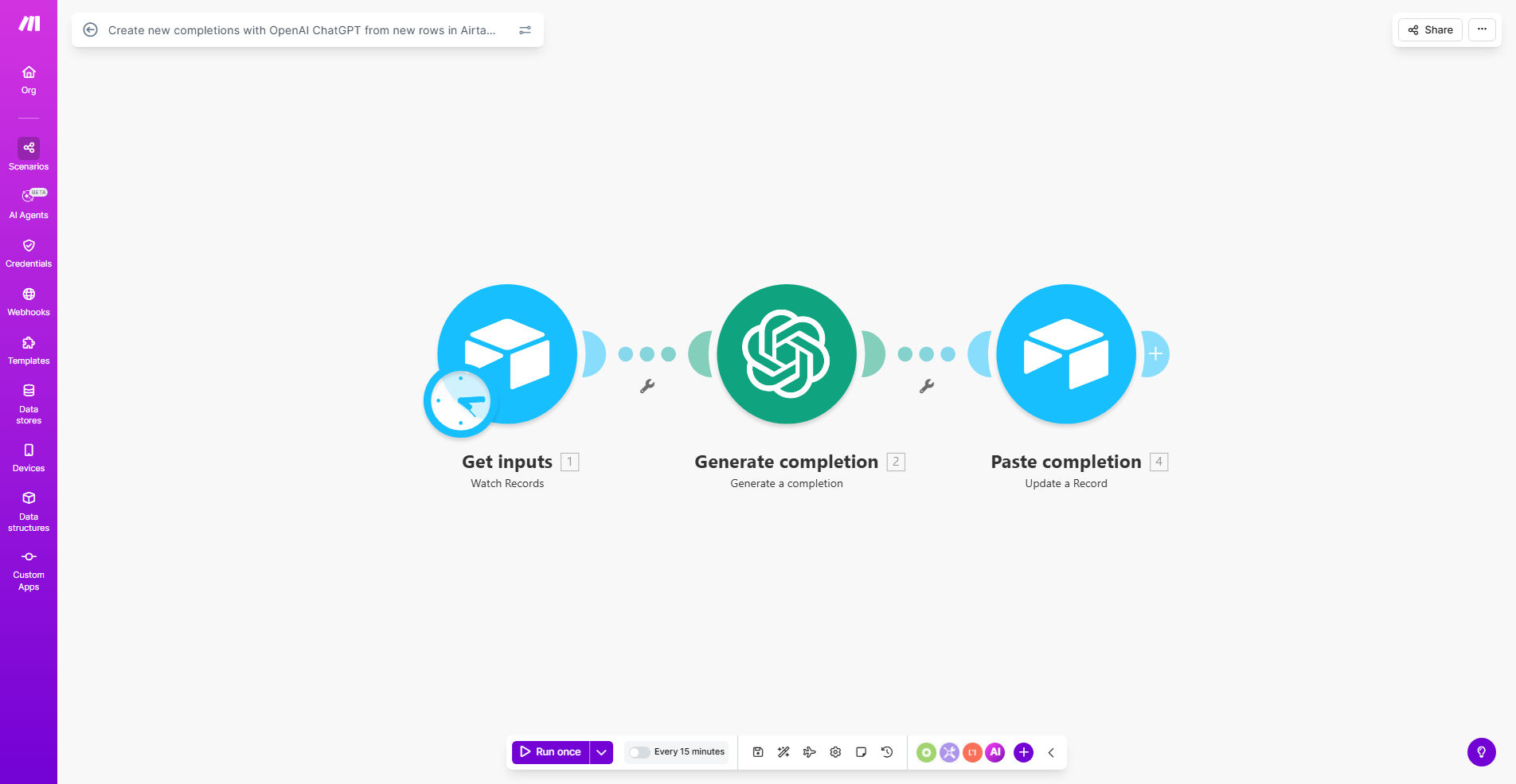
This automation connects your Airtable data with OpenAI's ChatGPT to automatically generate text completions whenever new records are added. Instead of manually creating content for each new product, service, or topic in your database, the system instantly produces drafts based on your specifications.
The workflow is particularly valuable for marketing teams, ecommerce businesses, and content creators who need to scale their output. Whether you're generating SEO keywords, product descriptions, blog post ideas, or social media captions, this integration eliminates the blank page problem and provides instant starting points.
How It Works
1. New Airtable Record Trigger
The workflow activates whenever a new row is added to your specified Airtable base. This could be a new product in your inventory, a content calendar entry, or any other data point requiring text generation.
2. Data Preparation
Key fields from the Airtable record are extracted and formatted into a clear prompt for the AI. This ensures the generated content is relevant and properly contextualized.
3. AI Content Generation
OpenAI's ChatGPT processes the prompt and returns completions based on your specifications. The system can generate multiple variations or a single optimized output.
4. Results Processing
The AI-generated content is then written back to your Airtable base in designated fields, ready for review or immediate use in your workflows.
Pro tip: Structure your Airtable fields to include clear instructions for the AI. A "Prompt Guidance" field in each record can significantly improve output quality.
Who This Is For
This automation is ideal for:
- Ecommerce teams managing large product catalogs
- Content marketers producing SEO-optimized material at scale
- Digital agencies handling multiple client content needs
- Publishers maintaining content calendars with consistent formatting
- Startups needing to bootstrap their content creation process
What You'll Need
- An Airtable account with a base containing data for content generation
- An OpenAI API key (ChatGPT Plus not required)
- A Make.com account to host the automation
- Clear content guidelines for your brand voice and style
Quick Setup Guide
- Duplicate the template in your Make.com account
- Connect your Airtable base and specify the trigger table
- Add your OpenAI API key in the designated module
- Map the Airtable fields to the AI prompt structure
- Specify where completed content should be written back in Airtable
- Test with sample data and refine your prompts as needed
Key Benefits
Scale content production 5x faster: Generate first drafts in seconds rather than hours, allowing your team to focus on refinement rather than creation from scratch.
Maintain consistency across channels: AI-generated content follows your specified guidelines, ensuring cohesive messaging whether you're producing product pages, social posts, or email campaigns.
Reduce creative fatigue: Eliminate blank-page paralysis by starting with AI-generated options that your team can edit and perfect.
Adapt quickly to new products: When adding new items to your catalog, automatically generate all required marketing copy based on your existing style and structure.
Continuous improvement: As you refine prompts and provide feedback through Airtable, the system learns to produce better outputs over time.