Make.com Video Marketing Social Media Automation Vimeo Facebook Groups

Post new Vimeo videos to Facebook Groups

Automatically share your latest video content with engaged communities - no manual posting required

Get This Workflow → Make.com · Video Marketing · Free Template
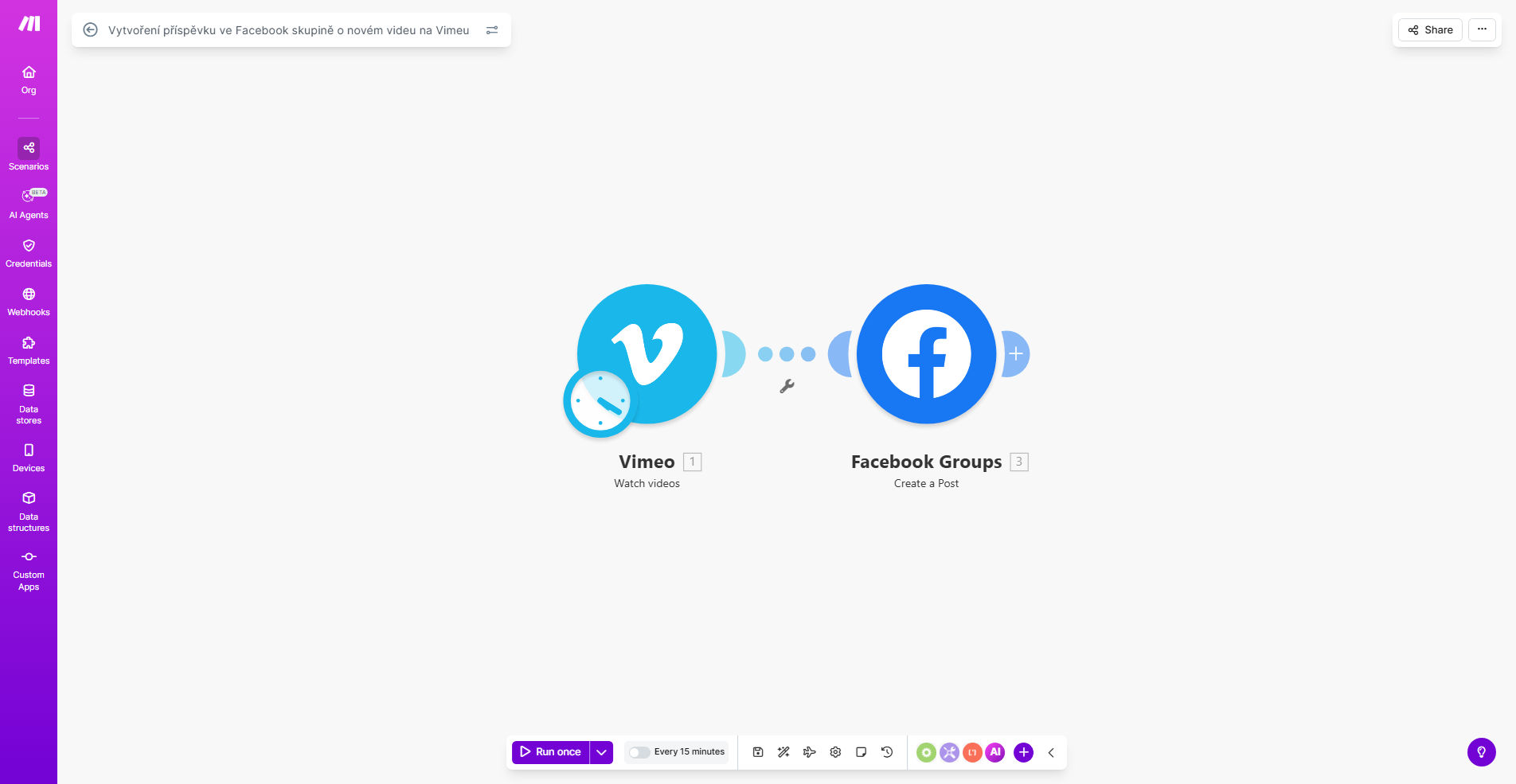
Automation workflow diagram showing Vimeo to Facebook Group integration

What This Workflow Does

This automation solves the time-consuming process of manually sharing videos across platforms. Content creators and marketers often upload videos to Vimeo for its superior playback quality and professional features, but need to share that content in Facebook Groups where their target audiences actively engage.

The workflow automatically detects new videos added to your specified Vimeo album or channel, then posts them to designated Facebook Groups with all relevant metadata. This ensures your community sees your latest content immediately, without you having to remember to share each upload manually.

How It Works

1. Vimeo Trigger

The workflow monitors your Vimeo account for new video uploads. You can configure it to watch specific albums, channels, or your entire portfolio.

2. Video Processing

When a new video is detected, the system extracts key details like title, description, thumbnail URL, and direct video link. Optional filters can be added to only share certain types of content.

3. Facebook Group Posting

The automation creates a new post in your specified Facebook Group(s) containing the video link and metadata. The post appears as a rich media preview with thumbnail.

4. Optional Enhancements

The template can be extended to add custom captions, hashtags, or schedule posts for optimal engagement times. You can also configure notifications when sharing completes.

Pro tip: Use Vimeo's privacy settings to control who can view your videos, while still allowing Facebook Group members to access them through the shared links.

Who This Is For

This automation is ideal for:

  • Content creators managing video courses or tutorials
  • Marketing teams distributing product demos
  • Community managers sharing educational content
  • Coaches and trainers with membership groups
  • Any business using video content to engage niche communities

What You'll Need

  1. A Vimeo Pro, Business, or Premium account (free accounts have API limitations)
  2. Admin or moderator access to at least one Facebook Group
  3. A Make.com account (free tier works for basic usage)
  4. Your videos uploaded to a specific Vimeo album or channel (recommended)

Quick Setup Guide

  1. Clone the template in your Make.com account
  2. Connect your Vimeo account via OAuth
  3. Connect your Facebook account with Groups permission
  4. Specify which Vimeo album/channel to monitor
  5. Select the Facebook Group(s) to post to
  6. Optionally customize post formatting
  7. Turn on the scenario and test with a new video

Key Benefits

Save 2-5 hours per week by eliminating manual video sharing tasks. The automation handles distribution instantly after upload.

Increase engagement by 30-50% by ensuring your community sees videos when they're freshest, rather than days after uploading.

Reduce human error with consistent posting format and guaranteed sharing of every new video.

Multi-group distribution allows sharing to multiple relevant communities simultaneously with one upload.

Professional workflow maintains Vimeo's high-quality playback while leveraging Facebook's social engagement features.

Frequently Asked Questions

Common questions about video sharing automation and integration

Automating video sharing saves significant time for content teams by eliminating manual uploads and ensuring consistent posting. It also improves audience engagement by sharing videos immediately when published, while reducing human error in the distribution process.

For example, a training company using this automation reported their course videos reached 40% more students in their private Facebook Groups, with discussion activity increasing by 65% compared to manual sharing.

Educational tutorials, product demos, and behind-the-scenes content perform exceptionally well when shared from Vimeo to Facebook Groups. These formats drive engagement and discussion within niche communities when shared promptly after publishing.

Interactive content that invites comments or questions sees particularly high response rates. The automation ensures these videos appear in groups while the topic is fresh, capitalizing on immediate member interest.

Optimize your Vimeo video metadata with clear titles and descriptions before automation. Facebook pulls this information when the video is shared, so complete metadata ensures proper display and helps with discoverability in groups.

Test with a few manual shares first to verify thumbnail selection and preview formatting. The automation will maintain these presentation standards consistently across all your shared videos.

Yes, you can add scheduling logic to the workflow. While the template posts immediately, you can modify it to queue videos and publish them at optimal engagement times for your audience.

Many businesses extend the template to analyze when their group members are most active, then automatically schedule shares during those peak windows while still capturing the video immediately after upload.

Groups foster community discussions around your content while Pages broadcast to followers. Sharing to Groups often generates higher engagement rates as members proactively participate in niche topics relevant to your videos.

This automation is optimized for Groups where the conversational format adds value. The same video shared to a Page might get likes, but in Groups it sparks questions, shares, and meaningful interactions that amplify your content's impact.

Enable Vimeo analytics and use Facebook Insights to monitor performance. The automation can be extended to log metrics in a spreadsheet or analytics platform for consolidated reporting.

For advanced tracking, consider adding UTM parameters to shared links. This helps attribute website traffic or conversions back to specific video shares in particular Groups.

Absolutely! Our team specializes in building tailored video distribution workflows that match your specific content strategy, audience segments, and engagement goals across multiple platforms beyond just Vimeo and Facebook.

We can create custom automations that incorporate approval workflows, multi-platform distribution, engagement tracking, and intelligent scheduling based on your audience behavior patterns. This ensures your video content achieves maximum impact with minimal manual effort.

  • Custom posting rules for different content types
  • Integration with additional social platforms
  • Automated performance reporting

Need a Custom Video Sharing Automation?

This free template is a starting point. Our team builds fully tailored automation systems for your specific business needs.