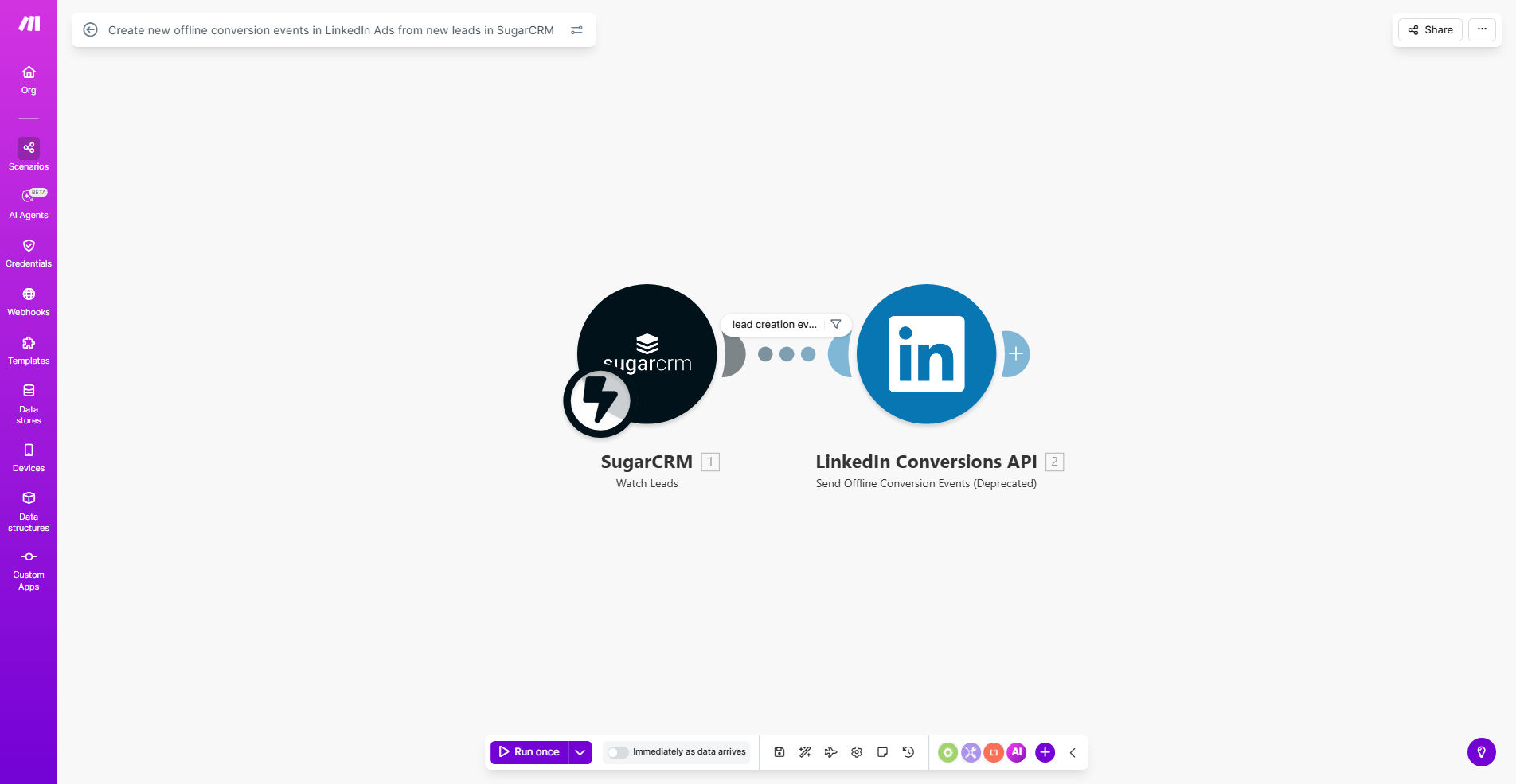
What This Workflow Does
This automation solves the common challenge of measuring LinkedIn Ads performance accurately. Most businesses struggle to connect ad spend to actual lead generation because conversion tracking stops at website visits. When leads enter your SugarCRM but aren't reported back to LinkedIn, you lose visibility into which campaigns drive real business value.
The workflow automatically creates offline conversion events in LinkedIn Ads whenever new leads appear in SugarCRM. This closed-loop reporting gives you accurate ROI data to optimize campaigns toward leads that actually convert in your CRM rather than just clicks or form submissions.
How It Works
1. New lead detection
The workflow monitors your SugarCRM for newly created lead records using Make.com's SugarCRM module. It can watch specific lead statuses or all new entries.
2. Data preparation
Lead details are formatted according to LinkedIn's offline conversion API requirements. The system hashes email addresses for privacy while maintaining matchability.
3. Conversion event creation
Make.com sends the processed lead data to LinkedIn Ads as an offline conversion event, associating it with the original ad campaign that drove the lead.
Pro tip: Configure the workflow to track different conversion types (lead created, qualified, opportunity created) to see which campaigns drive sales-ready leads versus just inquiries.
Who This Is For
This automation delivers the most value for B2B companies running LinkedIn Ads while using SugarCRM for lead management. Ideal users include:
- Marketing teams needing accurate campaign attribution
- Sales leaders wanting visibility into ad-driven pipeline
- Growth marketers optimizing ad spend based on CRM outcomes
- Revenue operations teams connecting marketing and sales systems
What You'll Need
- A Make.com account (free plan sufficient)
- Admin access to your SugarCRM instance
- LinkedIn Ads account with offline conversion tracking enabled
- Basic understanding of your lead status workflow in SugarCRM
Quick Setup Guide
- Install the template in your Make.com account
- Connect your SugarCRM instance using API credentials
- Configure which lead statuses should trigger conversions
- Connect your LinkedIn Ads account and select conversion types
- Test with sample leads to verify data flow
- Activate the scenario for continuous sync
Key Benefits
Accurate campaign attribution: Stop guessing which LinkedIn Ads drive real leads. See exactly which campaigns generate SugarCRM entries with dollar-for-dollar ROI tracking.
Better ad optimization: LinkedIn's algorithm uses your conversion data to automatically bid higher on audiences that generate CRM leads and lower on those that don't.
Reduced manual work: Eliminates daily CSV uploads or manual conversion logging. The system works 24/7 as leads enter your CRM.
Faster optimization cycles: Real-time data means you can pause underperforming campaigns and scale winners faster than waiting for end-of-month reports.