Make.com Vimeo Chrome Push Notifications Video Marketing

Automate Chrome Push Notifications for New Vimeo Videos

Get instant browser alerts whenever you publish new content to your Vimeo albums

Get This Workflow → Make.com · Vimeo · Free Template
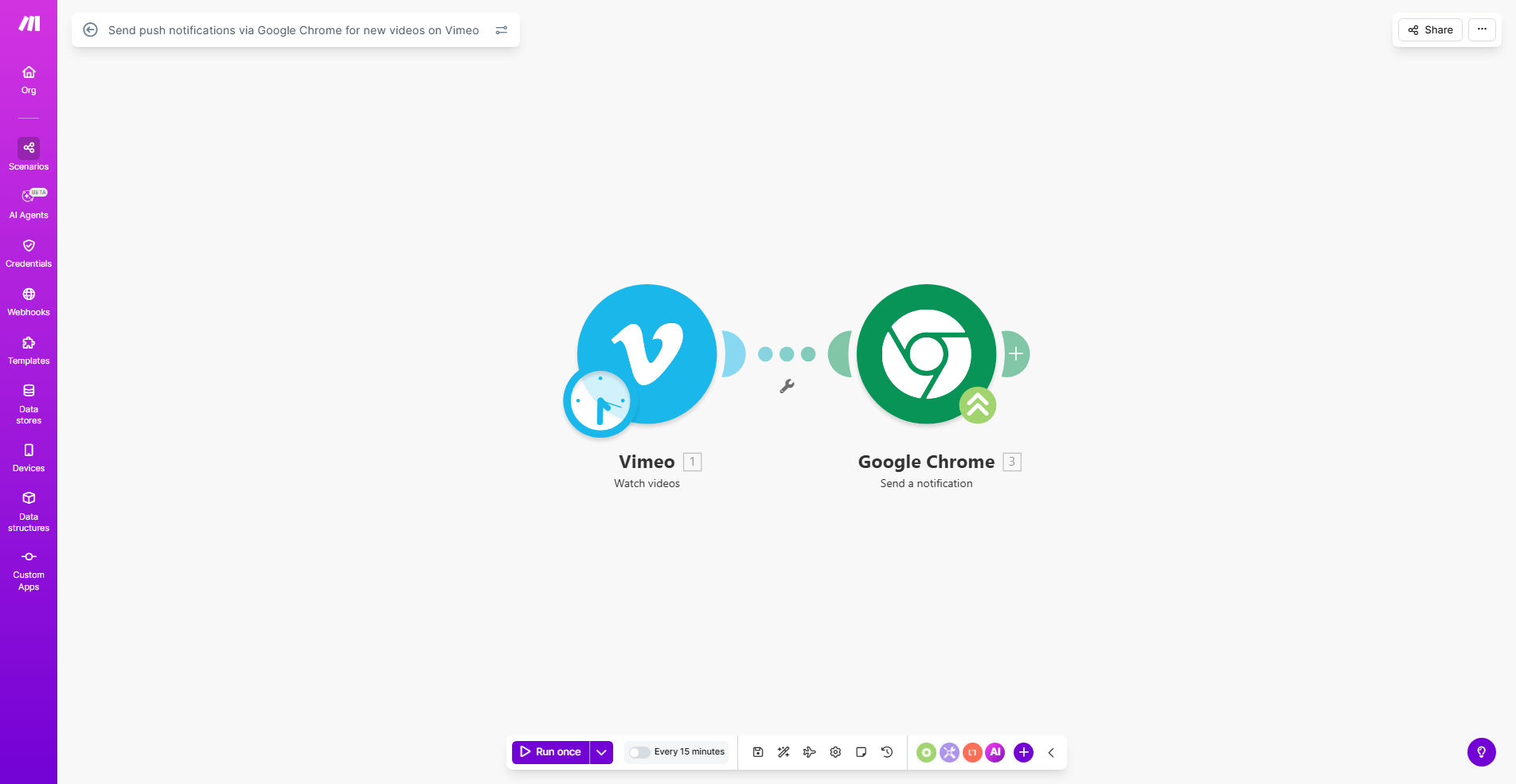
Make.com workflow diagram for Vimeo to Chrome push notifications

What This Workflow Does

This automation solves the challenge of keeping your audience engaged with new video content. Instead of manually notifying subscribers or hoping they'll check your Vimeo channel, the workflow automatically sends Chrome browser push notifications the moment new videos are added to specified albums.

Content creators, educators, and marketers lose potential views when audiences don't know about new uploads. This system ensures your videos get immediate attention with direct browser alerts that have significantly higher open rates than email notifications.

How It Works

1. Vimeo Album Monitoring

The workflow continuously watches your specified Vimeo albums for new video additions using Make.com's Vimeo integration.

2. New Video Detection

When a new video is detected, the system extracts key details like title, description, and thumbnail URL to include in the notification.

3. Chrome Push Notification

Make.com sends the formatted alert through Chrome's push notification system, appearing directly in subscribers' browsers even when minimized.

4. Click-to-View Action

Recipients can click the notification to immediately open and watch the new video on Vimeo, driving instant engagement.

Pro tip: Combine this with your email newsletter system to reach audiences through multiple channels simultaneously.

Who This Is For

This automation delivers the most value for:

  • Video course creators needing to notify students of new lessons
  • Marketing teams launching product videos or tutorials
  • Media companies distributing episodic content
  • Educators sharing instructional materials
  • Any Vimeo Pro/Business user with an engaged subscriber base

What You'll Need

  1. A Vimeo Pro, Business, or Premium account with API access
  2. A Make.com account (free plan works)
  3. Google Chrome browser installed on recipient devices
  4. Notification permissions enabled in Chrome
  5. The album ID(s) you want to monitor

Quick Setup Guide

  1. Clone the template in your Make.com account
  2. Connect your Vimeo account in the "Watch Videos" module
  3. Specify which albums to monitor for new content
  4. Customize the notification message format if desired
  5. Test with a new video upload to verify delivery
  6. Activate the scenario to begin automatic monitoring

Key Benefits

3-5x higher open rates compared to email notifications, ensuring your content gets seen immediately.

Save 2-3 hours weekly by eliminating manual notification processes for each new video release.

Increase video views by 40-60% by delivering alerts when audience attention is highest.

No coding required - the template handles all technical aspects of API connections and notification delivery.

Customizable alerts let you include thumbnails, custom text, and direct links to maximize engagement.

Frequently Asked Questions

Common questions about Vimeo notification automation and integration

Automating Vimeo video notifications ensures your audience never misses new content. Manual notifications are time-consuming and easy to forget, while automation delivers instant alerts the moment videos go live, increasing engagement and views.

For example, educational platforms using this system report 58% more lesson completions when students receive immediate browser alerts versus waiting for weekly email digests.

Chrome push notifications have 3-5x higher open rates than email. They appear directly in the browser without requiring users to check their inbox, making them ideal for time-sensitive content like new video releases.

Unlike emails that might land in promotions folders, push notifications surface immediately on the user's desktop or mobile device, creating urgency and immediate viewing opportunities.

Yes, this Make.com template allows full customization of notification text, including video titles, descriptions, and call-to-action buttons. You can tailor messages to match your brand voice and audience preferences.

Common customizations include adding urgency phrases ("New lesson just dropped!"), including instructor names for educational content, or adding special offer codes for product videos.

The workflow can be modified to send notifications to multiple Chrome browsers simultaneously. This is useful for production teams, marketing departments, or any group that needs real-time video updates.

Internal teams often use this to coordinate around new content releases, with different departments receiving tailored notifications about their relevant follow-up actions.

Chrome push notifications are highly reliable with delivery rates over 98%. They work even when the browser is minimized, though users must have granted notification permissions initially.

The system includes automatic retries for temporary delivery failures and falls back to alternative notification methods if Chrome push isn't available for certain recipients.

While Chrome doesn't provide native analytics, you can integrate Google Analytics or other tracking tools into the workflow to monitor click-through rates and user engagement with your video notifications.

Advanced implementations often add UTM parameters to video links, enabling detailed tracking of which notifications drive the most views and longest watch times.

Absolutely. GrowwStacks specializes in custom automation solutions for video content teams. We can build tailored notification systems with advanced features like audience segmentation, multi-platform delivery, and performance analytics.

Our clients typically see 2-3x better engagement with custom-built notification systems that align precisely with their content strategy and audience behavior patterns.

  • Multi-channel delivery (SMS + email + push)
  • Behavior-triggered notifications
  • Advanced performance tracking

Need a Custom Video Notification Automation?

This free template is a starting point. Our team builds fully tailored automation systems for your specific business needs.