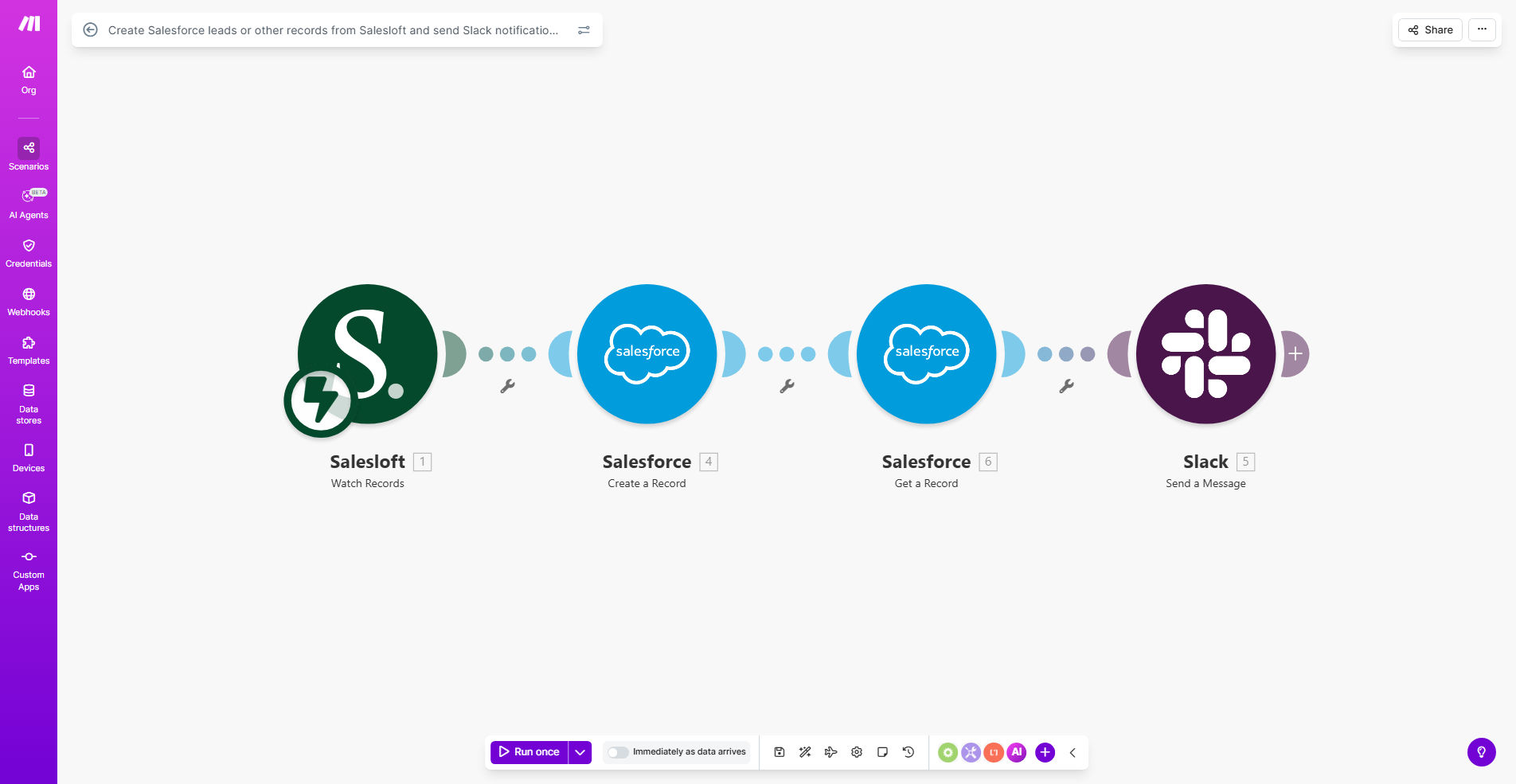
What This Workflow Does
This automation solves a critical bottleneck in sales operations - the delay between lead generation in Salesloft and follow-up by sales reps. When new leads enter your Salesloft cadences, they often need to be manually transferred to Salesforce before your team can act on them, creating frustrating delays.
The workflow automatically creates Salesforce lead records (or other object types) whenever new people are added to Salesloft, then instantly notifies your sales team via Slack. This eliminates manual data entry, reduces lead response time from hours to seconds, and ensures no prospect falls through the cracks during handoffs between marketing and sales.
How It Works
1. New lead detection in Salesloft
The workflow continuously monitors your Salesloft account for new people added to cadences or lists. When a new prospect appears, it immediately triggers the automation process.
2. Data mapping and transformation
The system extracts all relevant lead information from Salesloft and maps it to corresponding Salesforce fields. You can customize which data points get transferred and apply any necessary formatting transformations.
3. Salesforce record creation
The workflow creates a new lead (or contact/opportunity) in Salesforce with all the mapped data. It can be configured to handle duplicates by either updating existing records or skipping them based on your preferences.
4. Slack notification delivery
Immediately after the Salesforce record is created, the system sends a customizable Slack message to your designated channel. The notification can include key lead details, priority indicators, and even @mention specific team members based on assignment rules.
Pro tip: Configure your Slack notifications to include a direct link to the new Salesforce record. This lets reps jump straight into action with one click.
Who This Is For
This automation delivers the most value for:
- Sales teams using Salesloft for outreach with Salesforce as their CRM
- Companies with high lead volumes where manual data entry creates bottlenecks
- Organizations where marketing qualifies leads in Salesloft before sales engagement
- Teams that need real-time visibility into new leads across departments
- Sales ops leaders looking to reduce lead response time and improve conversion rates
What You'll Need
- Active accounts in Salesloft, Salesforce, and Slack
- Admin access to connect these systems to Make.com
- Clear field mapping between Salesloft and Salesforce lead objects
- A dedicated Slack channel for lead notifications
- 5-10 minutes to configure the template with your specific settings
Quick Setup Guide
- Clone the template in your Make.com account
- Connect your Salesloft, Salesforce, and Slack accounts
- Map the Salesloft fields to corresponding Salesforce fields
- Customize the Slack notification message format
- Test with sample data to verify the flow
- Activate the scenario and monitor initial executions
Key Benefits
Reduce lead response time from hours to seconds by eliminating manual data transfer between systems. Faster response dramatically increases conversion rates.
Save 5-15 minutes per lead in administrative work. For teams processing 50+ leads weekly, this adds up to 40+ hours of saved time monthly.
Improve data accuracy by removing human error from manual data entry. All information transfers exactly as captured in Salesloft.
Enhance team visibility with real-time Slack alerts that keep everyone informed about new opportunities as they emerge.
Scale your sales process without adding administrative headcount. The automation handles growing lead volumes effortlessly.