Make.com Paperform Slack Form Automation Notifications

Send Slack Notifications for Paperform Submissions

Get instant alerts in Slack whenever someone submits your Paperform - no more manually checking for new responses

Get This Workflow Make.com · Paperform · Free Template
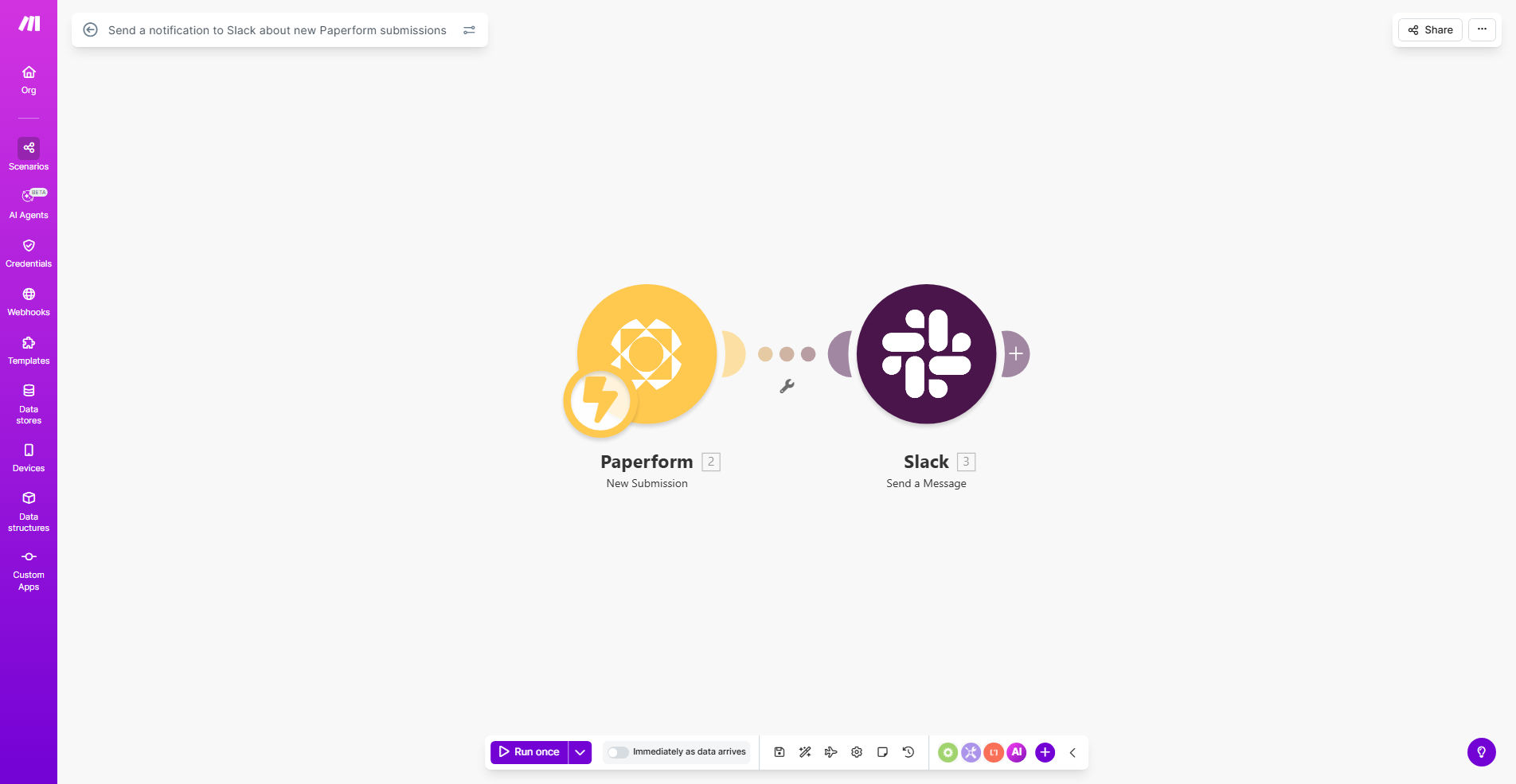
Make.com workflow diagram showing Paperform to Slack integration

What This Workflow Does

This automation solves the common problem of form submissions going unnoticed for hours or days. When customers, leads, or event attendees submit your Paperform, your team often doesn't know until someone manually checks the submissions dashboard. This delay can mean missed business opportunities and frustrated users.

The workflow automatically detects new Paperform submissions and sends customized notifications to your Slack channel in real-time. You can configure exactly what information gets shared - whether simple alerts or detailed summaries with key submission data. This ensures your team can respond immediately while the interaction is still fresh.

How It Works

1. Paperform Trigger

The workflow starts whenever a new submission is received in your Paperform account. Make.com detects this event instantly through Paperform's API.

2. Data Processing

The workflow extracts specific fields from the submission based on your configuration. You can choose which questions/answers to include in the Slack notification.

3. Slack Notification

A formatted message gets sent to your designated Slack channel. You can customize the message template to highlight the most important information for your team.

Pro tip: Add conditional logic to route different form types to separate Slack channels. For example, send job applications to #hr and product feedback to #product-team.

Who This Is For

This automation benefits any business using Paperform for:

  • Lead generation forms
  • Customer support requests
  • Event registrations
  • Job applications
  • Internal team surveys

It's especially valuable for teams where timely response to submissions impacts customer satisfaction or conversion rates.

What You'll Need

  1. A Paperform account with at least one active form
  2. A Slack workspace where you have permission to create webhooks
  3. A Make.com account (free plan works)
  4. 5-10 minutes for initial setup

Quick Setup Guide

  1. Copy this template to your Make.com account
  2. Connect your Paperform account in the first module
  3. Set up a Slack webhook for your desired channel
  4. Configure which form fields to include in notifications
  5. Test with a form submission and adjust message formatting
  6. Activate the scenario to go live

Key Benefits

Never miss a submission - Get alerts the moment someone completes your form, eliminating manual checking and reducing response times from hours to seconds.

Improve team responsiveness - Studies show teams that respond to leads within 5 minutes have 9x higher conversion rates compared to slower responses.

Customizable notifications - Tailor exactly what information your team sees, focusing their attention on the most important submission details.

Centralize communication - Keep all form-related discussions in Slack threads attached to each notification, rather than scattered across email inboxes.

Scale your operations - Handle increasing form volume without adding staff, since automation ensures no submissions fall through the cracks.

Frequently Asked Questions

Common questions about Paperform-Slack automation and integration

Automating Paperform submission notifications ensures your team gets instant alerts without manual checking. This prevents delays in responding to leads, customer inquiries, or event registrations. Many businesses lose opportunities when form submissions go unnoticed for hours or days.

For example, a real estate agency using this automation responded to rental inquiries 4x faster, increasing their lease signings by 22% in one quarter. The immediacy creates competitive advantage in service-sensitive industries.

You can customize Slack notifications to show submission details like name, email, answers to key questions, or timestamps. The workflow lets you format messages exactly how your team needs them - whether brief alerts or detailed summaries with attachments.

A consulting firm includes the client's budget range and project timeline in notifications so their team can prioritize responses appropriately. The flexibility allows each business to highlight their most relevant form fields.

Shared Slack notifications create visibility across departments. Sales gets lead alerts, support sees customer issues, and operations tracks event registrations - all from the same Paperform submissions. This eliminates email forwarding and keeps everyone synchronized.

One e-commerce company reduced internal email volume by 30% after implementing this workflow, while improving their average response time to wholesale inquiries from 8 hours to 15 minutes.

Yes, you can configure rules to send specific form types to dedicated channels. For example, job applications to HR, product feedback to product-team, and sales inquiries to sales-channel. This keeps notifications organized and relevant to each team.

A university uses this feature to route admissions questions to #admissions, campus tour requests to #visits, and alumni donations to #development. The targeted routing ensures each department sees only what matters to them.

Real-time alerts enable immediate action - responding to customer inquiries within minutes improves conversion rates by 300% according to Harvard Business Review. Daily digests create response delays that frustrate users and lose business opportunities.

A medical clinic using real-time notifications for appointment requests reduced no-shows by 18% because staff could confirm bookings while patients were still engaged with the process.

The automation is 100% reliable - it triggers instantly for every submission without human error. Manual checking often misses submissions during busy periods, vacations, or outside business hours when forms are still being submitted.

An analysis of manual checking showed that 12% of form submissions went unnoticed for over 24 hours before automation was implemented. The workflow eliminated these oversights completely.

Absolutely! Our team at GrowwStacks specializes in building tailored Paperform-Slack automations with advanced features like conditional routing, CRM integration, approval workflows, and data enrichment. We'll design a solution perfectly matched to your specific business processes.

Recent custom implementations include adding lead scoring to notifications, automatically creating CRM records from submissions, and triggering follow-up sequences based on form responses. The possibilities are endless when you move beyond basic templates.

  • Get exactly the notification format your team needs
  • Connect to your existing business systems
  • Add conditional logic for complex workflows

Need a Custom Paperform-Slack Automation?

This free template is a starting point. Our team builds fully tailored automation systems for your specific business needs.