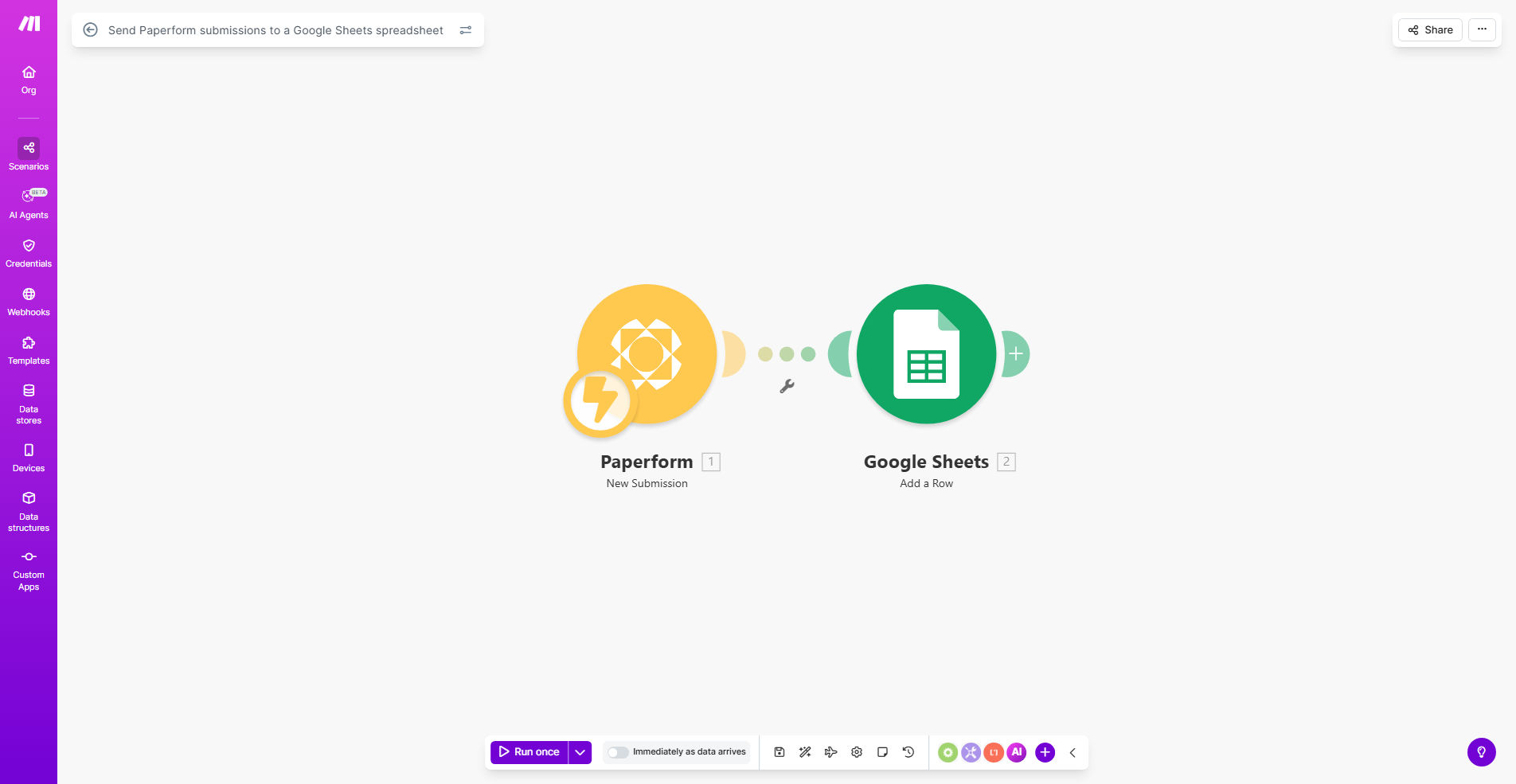
What This Workflow Does
This automation eliminates the tedious manual process of copying form responses from Paperform into Google Sheets. Every time someone submits your Paperform, the workflow instantly creates a new row in your specified Google Sheet with all their response data.
Businesses using forms for applications, surveys, orders, or registrations waste countless hours transferring data between systems. This template solves that problem by creating a seamless connection between your form and spreadsheet, ensuring data arrives accurately formatted and immediately available for analysis.
How It Works
1. Trigger: New Paperform Submission
The workflow starts whenever someone submits your Paperform. Make.com detects the new entry through Paperform's API.
2. Data Extraction
The workflow captures all form fields including text responses, multiple choice selections, dates, and file upload references.
3. Google Sheets Update
The system connects to your specified Google Sheet and adds a new row with all the form data properly mapped to columns.
Pro tip: Add a timestamp column in your Sheet to track when each submission was recorded.
Who This Is For
This automation is ideal for:
- Businesses collecting customer feedback or product registrations
- Event organizers managing attendee information
- HR teams processing job applications
- Educators gathering student responses
- Researchers compiling survey data
What You'll Need
- A Paperform account with at least one active form
- A Google account with Sheets access
- A Make.com account (free plan available)
- Basic understanding of Google Sheets structure
Quick Setup Guide
- Clone this template in your Make.com account
- Connect your Paperform account in the first module
- Select which form to monitor for submissions
- Connect your Google account in the Sheets module
- Specify the target spreadsheet and worksheet
- Map form fields to Sheet columns (automatic for most fields)
- Activate the scenario and test with a form submission
Key Benefits
Save 5-10 hours per week by eliminating manual data entry from forms to spreadsheets. The automation handles transfers instantly with perfect accuracy.
Never miss a submission with 24/7 monitoring. Even if you're offline, responses get recorded immediately in your Sheet.
Maintain data consistency with standardized formatting across all entries. No more variations from different team members entering data.
Enable real-time reporting as submissions appear instantly in your Sheet. Create live dashboards or trigger follow-up actions based on new entries.
Scale without added workload whether you receive 10 or 10,000 submissions. The automation handles any volume effortlessly.