Make.com Mailchimp Paperform Email Marketing Form Automation

Automatically Sync Paperform Submissions to Mailchimp

Keep your email lists updated without manual work by connecting Paperform to Mailchimp through Make.com

Get This Workflow Make.com · Mailchimp · Free Template
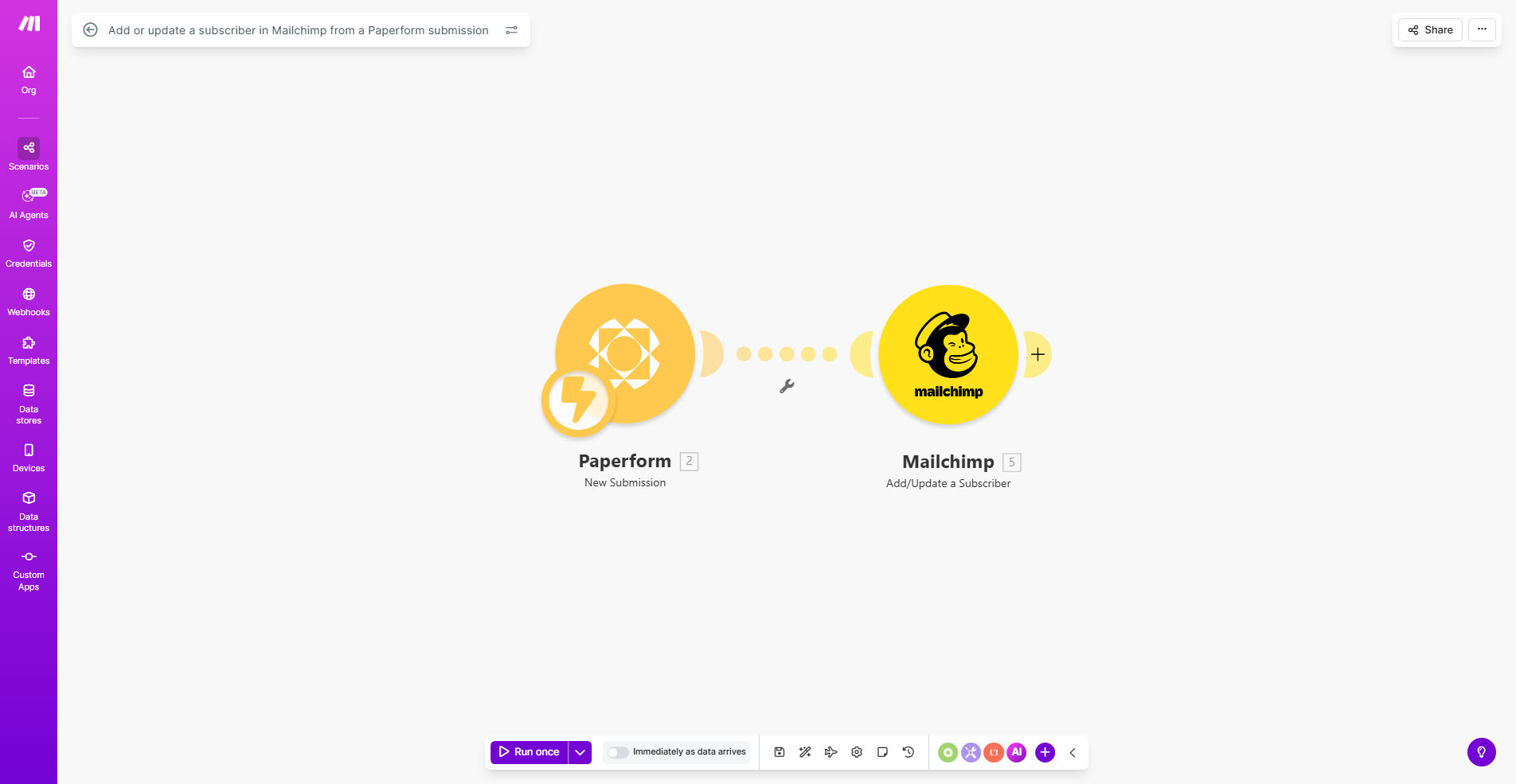
Make.com workflow diagram showing Paperform to Mailchimp integration

What This Workflow Does

This automation solves the common problem of manually transferring form submissions to your email marketing platform. Every time someone completes your Paperform, their information automatically syncs to your specified Mailchimp list as either a new subscriber or updated contact information.

The workflow intelligently checks whether each submitter already exists in your Mailchimp audience before taking action. This prevents duplicate entries while ensuring existing contacts have their information updated with the latest details from your form. It handles all the field mapping between Paperform responses and Mailchimp contact fields automatically.

How It Works

1. Paperform submission triggers the workflow

When someone submits your Paperform, the workflow immediately captures all their responses including email address, name, and any custom fields you've set up.

2. Mailchimp list verification

The system checks your specified Mailchimp list to determine if the submitter's email already exists in your audience.

3. Add or update subscriber

If the email is new, it creates a Mailchimp subscriber with all mapped fields. If the email exists, it updates that contact's information with the new form data.

4. Optional tagging and segmentation

You can configure the workflow to add tags or update segments based on specific form responses, enabling smarter email targeting.

Who This Is For

This automation benefits any business using Paperform for lead generation, event registrations, or customer surveys that needs to:

  • Keep Mailchimp lists current with minimal effort
  • Eliminate duplicate manual data entry between systems
  • Ensure timely follow-up with new leads via email sequences
  • Maintain accurate customer profiles across platforms

What You'll Need

  1. A Make.com account (free plan available)
  2. An active Paperform account with at least one form
  3. A Mailchimp account with an existing audience/list
  4. API keys for both Paperform and Mailchimp (provided in setup)

Quick Setup Guide

  1. Copy this template to your Make.com account
  2. Connect your Paperform account via API
  3. Connect your Mailchimp account via API
  4. Select your target Mailchimp audience/list
  5. Map Paperform fields to Mailchimp contact fields
  6. Test with a form submission and verify Mailchimp update
  7. Activate the workflow for automatic processing

Pro tip: Use Paperform's hidden fields to pass additional metadata (like lead source or campaign ID) to Mailchimp for better segmentation and reporting.

Key Benefits

Eliminate manual data entry - Save 2-5 hours per week by automatically syncing form submissions instead of copying/pasting between platforms.

Improve list accuracy - The workflow's duplicate prevention ensures your Mailchimp audience stays clean with no redundant contacts.

Faster lead follow-up - New subscribers are available for email sequences within minutes rather than waiting for manual processing.

Customizable field mapping - Match any Paperform question to specific Mailchimp fields, including custom merge variables.

Scalable solution - Handles 10 or 10,000 submissions with equal reliability, growing with your business needs.

Frequently Asked Questions

Common questions about Mailchimp-Paperform automation and integration

Connecting Paperform to Mailchimp saves hours of manual data entry while ensuring your email lists stay current. Every form submission automatically updates your Mailchimp audience with the latest contact details, preventing duplicate entries and maintaining accurate subscriber information.

For example, event organizers using Paperform for registrations can have attendees immediately added to their Mailchimp list for pre-event communications, rather than waiting to export and import CSV files.

This workflow intelligently checks for existing subscribers before adding new ones. If the email already exists in your Mailchimp list, it updates the contact's information rather than creating a duplicate entry, keeping your lists clean and organized.

This is particularly valuable for businesses collecting customer feedback or running repeat events, where the same people may complete your form multiple times over time.

Yes, the workflow allows full customization of field mapping between Paperform and Mailchimp. You can send specific form responses to corresponding Mailchimp merge fields, tags, or groups based on your email marketing needs.

Common mappings include sending survey responses to custom merge fields, or using conditional logic to tag subscribers based on their form answers for targeted email campaigns.

Automating subscriber updates ensures timely list management, reduces human error, and lets you launch campaigns faster with fresh leads. Businesses see 30-50% better email deliverability when lists are automatically updated versus manual processes.

The immediate sync means you can trigger welcome sequences or time-sensitive offers within minutes of form submission, when engagement is highest, rather than waiting for batch updates.

You can sync any form field including email addresses, names, phone numbers, custom questions, and even file upload metadata. The workflow supports all standard Mailchimp fields plus custom merge variables for specialized data.

Advanced users often pass hidden fields containing UTM parameters, lead scores, or product interests to enable sophisticated segmentation in their email campaigns.

The integration processes submissions in near real-time, typically within 30-60 seconds. This means new leads can be included in automated welcome sequences or segmentation workflows almost immediately after form completion.

For time-sensitive campaigns like limited-time offers or event reminders, this instant processing ensures no valuable leads slip through the cracks due to processing delays.

Absolutely. Our team at GrowwStacks specializes in building tailored integrations between Paperform and Mailchimp with advanced features like conditional updates, multi-list management, and lead scoring based on form responses.

We can create custom solutions that match your specific business processes, whether you need complex field transformations, integration with additional apps, or specialized error handling for your use case.

  • Multi-step welcome sequences based on form answers
  • Automated list segmentation by response values
  • Integration with your CRM alongside Mailchimp

Need a Custom Mailchimp-Paperform Automation?

This free template is a starting point. Our team builds fully tailored automation systems for your specific business needs.