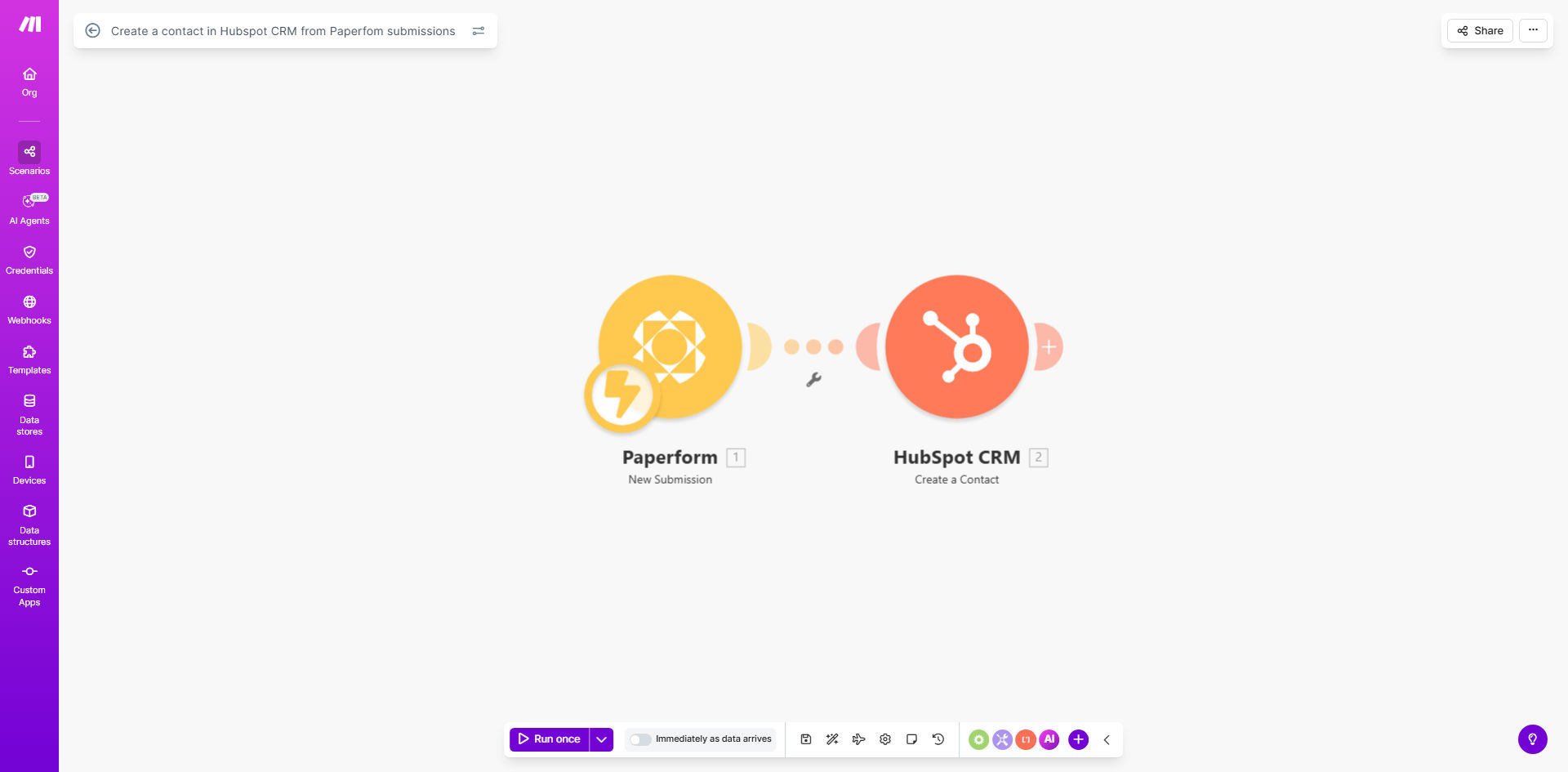
What This Workflow Does
This automation solves a critical problem for businesses using Paperform for lead generation and HubSpot CRM for customer relationship management. Every time a visitor submits your Paperform, the workflow instantly creates a corresponding contact record in HubSpot with all their submission data.
Manual data entry between systems is not only time-consuming but prone to errors. This workflow eliminates those pain points by automatically mapping form fields to CRM properties, ensuring accurate data transfer while freeing up your team to focus on sales conversations rather than administrative tasks.
How It Works
1. New form submission trigger
The workflow monitors your Paperform account for new submissions. As soon as someone completes your form, the automation is triggered.
2. Data extraction and formatting
Make.com extracts all submitted form data, including custom fields, and prepares it for HubSpot's API requirements.
3. HubSpot contact creation
The system creates a new contact in HubSpot CRM, mapping each form field to the corresponding contact property in HubSpot.
4. Error handling and logging
The workflow includes built-in error handling to retry failed operations and logs all activity for troubleshooting.
Who This Is For
This automation is ideal for:
- Marketing teams running lead generation campaigns through Paperform
- Sales teams needing instant access to new leads in HubSpot
- Event organizers collecting registrations through forms
- Service businesses onboarding new clients
- Any organization using Paperform + HubSpot that wants to eliminate manual data entry
What You'll Need
- A Make.com account (free plan available)
- Active HubSpot CRM account
- Paperform account with at least one published form
- Admin access to connect these services via API
Quick Setup Guide
- Click "Get This Workflow" to copy the template to your Make.com account
- Connect your Paperform and HubSpot accounts in Make.com
- Map your Paperform fields to HubSpot contact properties
- Test with a form submission and verify the contact appears in HubSpot
- Activate the workflow to run automatically
Pro tip: Add a hidden field in Paperform to track the lead source. Map this to a custom HubSpot property for better campaign attribution.
Key Benefits
Eliminate 100% of manual data entry between Paperform and HubSpot, saving 5-15 minutes per lead that would otherwise be spent copying information.
Reduce human error in contact creation with automated field mapping that's consistent for every submission.
Speed up response times by giving your sales team instant access to new leads in HubSpot, where they can immediately begin outreach.
Maintain complete data visibility with all form submissions automatically appearing in your CRM for tracking and reporting.
Scale your lead generation without adding administrative staff to handle increased form volume.