Make.com Airtable Paperform Form Automation No-Code

Create a record in Airtable from a Paperform Submission

Automatically transfer form responses to your Airtable database without manual data entry

Get This Workflow Make.com · Form Automation · Free Template
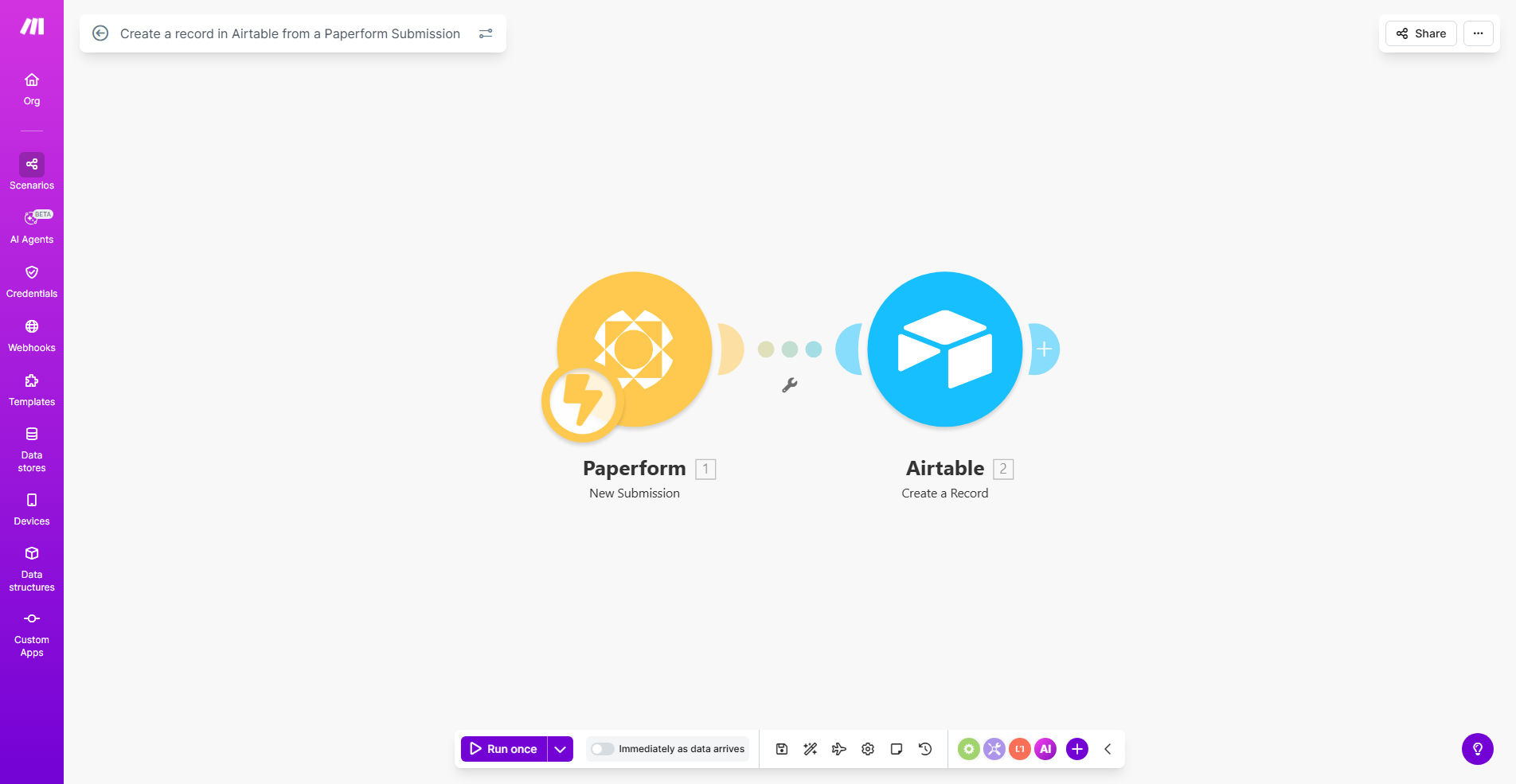
Make.com workflow diagram showing Paperform to Airtable integration

What This Workflow Does

This automation solves the tedious and error-prone process of manually transferring data from online forms to databases. Every time someone submits a Paperform, the workflow instantly creates a corresponding record in your Airtable base with all the response data properly mapped to the correct fields.

Businesses using Paperform for lead generation, event registrations, or customer feedback can now have that data immediately available in Airtable for team collaboration, reporting, and triggering additional workflows. The automation runs 24/7, ensuring no submissions are missed even outside business hours.

How It Works

1. Paperform Submission Trigger

The workflow activates whenever a new submission is received in your connected Paperform. Make.com instantly detects the new entry and prepares to process the data.

2. Data Formatting

The workflow extracts each form field response and formats it for Airtable compatibility. Special fields like file uploads, dates, and multiple-choice answers are properly converted.

3. Airtable Record Creation

Using your configured field mappings, the workflow creates a new record in your specified Airtable base. All form responses populate the corresponding fields exactly as defined during setup.

Pro tip: Add a timestamp field in Airtable to track exactly when each submission was processed, helping you monitor workflow performance.

Who This Is For

This workflow is ideal for:

  • Marketing teams collecting leads through Paperform
  • Event organizers managing registrations
  • HR departments processing job applications
  • Product teams gathering customer feedback
  • Educators administering quizzes or surveys

What You'll Need

  1. A Paperform account with at least one active form
  2. An Airtable account with a base ready to receive form data
  3. A Make.com account (free plan sufficient)
  4. API access enabled for both Paperform and Airtable

Quick Setup Guide

  1. Clone this template in your Make.com account
  2. Connect your Paperform account and select the form to monitor
  3. Connect your Airtable account and select the target base and table
  4. Map each Paperform field to its corresponding Airtable field
  5. Test with sample submissions and verify data appears correctly
  6. Activate the workflow to begin processing real submissions

Key Benefits

Eliminate manual data entry - Save hours per week by automatically transferring form responses to your database with 100% accuracy.

Real-time data availability - Team members can immediately access and act on new submissions without waiting for manual processing.

Reduce human error - Automated field mapping prevents typos, missed fields, and other mistakes common in manual data transfer.

Scalable solution - The workflow handles 1 or 1,000 submissions with equal reliability, growing with your business needs.

Centralized information - All form responses land in your Airtable base where they can be organized, searched, and connected to other business processes.

Frequently Asked Questions

Common questions about form-to-database automation and integration

Connecting Paperform to Airtable creates a seamless data pipeline that eliminates manual data entry. When form submissions automatically populate your Airtable base, you reduce errors, save time, and can immediately act on the collected information through Airtable's powerful organization and collaboration features.

For example, a real estate agency using this integration can have property inquiry forms instantly create client records in their CRM Airtable, allowing agents to follow up within minutes rather than waiting for manual data processing.

This workflow works exceptionally well for lead capture forms, event registrations, customer feedback surveys, and application forms. Any form where you need to collect structured data that should be organized and shared with your team benefits from this automation.

Educational institutions frequently use this integration for scholarship applications, where each submission needs to be reviewed by multiple committee members and tracked through the selection process.

The workflow maps each Paperform field to corresponding Airtable fields during setup. Complex fields like multiple choice, file uploads, and conditional logic responses are properly formatted before being sent to Airtable, maintaining data integrity.

File uploads are handled by first storing the files in cloud storage (like Google Drive) then linking to them in Airtable. Conditional logic responses appear in Airtable exactly as they were selected by the form submitter.

Yes, you can add conditional logic to the workflow to only create records for submissions that meet specific criteria. This prevents your Airtable base from being cluttered with irrelevant entries.

A common use case is filtering out test submissions or incomplete forms. You might only want to create records for submissions where the "I agree to terms" checkbox is selected or where required fields are completed.

Make.com includes built-in error handling that will retry failed operations. If Airtable is temporarily unavailable, the workflow will queue the record creation and attempt again until successful.

In rare cases where extended downtime occurs, Make.com can store submissions for several days before attempting to process them again, ensuring no data is lost during service interruptions.

Once in Airtable, your form data can trigger additional automations to CRM systems, email marketing platforms, or project management tools. Airtable acts as a central hub for distributing collected information across your tech stack.

For instance, new customer feedback submissions could automatically create tasks in Asana for your product team while also sending a thank-you email through Mailchimp - all triggered from the initial Paperform-to-Airtable integration.

Absolutely. Our team specializes in building tailored form processing systems that connect to your specific databases and business workflows. We can handle complex field mappings, data transformations, and multi-step approval processes.

Custom solutions might include validating submissions against existing records, routing different form types to separate tables, or integrating with internal approval systems before creating final records.

  • Custom validation rules
  • Multi-step approval workflows
  • Advanced data transformations

Need a Custom Form Automation?

This free template is a starting point. Our team builds fully tailored automation systems for your specific business needs.