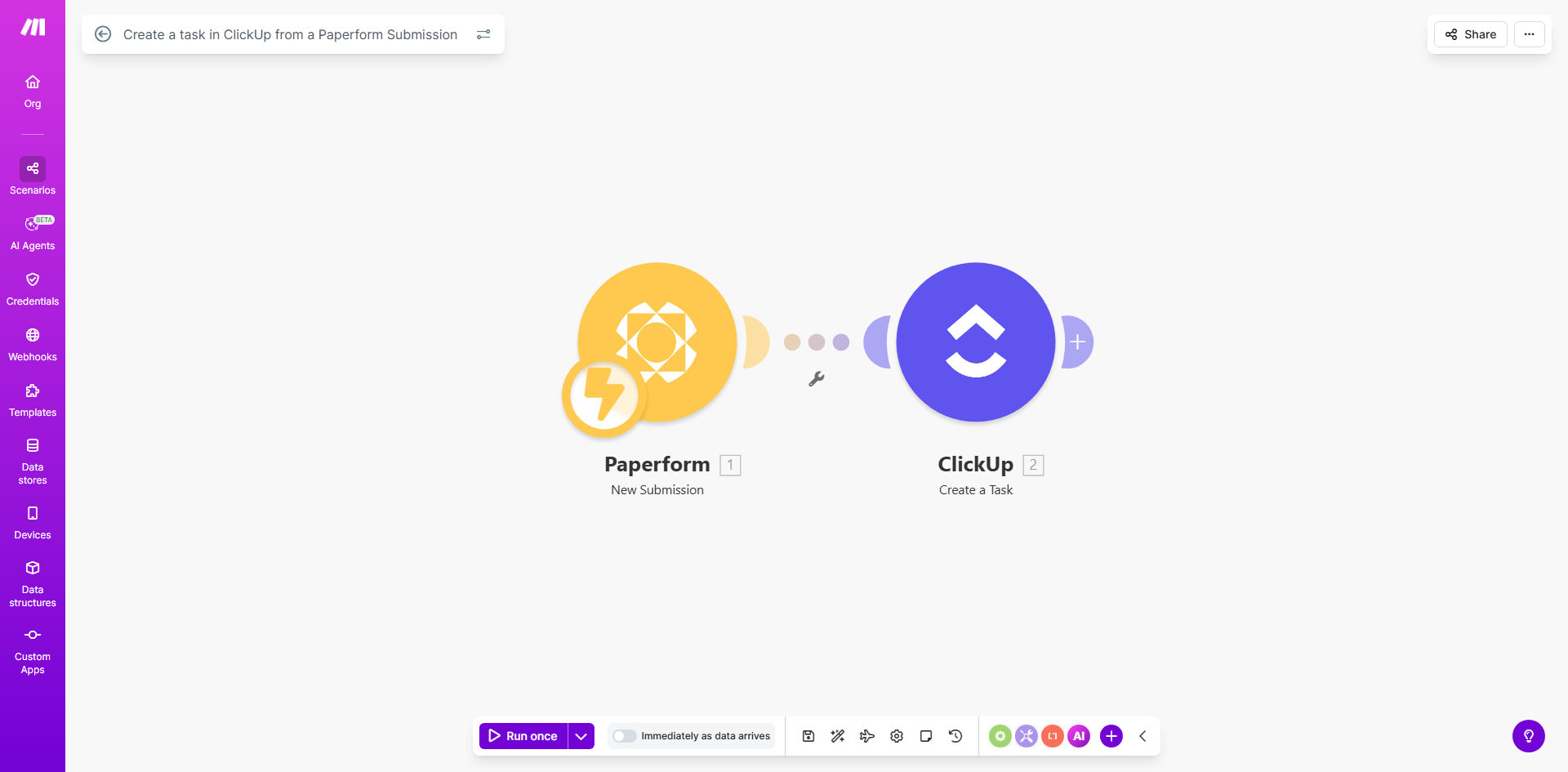
What This Workflow Does
This automation solves a common productivity bottleneck - the manual transfer of information from online forms to task management systems. Every time someone submits a Paperform, the workflow automatically creates a corresponding task in ClickUp with all the relevant details.
The template eliminates hours of repetitive data entry while ensuring no form submission falls through the cracks. It's particularly valuable for businesses that receive client requests, service inquiries, or internal submissions through forms and need to track them as actionable items in ClickUp.
How It Works
1. Form Submission Trigger
The workflow starts when someone submits your Paperform. Make.com instantly detects the new submission and retrieves all the response data.
2. Data Processing
The automation extracts key information from the form fields you specify, such as the requester's name, submission date, and any custom fields relevant to your workflow.
3. Task Creation in ClickUp
Using ClickUp's API, the workflow creates a new task in your specified list or space. You can configure which form fields map to which task properties, including custom fields.
4. Optional Notifications
The template can be extended to send Slack messages, emails, or other notifications when important submissions are converted to tasks.
Who This Is For
This automation delivers the most value for:
- Service businesses with client intake forms
- Product teams handling feature requests or bug reports
- Marketing agencies collecting content submissions
- HR departments processing employee requests
- Any team using Paperform for data collection with ClickUp for task management
What You'll Need
- A Paperform account with at least one active form
- A ClickUp account with appropriate permissions to create tasks
- A Make.com account (free tier works for basic usage)
- API keys for both Paperform and ClickUp
Quick Setup Guide
- Clone the template in your Make.com account
- Connect your Paperform and ClickUp accounts
- Map your form fields to ClickUp task properties
- Specify the target ClickUp list or space
- Test with sample form submissions
- Activate the scenario for live use
Key Benefits
Eliminate manual data entry - Save 5-10 minutes per form submission that would otherwise be spent copying information between platforms.
Never miss a submission - Every form response automatically becomes a trackable task in ClickUp with all relevant details preserved.
Standardize task creation - Ensure consistent task formatting, assignment, and prioritization based on your business rules.
Reduce human error - Automated data transfer prevents mistakes that occur when manually transcribing form responses.
Scale your operations - Handle hundreds of form submissions without additional administrative overhead.