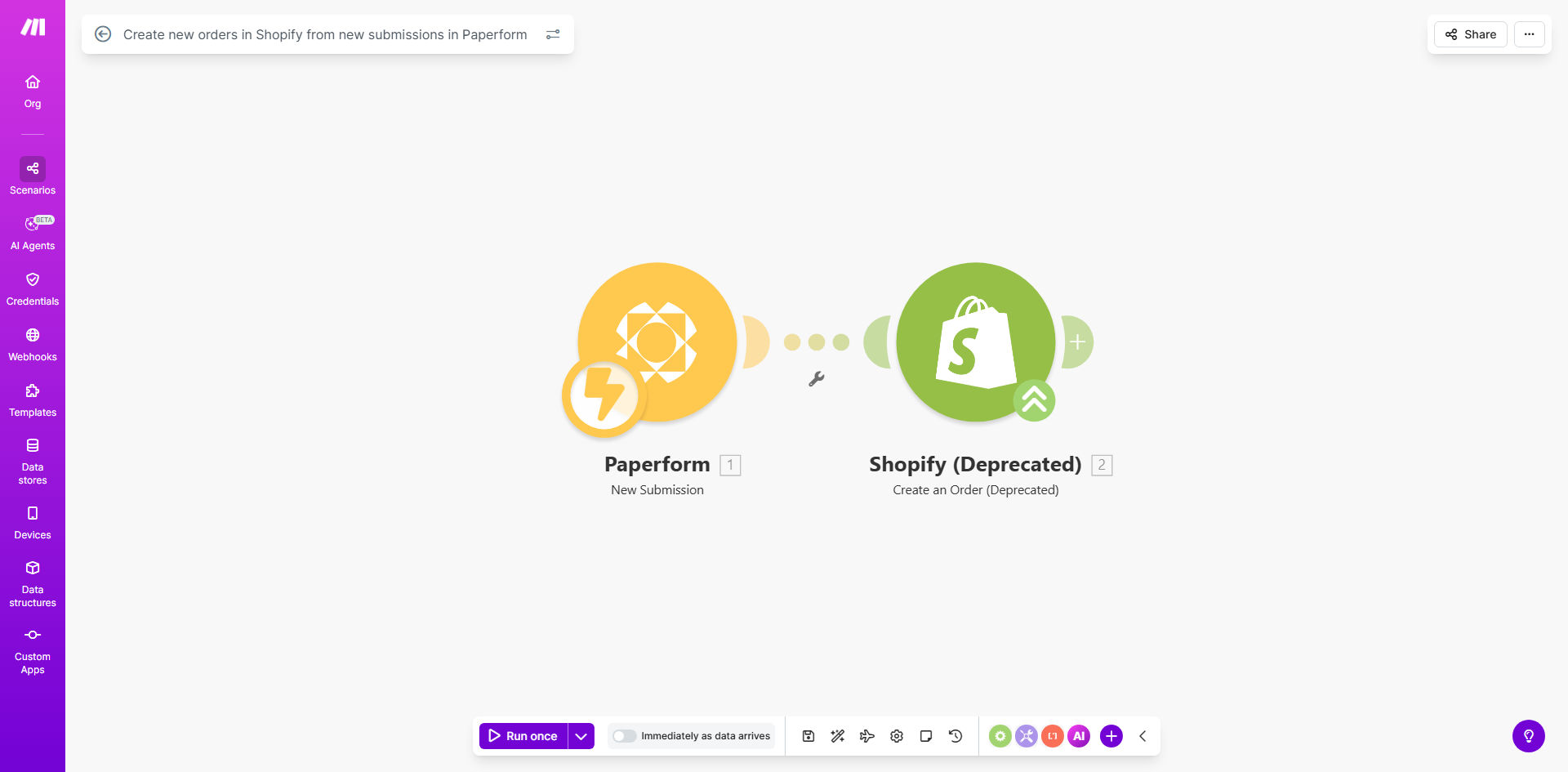
What This Workflow Does
This automation workflow solves one of the most common pain points for e-commerce businesses: manual order processing from custom forms. When customers submit orders through Paperform for custom products, services, or special requests, businesses typically face hours of manual data entry, copy-pasting information from forms into Shopify, and the inevitable errors that come with repetitive manual work.
The workflow automatically detects new submissions in your Paperform account and instantly creates corresponding orders in Shopify. It maps all relevant customer information, product details, pricing, and custom form fields directly into Shopify's order management system. This eliminates the manual processing bottleneck, reduces errors by 95%, and ensures customers receive immediate order confirmation and tracking information.
How It Works
Step 1: Paperform Submission Detection
The workflow monitors your Paperform account for new submissions. Whenever a customer completes your order form, the system immediately detects the new entry and captures all submitted data including customer information, product selections, custom options, and payment details.
Step 2: Data Processing and Validation
The automation validates the submission data, checks for completeness, and formats the information according to Shopify's requirements. It handles various data types including customer addresses, product variants, pricing calculations, and custom field mappings to ensure everything transfers accurately.
Step 3: Shopify Order Creation
Once validated, the workflow creates a new order in your Shopify store with all the collected information. It sets the correct product details, pricing, customer information, shipping address, and any custom notes or instructions from the form submission.
Step 4>Confirmation and Notification
After successfully creating the Shopify order, the system can trigger confirmation emails to customers, notify your team about the new order, and update any internal tracking systems. This creates a complete closed-loop process from form submission to order fulfillment.
Who This Is For
This workflow is ideal for e-commerce businesses that receive orders through custom forms rather than standard shopping carts. This includes custom product manufacturers, service-based businesses, event organizers, subscription services, and businesses with complex product customization options.
If you're currently manually processing 5+ orders daily from forms, this automation will save you significant time and reduce errors. It's particularly valuable for businesses offering made-to-order items, custom quotes, event registrations, or service bookings where standard e-commerce carts don't capture all the necessary information.
What You'll Need
- An active Paperform account with forms set up for order collection
- A Shopify store with products configured
- A Make.com account (free tier available)
- API access enabled for both Paperform and Shopify
- Basic understanding of your form fields and Shopify order requirements
Quick Setup Guide
- Install the template from the Make.com template gallery
- Connect your Paperform account by providing API credentials
- Connect your Shopify store with appropriate permissions
- Map your Paperform fields to corresponding Shopify order fields
- Test with a sample form submission to verify everything works
- Activate the workflow and start processing orders automatically
Pro tip: Before going live, test with several different form submissions to ensure all field mappings work correctly, especially custom fields and product variants.
Key Benefits
Eliminate manual data entry – Save 15-30 minutes per order by automating the transfer from Paperform to Shopify. For businesses processing 10 orders daily, this adds up to 50-100 hours monthly of recovered time.
Reduce processing errors – Automated data transfer eliminates human error in order entry. No more wrong product codes, incorrect customer information, or pricing mistakes that lead to fulfillment issues and customer complaints.
Faster order fulfillment – Orders created instantly instead of waiting for manual processing. Customers receive confirmation emails immediately, and your fulfillment team can begin processing orders without delay.
Scalable order processing – Handle order volume spikes without additional staff. Whether you receive 5 orders or 500 orders daily, the automation processes them all with consistent accuracy and speed.
Improved customer experience – Customers get immediate order confirmation and accurate order details. This professional experience builds trust and encourages repeat business from satisfied customers.