Banking Notifications Make.com Automation Apple Safari

Fio Banka Payment Notifications via Safari

Get instant push notifications when payments arrive in your Fio banka account

Get This Workflow → Make.com · Free Template
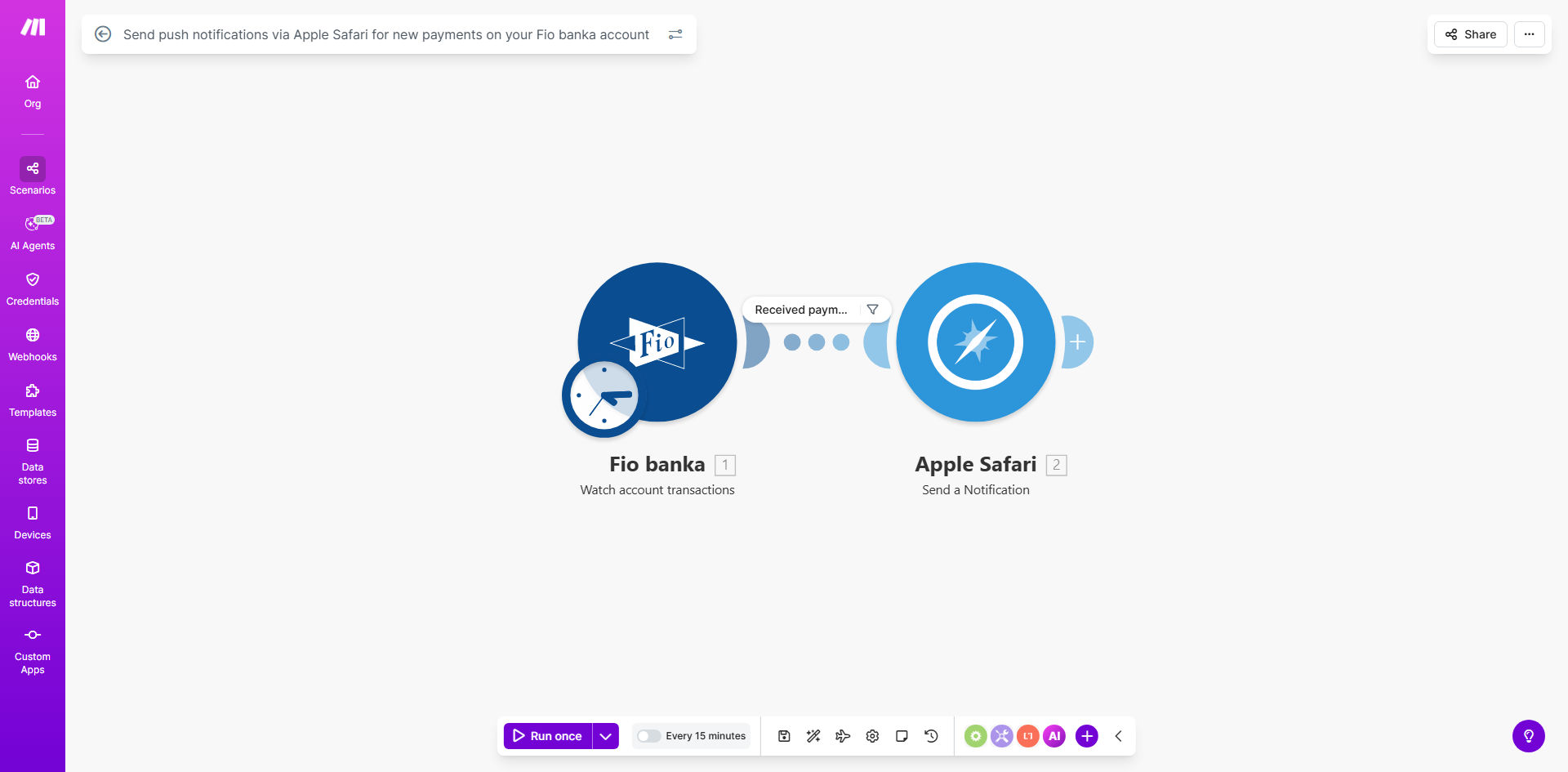
Make.com workflow diagram for Fio banka payment notifications

What This Workflow Does

This automation solves the problem of manually checking your Fio banka account for incoming payments. Instead of logging in repeatedly throughout the day, you'll receive instant Safari push notifications the moment funds arrive. The workflow connects your Fio banka account to Make.com, which monitors for new transactions and triggers browser-based alerts.

For freelancers and small businesses, this means faster payment confirmation without constant account monitoring. You'll know immediately when client payments clear, enabling quicker invoicing follow-ups and better cash flow management. The system works 24/7, ensuring you never miss a payment notification during off-hours.

How It Works

1. Payment Detection

Make.com polls your Fio banka account at regular intervals (typically every 5-15 minutes) through the bank's API. When a new credit transaction appears, the system identifies it as an incoming payment.

2. Notification Processing

The workflow extracts key details like payment amount, sender information, and transaction reference. It formats this data into a clean notification message according to your preferences.

3. Safari Push Delivery

Make.com sends the formatted alert to Apple's push notification service, which delivers it to all your Safari browsers signed in with the same Apple ID. Notifications appear even when Safari isn't actively open.

Pro tip: Combine this with accounting software integrations to automatically record payments and match them with invoices.

Who This Is For

This workflow benefits any Fio banka user who needs real-time payment visibility:

  • Freelancers tracking client payments
  • E-commerce stores confirming orders
  • Property managers receiving rent payments
  • Service businesses managing cash flow
  • Accountants reconciling multiple transactions

What You'll Need

  1. An active Fio banka business or personal account
  2. Make.com account (free tier available)
  3. Safari browser on at least one Apple device
  4. Basic understanding of webhook configurations

Quick Setup Guide

  1. Duplicate the template in your Make.com account
  2. Connect your Fio banka API credentials
  3. Configure your preferred notification message format
  4. Test with a small transaction to verify delivery
  5. Enable the scenario to run automatically

Key Benefits

Instant payment awareness: Reduce payment processing delays by acting immediately when funds arrive rather than waiting for manual checks.

24/7 monitoring: The system works around the clock, ensuring you're notified of payments outside business hours or during vacations.

Reduced login fatigue: Eliminate the need for constant bank portal refreshes, saving time and reducing security risks from frequent authentication.

Customizable alerts: Tailor notification content to show only the payment details most relevant to your workflow.

Frequently Asked Questions

Common questions about bank payment automations

Automating payment notifications saves time checking your account manually and provides instant visibility when funds arrive. This helps with cash flow tracking, client follow-ups, and financial reconciliation.

For businesses processing multiple transactions daily, automation eliminates the risk of missing payments in a crowded bank statement. The system creates an auditable record of when each payment was detected and notified.

Safari push notifications are highly reliable when properly configured through Make.com. They work even when the browser is closed and appear instantly on Apple devices, making them ideal for time-sensitive financial alerts.

Apple's notification delivery system maintains high uptime, with messages queued during brief connectivity issues. For critical payments, consider supplementing with email or SMS notifications as a backup channel.

Notifications typically show the payment amount, sender information, and transaction reference. You can customize which details appear through the Make.com workflow settings to match your business needs.

Common customization options include adding invoice numbers, client names, or categorizing payments by type. The workflow can also calculate running balances or compare amounts to expected payments.

Yes, the workflow can be duplicated for multiple accounts. Each account would need its own Make.com scenario with unique API connections to track payments separately.

For teams, you can configure different notification recipients per account. This helps department heads or property managers monitor only the accounts relevant to their responsibilities.

Notifications trigger within 1-2 minutes of the payment appearing in your Fio banka account. The speed depends on Make.com's polling frequency and your internet connection stability.

For time-sensitive payments, you can increase the polling frequency in the Make.com settings. The tradeoff is slightly higher API usage against faster notification delivery.

The workflow can be modified to send SMS, email, or cross-platform push notifications instead. This requires adjusting the notification module in the Make.com scenario.

Popular alternatives include Slack alerts, Microsoft Teams messages, or WhatsApp notifications. Each option has different setup requirements and may involve additional services.

Yes, GrowwStacks specializes in tailored banking automations. We can build custom solutions for multi-account monitoring, accounting software integration, and advanced alert rules based on your specific workflow needs.

Our team handles everything from API connections to notification design and exception handling. Book a free consultation to discuss your requirements and receive a personalized automation proposal.

Need a Custom Bank Payment Automation?

This free template is a starting point. Our team builds fully tailored automation systems for your specific business needs.