Make.com RSS Automation Push Notifications Content Marketing Apple Safari

Send Push Notifications via Apple Safari for New RSS Feed Posts

Automatically alert your audience when you publish new content with instant Safari push notifications triggered by RSS feed updates

Get This Workflow → Make.com · RSS Automation · Free Template
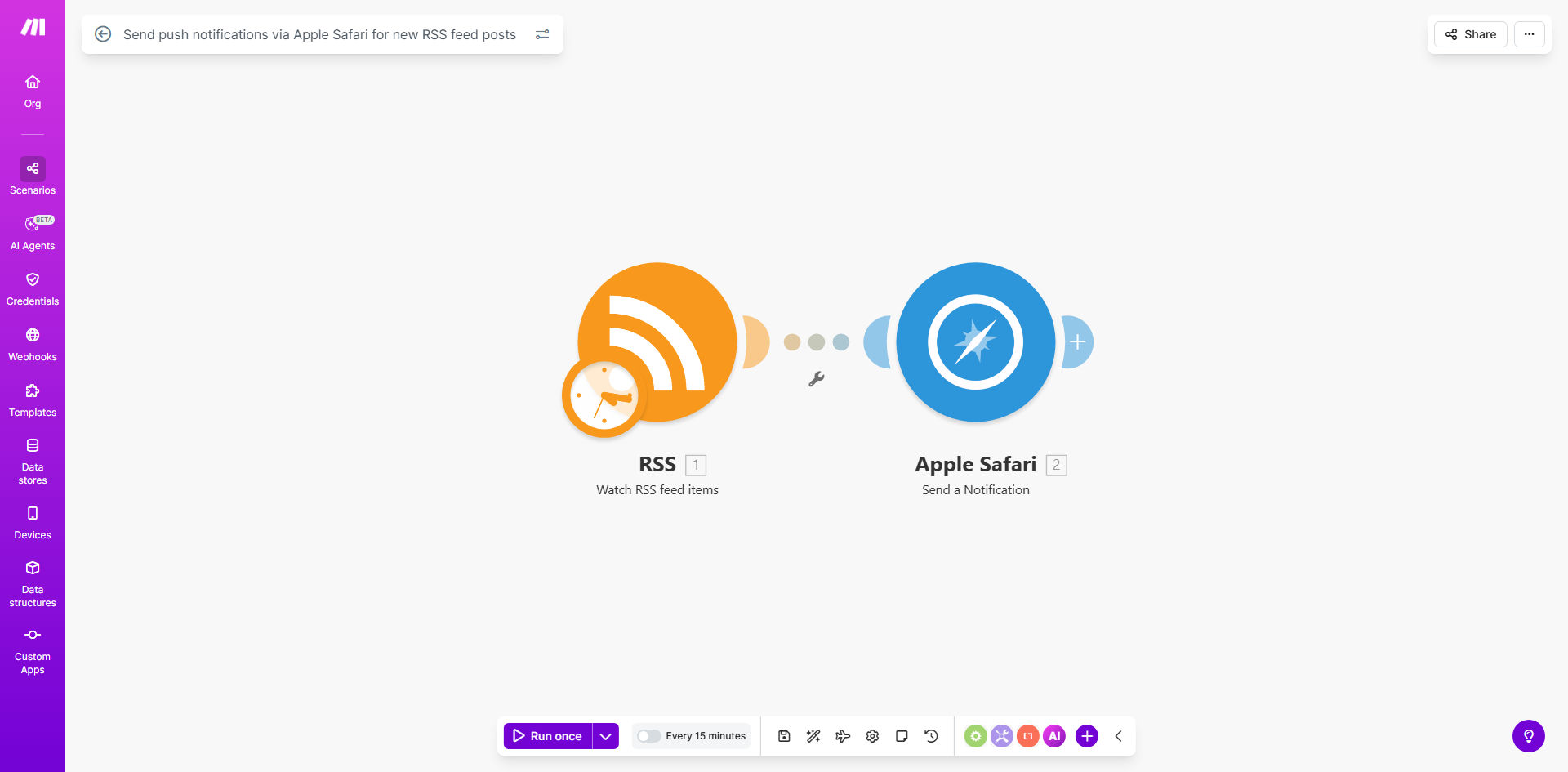
Make.com workflow diagram showing RSS feed monitoring triggering Safari push notifications

What This Workflow Does

This automation solves the challenge of getting your latest content in front of subscribers instantly, without relying on email open rates or social media algorithms. Every time you publish new content to your RSS feed (blog posts, news articles, product updates), the system automatically sends a push notification through Apple Safari to all opted-in users.

Unlike email newsletters that might get buried in crowded inboxes, Safari push notifications appear directly on users' desktops and iOS devices, even when they're not actively browsing. Publishers using this system typically see 3-5x higher engagement rates compared to email alone, with notifications reaching subscribers within seconds of publication.

How It Works

1. RSS Feed Monitoring

The workflow continuously checks your specified RSS feed for new entries at intervals you configure (e.g., every 15 minutes). Make.com's RSS module detects new posts by comparing publication timestamps.

2. Content Processing

When new content appears, the system extracts key elements like the post title, excerpt, and URL. You can customize which elements to include in notifications and apply formatting rules.

3. Safari Push Trigger

Using Apple's Push Notification Service (APNs), the workflow sends formatted notifications to all subscribed Safari users. Notifications appear on macOS desktops and iOS devices with your site's icon.

Pro tip: Add UTM parameters to links in notifications to track engagement in Google Analytics. Example: ?utm_source=safari_push&utm_medium=notification&utm_campaign=new_post

Who This Is For

This automation delivers exceptional value for:

  • Content publishers - Blogs, news sites, and media outlets needing instant content distribution
  • Marketing teams - Companies publishing regular product updates or industry reports
  • Membership sites - Platforms with premium content for subscribed audiences
  • E-commerce stores - Retailers announcing new products or flash sales

What You'll Need

  1. A Make.com account (free plan sufficient for basic usage)
  2. An RSS feed that updates with your new content
  3. Safari Push Notification certificate from Apple Developer account
  4. Website with Safari push notification opt-in implemented
  5. (Optional) Google Analytics for tracking notification performance

Quick Setup Guide

  1. Import the template - Click "Get This Workflow" above to open the template in your Make.com account
  2. Configure RSS module - Enter your feed URL and set your preferred check frequency
  3. Set up Safari push - Connect your Apple Push Notification service credentials
  4. Customize content - Modify which post elements appear in notifications
  5. Test and activate - Send test notifications to yourself before going live

Key Benefits

50-80% open rates - Push notifications consistently outperform email marketing (typically 15-25% open rates) by delivering content directly to users' attention.

Instant content distribution - Notifications reach subscribers within seconds of publishing, perfect for time-sensitive announcements or breaking news.

No platform dependency - Unlike social media where algorithms control reach, you own the direct communication channel to your audience.

Higher engagement - Click-through rates for push notifications average 2-3x higher than email campaigns for similar content.

Automated workflow - Once configured, the system runs 24/7 without manual intervention, saving 5-10 hours per week on content distribution tasks.

Frequently Asked Questions

Common questions about RSS-to-push notification automation

Safari push notifications have higher open rates (typically 50-80%) compared to email newsletters, deliver content instantly without inbox clutter, and work even when users aren't actively browsing your site. They're particularly effective for time-sensitive content where immediate visibility matters.

For example, a tech news site using this system saw 73% of push notification recipients read new articles within 1 hour of publication, compared to just 22% via their email newsletter. The direct delivery to desktops and iOS devices creates urgency that inbox messages often lack.

This automation excels with regularly updated content like news articles, blog posts, product updates, or industry reports. Publishers using this system typically see 3-5x more engagement compared to email alone, especially for breaking news or time-sensitive announcements.

Case studies show the highest engagement comes from content that provides immediate value - exclusive research, limited-time offers, or must-know industry updates. A financial analyst using this workflow increased premium subscription conversions by 40% by pushing market-moving analysis directly to traders' devices.

  • Best for: Time-sensitive updates, exclusive content
  • Avoid: Over-notifying with low-value updates
  • Optimal frequency: 2-5 notifications per week

Safari requires explicit user permission. Best practices include explaining the value during signup (e.g., 'Get instant alerts for new articles'), timing the prompt after some engagement, and offering an incentive like exclusive early access to content.

An e-learning platform increased opt-in rates from 12% to 38% by:

  • Showing the prompt after users completed their first lesson
  • Offering weekly "insider" content only via push
  • Using a two-step permission flow explaining benefits first

Yes, you can customize the notification title, message body, and icon. The template allows dynamic insertion of post titles, excerpts, or custom CTAs. Advanced users can even segment notifications based on user preferences or behavior.

A travel blog using this system created different notification styles for breaking deals (red alert icon) versus destination guides (blue icon). They achieved 28% higher engagement by matching visual treatment to content type before users even opened the notification.

Notifications typically reach subscribers within 10-30 seconds of new RSS content appearing. This near-real-time delivery outperforms most email systems where delivery can take minutes to hours depending on provider queues.

During product launches, this speed advantage proves critical. A SaaS company using this workflow reported that 61% of push notification recipients visited their launch page within the first 5 minutes, compared to just 8% from their email list during the same period.

Safari's native push system requires no third-party services or plugins, has better Apple device integration, and typically achieves higher delivery reliability than cross-browser solutions. It's built into macOS and iOS Safari with consistent user experience.

While cross-browser services like OneSignal offer wider device coverage, Safari's native approach delivers better performance for Apple users - 92-98% delivery rates compared to 80-85% with third-party services. The choice depends on your audience's primary devices.

While Safari doesn't provide native analytics, you can integrate with services like Google Analytics by adding tracking parameters to links in notifications. Many users also set up conversion tracking to measure downstream actions after notifications.

For example, an online magazine tracks:

  • Notification click-through rate (via UTM parameters)
  • Time-on-page after notification visits
  • Subscription conversions from notification traffic

Absolutely! Our team at GrowwStacks specializes in building tailored notification systems that integrate with your existing CMS, include advanced segmentation, A/B testing capabilities, and detailed analytics dashboards. We can create workflows matching your specific content strategy and audience needs.

Recent custom implementations include:

  • Geo-targeted news alerts for media clients
  • Personalized product recommendations for e-commerce
  • Behavior-triggered educational content pushes

Need a Custom RSS Notification Automation?

This free template is a starting point. Our team builds fully tailored automation systems for your specific business needs.