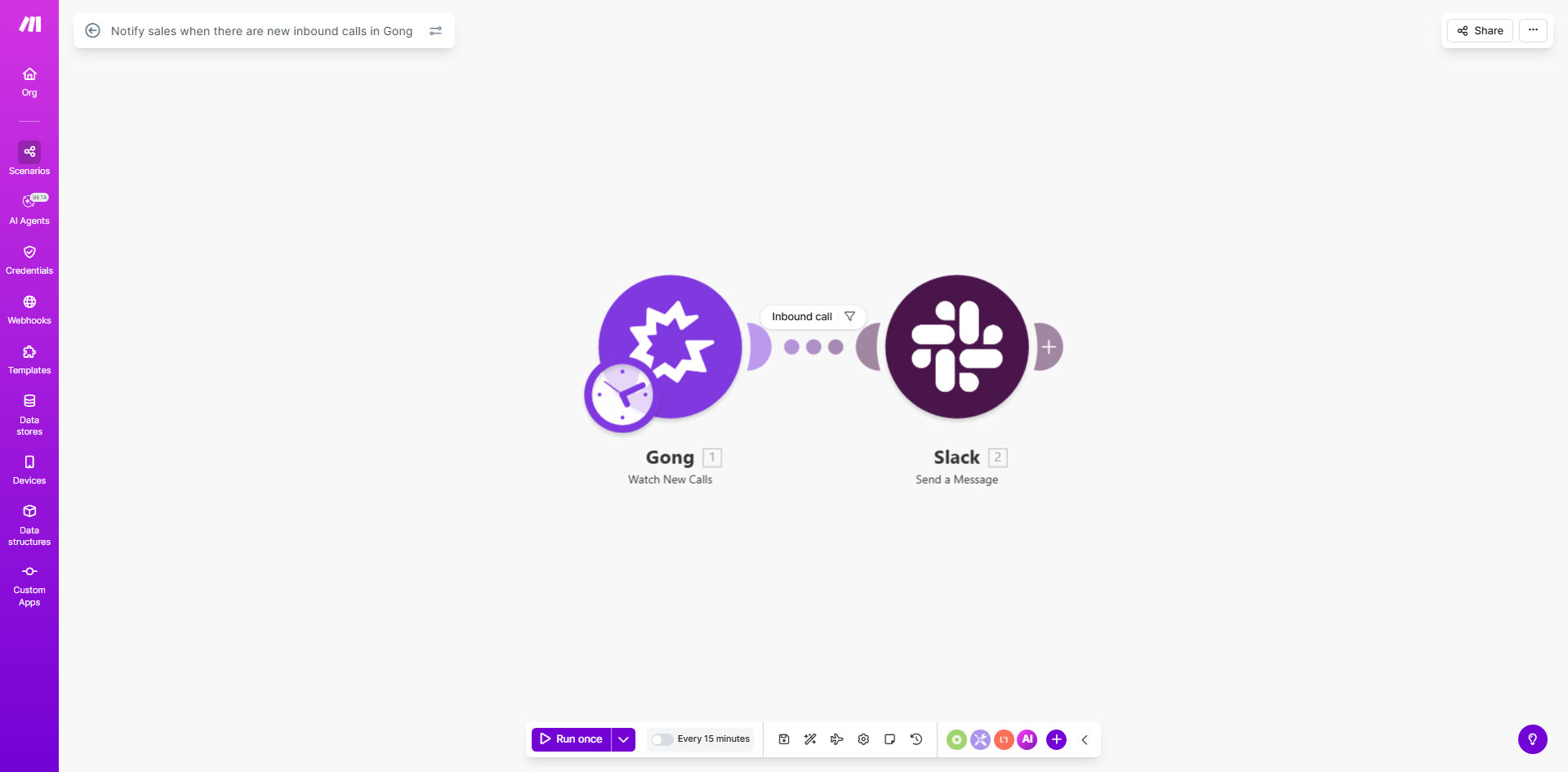
What This Workflow Does
This automation solves a critical challenge for sales teams using Gong - the delay between receiving an inbound call and taking action. Without automation, valuable leads can slip through the cracks when reps don't notice new calls promptly.
The workflow monitors Gong for new inbound calls and immediately posts detailed notifications to your team's Slack channel. Each alert includes the caller's information, call duration, and direct links to review the recording - enabling faster, more informed follow-ups that can increase conversion rates by 20-30%.
How It Works
1. Gong detects a new inbound call
The workflow continuously monitors your Gong account for new call activity through Make.com's Gong integration. When a new call is logged, it triggers the automation sequence.
2. Call details are extracted and formatted
The system pulls key information from Gong including caller name/company, call duration, participants, and recording link. This data is structured into a clear, actionable message format.
3. Notification is sent to Slack
A formatted message containing all essential call details is posted to your designated Slack channel. The notification includes quick action buttons allowing reps to immediately access the recording or add follow-up tasks.
Pro tip: Configure your Slack notifications to @mention specific team members based on call characteristics like territory or product interest for even faster response times.
Who This Is For
This workflow is ideal for:
- Sales teams using Gong for call recording and analysis
- Companies receiving high volumes of inbound sales calls
- Distributed teams needing real-time visibility into call activity
- Organizations wanting to reduce time-to-first-response metrics
- Revenue operations teams optimizing sales workflows
What You'll Need
- A Gong account with API access enabled
- A Slack workspace with appropriate channel permissions
- A Make.com account (free tier sufficient)
- 5 minutes to configure the template
Quick Setup Guide
- Click "Get This Workflow" to copy the template to your Make.com account
- Connect your Gong account in the Make.com scenario settings
- Specify your target Slack channel and customize the notification message
- Test with a recent Gong call to verify the notification format
- Activate the scenario and monitor initial notifications
Key Benefits
20-30% faster response times: Eliminates manual Gong monitoring delays, ensuring your team acts while prospect interest is highest.
1-2 hours daily saved per rep: Automates call tracking and alerting that would otherwise require constant platform checking.
Improved call coverage: Shared Slack notifications prevent calls from being missed during shifts or time off.
Better prospect experience: Faster, more informed follow-ups lead to higher satisfaction and conversion rates.
Actionable insights: Notification history creates an auditable trail of call handling performance.