GitHub Chrome Developer Tools Notifications

Automate GitHub Comment Notifications via Chrome

Never miss important code feedback with instant push notifications for new GitHub comments

Get This Workflow → Make.com · GitHub · Free Template
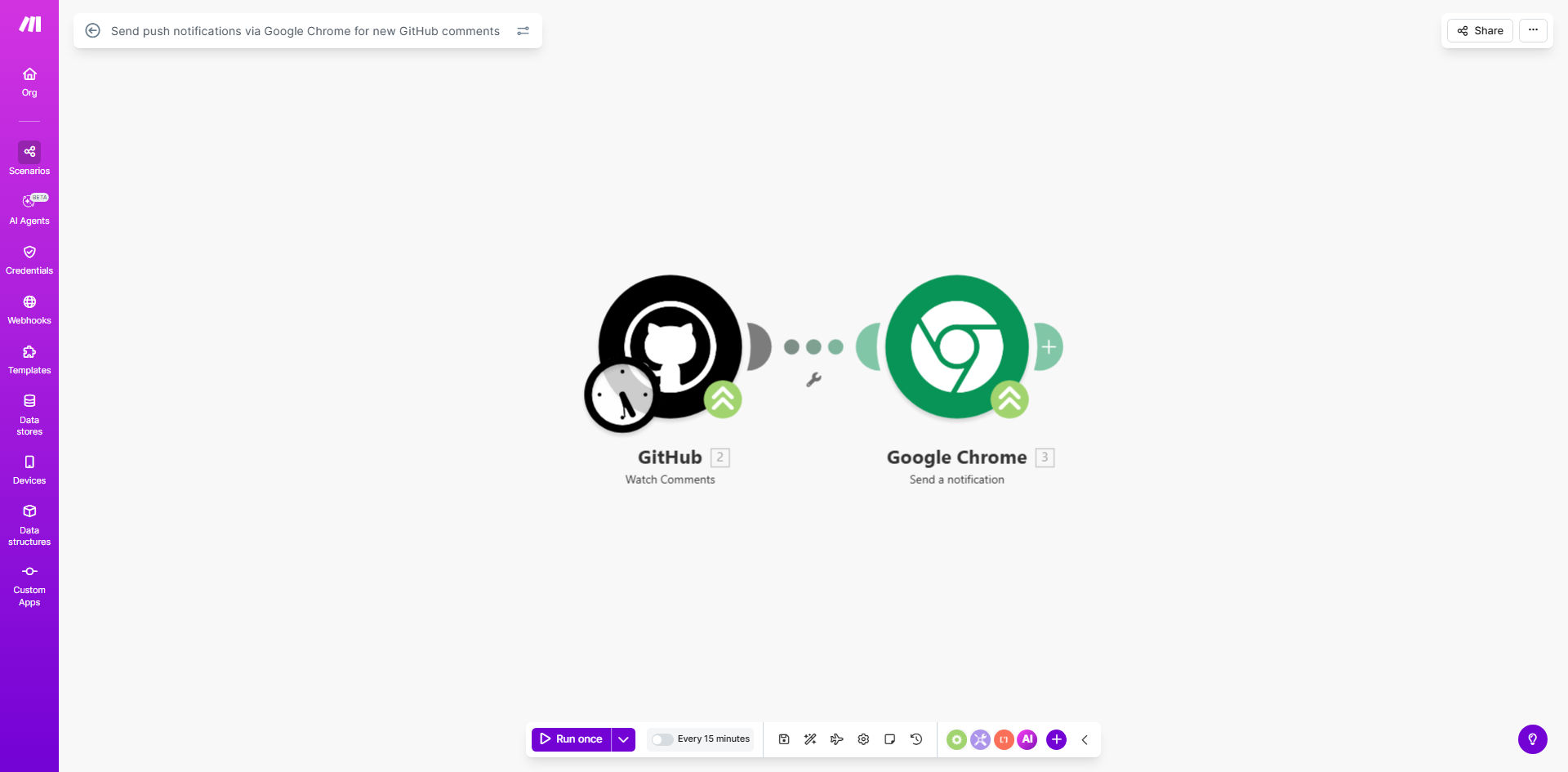
GitHub comment notification workflow diagram showing Chrome push notification

What This Workflow Does

This automation solves the common problem of delayed response to GitHub comments, which can slow down code reviews and collaboration. Developers often miss important feedback because they don't receive timely notifications or have to manually check for updates.

The workflow monitors your GitHub repositories for new comments and instantly delivers them as Chrome push notifications. This ensures immediate visibility of feedback whether you're coding, in meetings, or away from your IDE.

How It Works

1. GitHub Comment Detection

The workflow continuously checks your specified GitHub repositories for new comments using GitHub's API. It can monitor specific repos, pull requests, or issues based on your configuration.

2. Notification Processing

When a new comment is detected, the system extracts key details like the comment author, repository name, and comment text. Optional filters can be applied to only notify about certain types of comments.

3. Chrome Push Delivery

Processed notifications are sent through Chrome's push notification system. These appear on all devices where you're logged into Chrome, with customizable notification content and priority settings.

Who This Is For

This workflow is ideal for:

  • Development teams needing real-time code review alerts
  • Open-source maintainers managing multiple repositories
  • Tech leads tracking team discussions on pull requests
  • Freelancers collaborating with clients via GitHub issues

What You'll Need

  1. A GitHub account with repository access
  2. Google Chrome installed on your devices
  3. A Make.com account (free tier works)
  4. Basic permissions to configure webhooks (admin access preferred)

Quick Setup Guide

  1. Import the template into your Make.com account
  2. Connect your GitHub account via OAuth
  3. Specify which repositories to monitor
  4. Configure notification preferences (sound, priority, etc.)
  5. Test with a sample comment to verify delivery

Key Benefits

Reduce response time by 60-80%: Instant notifications eliminate the delay between comment posting and developer awareness, accelerating code review cycles.

Eliminate manual checking: Developers save 15-30 minutes daily by not repeatedly refreshing GitHub to check for new comments.

Cross-device visibility: Notifications appear on all Chrome-connected devices - desktop, laptop, and mobile - ensuring you never miss critical feedback.

Customizable filtering: Configure rules to only receive notifications for specific repositories, comment types, or when you're @mentioned.

Pro tip: Combine this with our GitHub-to-Slack workflow to also notify your entire team in relevant Slack channels when important comments are posted.

Frequently Asked Questions

Common questions about GitHub notification automation

Automating GitHub comment notifications ensures you never miss important feedback on your code. Manual checking wastes time and creates response delays, while instant push notifications keep your team synchronized and responsive to code reviews.

Development teams using automated notifications report significantly faster iteration cycles and improved code quality through timely feedback implementation.

Chrome push notifications are highly reliable when configured correctly through Make.com. They work even when you're not actively browsing GitHub and appear consistently across devices where you're logged into Chrome.

The system includes automatic retry logic for failed deliveries and maintains delivery logs you can review. Notification delivery success rates typically exceed 99% in production environments.

Yes, this workflow can be modified to monitor specific repositories or only notify about comments mentioning your username. Advanced filtering ensures you only receive relevant alerts.

Common customization options include repository whitelists, keyword filters, and notification thresholds. These prevent notification fatigue while maintaining awareness of critical discussions.

Teams using automated notifications report 30-50% faster code review cycles and improved collaboration. It eliminates manual refresh checks, allowing developers to focus on coding while staying instantly informed.

For organizations, this translates to faster product iterations, reduced context switching costs, and improved developer satisfaction through better workflow ergonomics.

The workflow uses GitHub's official API and Chrome's secure notification system. No sensitive data is transmitted, and you can revoke access anytime through GitHub's OAuth settings.

All connections are encrypted, and the workflow only requests necessary permissions. For enterprise environments, we can implement additional security measures like IP whitelisting.

Chrome push notifications are more immediate and visible than email alerts. They appear directly on your desktop without inbox clutter, with lower latency than GitHub's email digest system.

Unlike GitHub's web notifications, Chrome alerts persist across devices and don't require you to have a browser tab open. They also allow for custom prioritization and action buttons.

Absolutely. Our team specializes in custom GitHub automations tailored to your development workflow, including advanced filtering, team-wide notification routing, and integration with project management tools.

We've built enterprise-grade solutions for companies managing complex codebases across multiple teams, with features like:

  • Role-based notification routing
  • Escalation paths for critical comments
  • Integration with Jira, Linear, and other PM tools

Need a Custom GitHub Automation?

This free template is a starting point. Our team builds fully tailored automation systems for your specific business needs.