Make.com CRM Integration Accounting Automation Pipedrive Xero

Automatically Sync Pipedrive Contacts to Xero

Eliminate manual data entry and ensure your accounting system always has current client information

Get This Workflow → Make.com · CRM Integration · Free Template
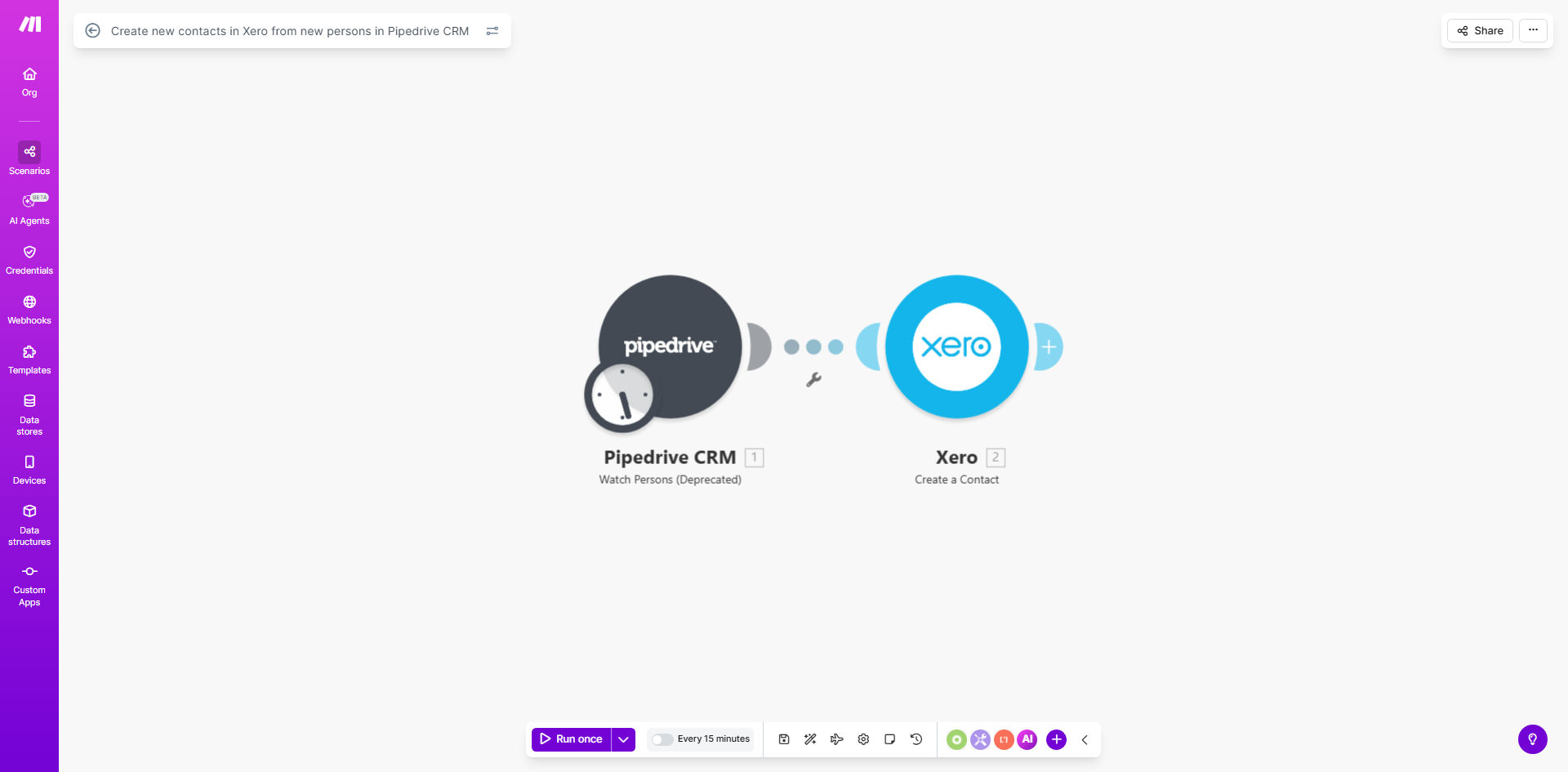
Make.com workflow diagram showing Pipedrive to Xero contact sync automation

What This Workflow Does

This automation bridges the gap between your sales pipeline and accounting system by automatically creating Xero contacts whenever new persons are added in Pipedrive CRM. It solves the common problem of client information existing in your CRM but not being available when creating invoices or tracking payments in Xero.

By running every 15 minutes (configurable), the workflow ensures your accounting team always has access to current client details without manual data entry. This eliminates duplicate work between sales and accounting teams while reducing errors from manual transcription.

How It Works

1. Checks for New Pipedrive Contacts

The workflow starts by querying Pipedrive's API for any new person records created since the last run. It uses Pipedrive's timestamp filtering to efficiently identify only new entries.

2. Maps Contact Information

Key fields from Pipedrive (name, email, phone, company details) are mapped to corresponding Xero contact fields. The template includes standard mappings but can be customized to your specific field structure.

3. Creates Xero Contacts

Using Xero's API, the workflow creates new contact records with all mapped information. It handles API authentication and error checking to ensure reliable operation.

Pro tip: Add a custom field in Pipedrive to flag contacts that should sync to Xero (like "Billable Client"). Then modify the workflow to only sync contacts with this flag.

Who This Is For

This automation delivers the most value for:

  • Service businesses using Pipedrive for sales and Xero for accounting
  • Teams where sales reps add clients but accounting handles invoicing
  • Companies experiencing delays between client onboarding and invoicing
  • Businesses with high contact volume where manual entry creates bottlenecks

What You'll Need

  1. Active accounts in both Pipedrive and Xero
  2. API access enabled for both platforms (admin permissions required)
  3. Make.com account (free tier works for basic syncs)
  4. Basic understanding of field mapping between systems

Quick Setup Guide

  1. Clone the template in your Make.com account
  2. Connect your Pipedrive and Xero accounts via OAuth
  3. Review the default field mappings between systems
  4. Test with a sample Pipedrive contact to verify Xero creation
  5. Adjust sync frequency if needed (default is every 15 minutes)

Key Benefits

Eliminates duplicate data entry between sales and accounting teams, saving 2-5 hours per week typically spent copying contact information.

Reduces invoicing delays by ensuring client details are immediately available in Xero when deals close in Pipedrive.

Improves data accuracy by removing manual transcription errors that occur when copying phone numbers, emails, and addresses.

Maintains accounting compliance by automatically capturing all client details required for tax and reporting purposes.

Scales with your business - handles 10 or 10,000 contacts with equal reliability.

Frequently Asked Questions

Common questions about CRM to accounting automation

Automating contact sync eliminates manual data entry errors, ensures accounting records always match your CRM data, and saves 2-5 hours per week typically spent copying information between systems. It also improves cash flow by ensuring all client details are immediately available for invoicing.

For example, a marketing agency reduced their invoice preparation time from 3 days to same-day by automatically syncing new client contacts from Pipedrive to Xero as soon as contracts were signed.

The workflow maps key fields like contact name, email, phone, address, and company details. You can customize which Pipedrive fields sync to specific Xero contact fields during setup to match your business requirements.

Common customizations include adding Pipedrive custom fields to Xero's contact notes or assigning Xero tracking categories based on Pipedrive deal properties.

The template checks for new Pipedrive contacts every 15 minutes by default, but you can adjust this to hourly, daily, or real-time based on your needs. More frequent syncs ensure faster accounting visibility but may increase API usage.

Most businesses find 15-minute intervals provide timely data without overloading either system's API limits.

Yes, you can add filters to only sync contacts meeting specific criteria like deal stage, organization size, or custom fields. This prevents cluttering Xero with non-client contacts while ensuring all paying customers are accounted for.

Common filters include:

  • Only sync contacts with closed-won deals
  • Exclude contacts marked as "Competitor"
  • Only sync organizations over a certain size

The workflow can be configured to either skip existing contacts or update their information. For businesses with frequent contact detail changes, the update option ensures Xero always has current client data.

We recommend updating existing contacts for service businesses where client addresses or billing contacts change regularly, but skipping duplicates may be better for product businesses with stable client records.

Yes, the integration can assign Xero contact categories based on Pipedrive data. For example, you could automatically categorize contacts as 'Prospects' or 'Clients' based on their Pipedrive deal stage or custom fields.

This enables powerful reporting in Xero showing revenue by client category while maintaining the sales pipeline visibility in Pipedrive.

Absolutely. GrowwStacks specializes in building tailored automation between CRMs like Pipedrive and accounting systems. We can create custom field mappings, add conditional logic, integrate additional systems, and optimize workflows for your specific business processes.

Our typical CRM-accounting automation projects include:

  • Multi-step approval workflows before contact creation
  • Integration with additional systems like email marketing platforms
  • Custom error handling and notification systems
  • Historical data migration between systems

Need a Custom CRM-Accounting Automation?

This free template is a starting point. Our team builds fully tailored automation systems for your specific business needs.