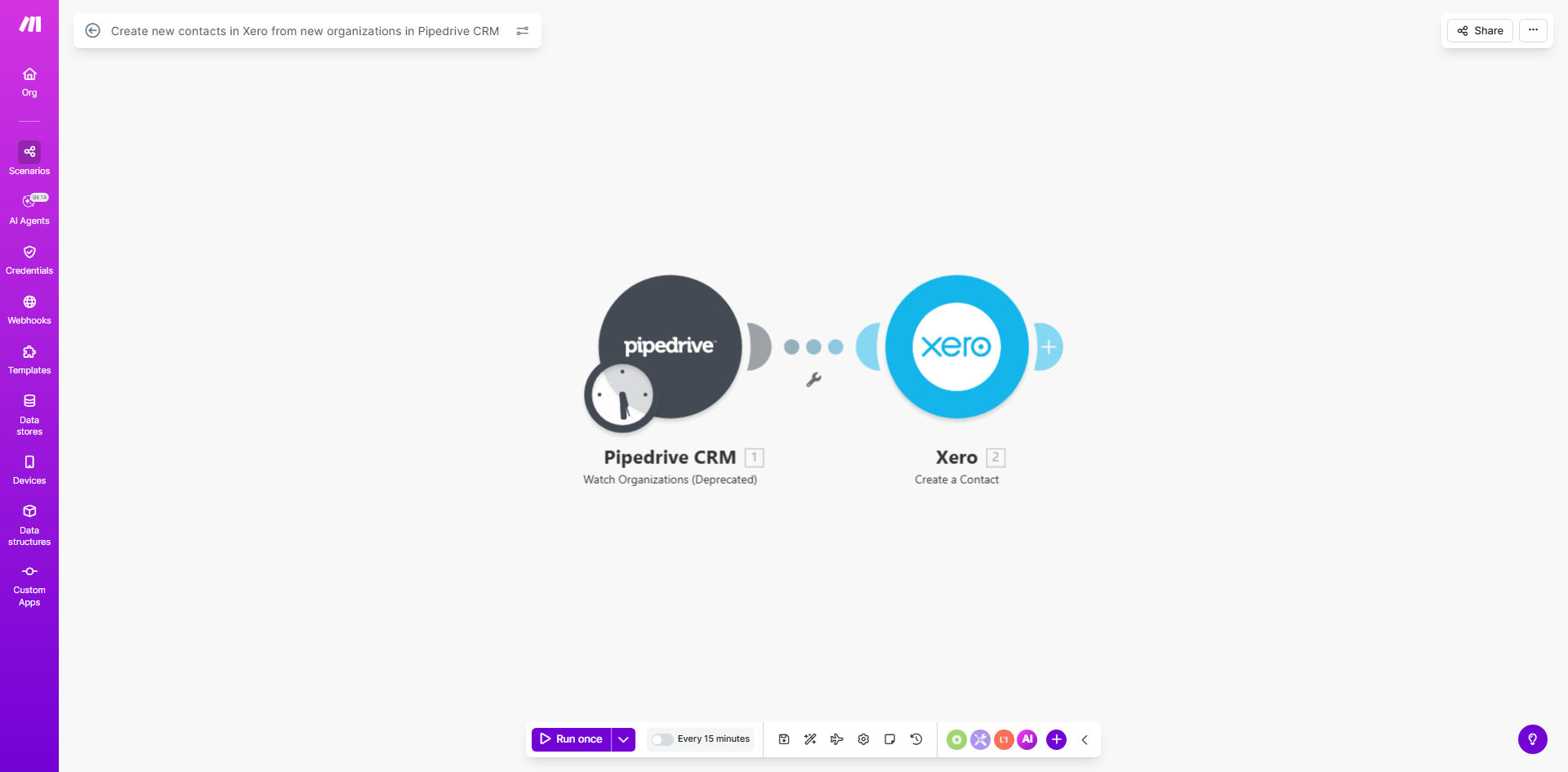
What This Workflow Does
This automation bridges the gap between your sales pipeline and accounting system by automatically creating Xero contacts whenever new organizations are added to Pipedrive CRM. It solves the common problem of sales teams adding new clients to the CRM while accounting teams manually recreate the same contacts in Xero - a process prone to errors and time delays.
The workflow runs on a schedule (default every 15 minutes) to check for new Pipedrive organizations, then maps relevant fields like company name, address, phone numbers, and email addresses to create corresponding contact records in Xero. This ensures your accounting team always has up-to-date client information without manual intervention.
How It Works
1. Scheduled Trigger
The workflow activates automatically at your chosen interval (default 15 minutes) to check Pipedrive for new organizations added since the last run.
2. Retrieve New Organizations
Make.com queries Pipedrive's API to fetch details of any organizations created within the monitoring period, including all available contact information and custom fields.
3. Data Transformation
The workflow maps Pipedrive organization fields to Xero's contact schema, ensuring proper formatting of addresses, phone numbers, and other details that may use different structures in each system.
4. Contact Creation in Xero
Using Xero's API, the workflow creates new contact records with all mapped information. You can configure whether to skip or update existing contacts to prevent duplicates.
Pro tip: Add a custom "Accounting ID" field in Pipedrive that gets copied to Xero's contact reference field. This creates a permanent link between systems for future updates.
Who This Is For
This automation delivers the most value for:
- Service businesses that bill clients through Xero but manage relationships in Pipedrive
- Sales teams that frequently add new client organizations to Pipedrive
- Accounting departments tired of recreating contact information from CRM exports
- Growing companies where manual data entry between systems becomes error-prone
- Agencies & consultancies that need consistent client records across sales and finance
What You'll Need
- Active accounts in both Pipedrive and Xero
- Admin access to create API connections in both systems
- Make.com account (free tier works for basic syncs)
- Field mapping plan between Pipedrive organization fields and Xero contact fields
Quick Setup Guide
- Copy the template to your Make.com account from the link above
- Connect your Pipedrive account by authenticating via OAuth in the first module
- Connect your Xero account in the final module using OAuth
- Review field mappings between Pipedrive and Xero, adjusting as needed
- Set your preferred schedule (15 minutes is default but can be adjusted)
- Run a test with a new Pipedrive organization to verify the contact appears in Xero
Key Benefits
Eliminates 5-15 minutes of manual work per new client. Accounting teams no longer need to retype contact details from the CRM into Xero.
Reduces billing errors by 60-80%. Automated sync ensures Xero always has current client addresses, emails, and phone numbers.
Creates a single source of truth. Sales teams can trust that client details entered in Pipedrive will automatically flow to accounting.
Scales effortlessly with your business. Whether you add 5 or 50 new clients monthly, the sync works consistently without additional effort.
Maintains data hygiene. Configure duplicate handling rules to prevent contact clutter in Xero while keeping records current.