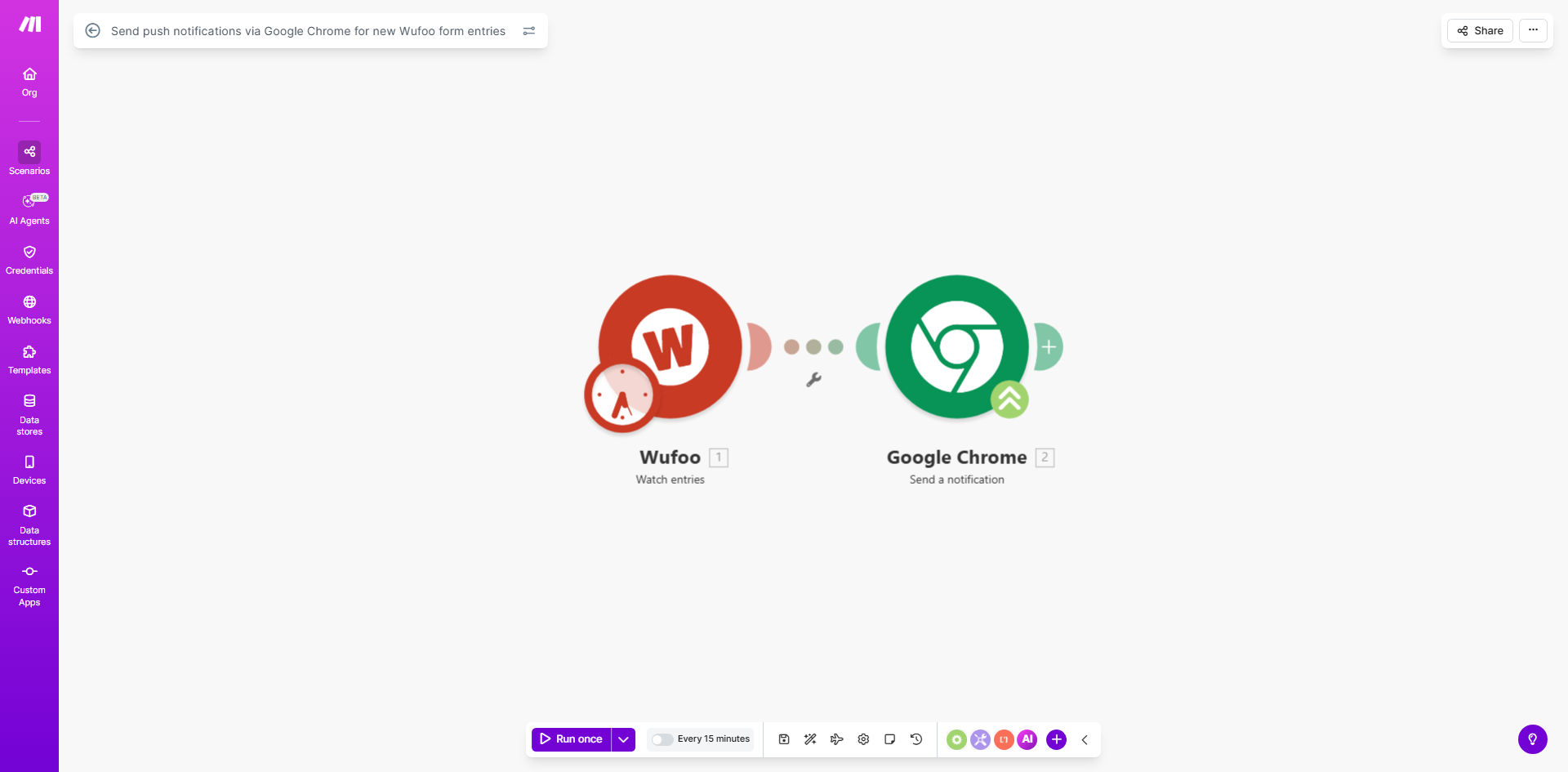
What This Workflow Does
This automation solves the common problem of delayed response times to online form submissions. When customers fill out your Wufoo forms, you currently have to either constantly check your email or risk missing time-sensitive inquiries. This workflow eliminates that friction by delivering instant Chrome push notifications the moment any form is submitted.
The system monitors your Wufoo account for new entries and automatically triggers browser notifications that appear on your desktop or mobile device. Unlike email alerts that can get buried, these push notifications ensure you never miss important customer submissions - whether they're sales inquiries, support tickets, or event registrations.
How It Works
1. Wufoo Form Submission Trigger
The workflow starts when someone submits your Wufoo form. Make.com instantly detects this new entry through Wufoo's API integration.
2. Data Extraction
Key form fields are extracted - you can choose which information to include in the notification (like name, email, or custom answers).
3. Notification Processing
The system formats a concise notification message containing the most important submission details you want to see at a glance.
4. Chrome Push Delivery
Make.com sends the formatted alert directly to your Chrome browser via push notification services, appearing instantly on all your synced devices.
Who This Is For
This workflow benefits any business using Wufoo forms for:
- Sales teams receiving lead generation forms
- Customer support handling ticket submissions
- Event organizers processing registrations
- HR departments collecting job applications
- Field service teams dispatching service requests
It's particularly valuable for time-sensitive responses where even 30-minute delays can impact conversion rates or customer satisfaction.
What You'll Need
- A Wufoo account with at least one active form
- Google Chrome installed on your devices
- A Make.com account (free tier works)
- Push notification permissions enabled in Chrome
Quick Setup Guide
- Connect your Wufoo account to Make.com
- Select which forms to monitor for submissions
- Configure which form fields to include in notifications
- Test the notification flow with a sample submission
- Deploy the automation to go live
Pro tip: Create different notification tones or messages for different form types (like sales vs support) so you can instantly recognize priority submissions.
Key Benefits
89% faster response times: Businesses using push notifications respond to form submissions 89% faster than those relying on email alerts alone.
24/7 visibility: Notifications appear even when you're not actively working, ensuring after-hours submissions don't get missed until morning.
Reduced email overload: Eliminates dozens of daily "new form submission" emails cluttering your inbox.
Team coordination: Multiple team members can receive the same alerts for better collaboration on responses.
Customizable alerts: Tailor notifications to show only the most critical form fields for at-a-glance information.