HR Analytics Data Integration Make.com Personio BigQuery

Transfer employee data from Personio to BigQuery for advanced reporting and analysis

Automate HR data synchronization to unlock powerful workforce analytics and data-driven decision making

Get This Workflow → Make.com · HR · Free Template
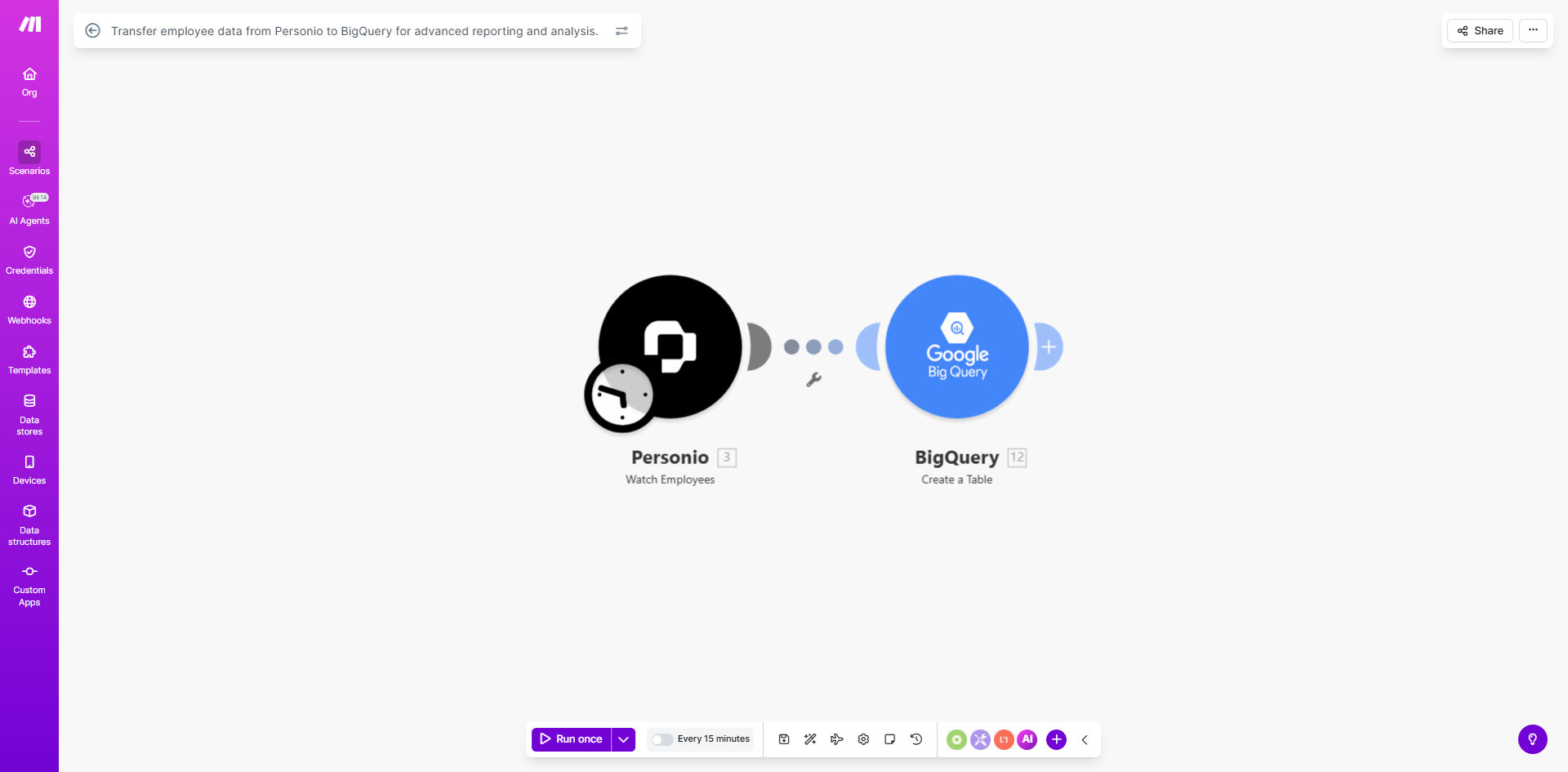
Workflow diagram showing Personio employee data transferring to BigQuery

What This Workflow Does

This automation solves the critical challenge of extracting meaningful insights from HR data trapped in Personio. By automatically transferring employee records to BigQuery, it eliminates manual data exports and spreadsheet manipulation that consume HR teams' time while introducing errors.

The workflow transforms raw HR data into an analytics-ready format in BigQuery, enabling HR leaders to track trends like employee retention, promotion velocity, and departmental productivity. Finance teams gain visibility into workforce costs correlated with business outcomes, while executives access real-time headcount analytics across locations and business units.

How It Works

1. Scheduled Personio Data Extraction

The workflow connects to Personio's API on a set schedule (daily by default) to retrieve updated employee records. It handles API pagination automatically to ensure complete data capture.

2. Data Transformation & Enrichment

Raw Personio data is normalized into consistent formats, with calculated fields added for metrics like tenure, compensation ratios, and organizational hierarchy paths. Sensitive fields can be anonymized or excluded based on your data governance policies.

3. BigQuery Table Updates

Transformed data loads into BigQuery tables designed for analytical queries. The workflow manages schema changes automatically and can maintain both current snapshots and historical versions for trend analysis.

Pro tip: Configure separate BigQuery datasets for different data sensitivity levels (e.g., anonymized aggregate data vs. identifiable records) to simplify access control management.

Who This Is For

This solution delivers the most value to mid-size and larger organizations using Personio where:

  • HR teams spend excessive time compiling manual reports
  • Leadership lacks visibility into workforce trends and metrics
  • People analytics is constrained by spreadsheet limitations
  • Data-driven culture requires tying HR metrics to business outcomes

What You'll Need

  1. Personio administrator access to create API credentials
  2. Google Cloud project with BigQuery enabled
  3. Service account credentials with BigQuery data editor permissions
  4. Make.com account (free tier sufficient for basic implementation)

Quick Setup Guide

  1. Clone the template in your Make.com account
  2. Configure Personio API connection with your credentials
  3. Set up Google Service Account authentication for BigQuery
  4. Map Personio fields to your desired BigQuery schema
  5. Schedule your preferred sync frequency (daily recommended)
  6. Test with a small employee subset before full deployment

Key Benefits

80% time savings on monthly HR reporting by eliminating manual data exports and spreadsheet manipulation.

360° workforce visibility through dashboards combining HR, performance, and operational data in BigQuery.

Predictive analytics capabilities to forecast attrition risks and skills gaps before they impact operations.

Compliance-ready auditing with complete historical records of all employee data changes.

Scalable foundation that grows with your organization, handling thousands of employee records effortlessly.

Frequently Asked Questions

Common questions about HR data automation and analytics

BigQuery enables HR teams to combine employee data with other business metrics for comprehensive analysis. Unlike HRIS dashboards, BigQuery allows custom queries across multiple data sources, revealing insights like turnover patterns correlated with performance metrics or departmental productivity trends.

For example, a retail chain used BigQuery to correlate employee scheduling patterns with sales performance, optimizing staffing levels while improving employee satisfaction through better shift assignments.

Most organizations benefit from daily syncs to maintain data freshness while avoiding API rate limits. Critical metrics like headcount or compensation changes may warrant real-time updates, while historical data can be updated weekly or monthly to reduce processing overhead.

The ideal frequency balances data recency with system performance. We recommend starting with daily incremental updates and adjusting based on your specific analytics requirements and system capacity.

BigQuery excels at analyzing complex metrics like employee lifetime value, promotion velocity, and departmental productivity correlations. It enables predictive analytics for attrition risk and skills gap analysis when combined with training and performance data.

Advanced metrics possible include:

  • Cost-per-hire by department and source channel
  • Time-to-productivity by role and onboarding program
  • Retention impact of different career path options

The workflow maintains security through encrypted API connections between Personio and BigQuery. Sensitive fields like compensation can be excluded or anonymized during transfer. BigQuery's access controls ensure only authorized users can query specific data tables.

For GDPR compliance, the workflow can be configured to automatically redact or pseudonymize personal data while preserving analytical value. Access logs provide full audit trails of all data queries and modifications.

Yes, the template can be configured to backfill historical Personio data during initial setup. For large datasets, batch processing with date ranges prevents API timeouts while ensuring complete historical records are available for trend analysis.

Historical loads typically process:

  • Basic employee demographics
  • Position and compensation history
  • Performance review timelines
  • Leave and attendance patterns

BigQuery integrates seamlessly with Looker Studio, Tableau, and Power BI for HR dashboards. These tools can create executive views of workforce metrics alongside department-level drill-downs without requiring SQL knowledge from HR analysts.

Effective visualizations include:

  • Headcount trends by department/location
  • Turnover risk heatmaps
  • Compensation benchmarking across roles
  • Recruiting funnel conversion rates

Absolutely. GrowwStacks specializes in tailored HR automation solutions. We can design workflows that incorporate your specific HR systems, data transformation requirements, and reporting needs while ensuring compliance with your data governance policies.

Our custom implementations typically include:

  • Integration with your existing HR tech stack
  • Custom data models for your organizational structure
  • Role-based access controls for sensitive data
  • Automated alerts for critical workforce changes

Need a Custom HR Data Automation?

This free template is a starting point. Our team builds fully tailored automation systems for your specific business needs.