Disqus Safari Notifications Forum Monitoring

Disqus Comment Notifications via Safari

Get instant browser alerts when new comments appear on your monitored forums

Get This Workflow → Make.com · Free Template
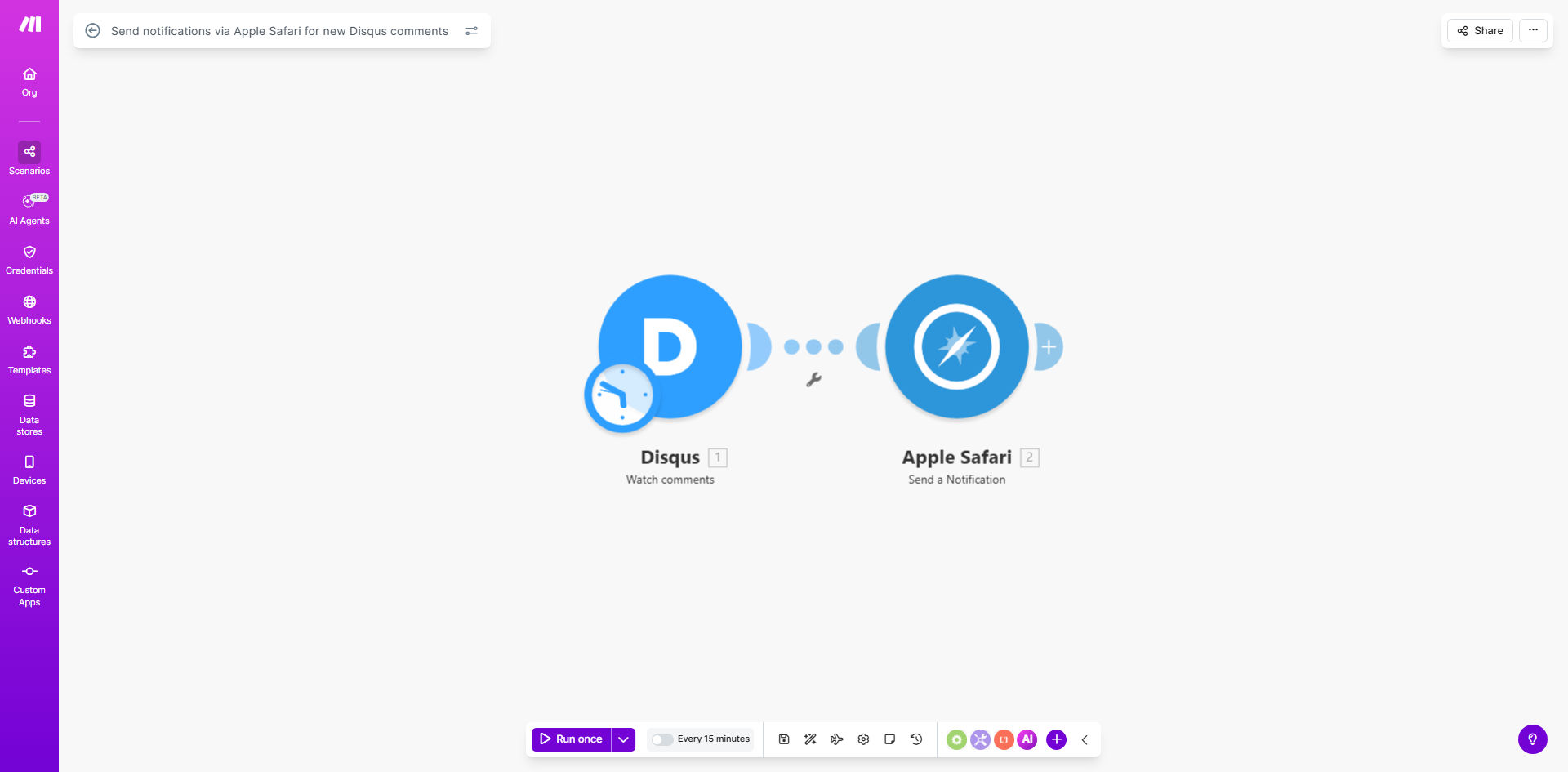
Make.com workflow diagram showing Disqus to Safari notification automation

What This Workflow Does

This automation solves the challenge of staying current with forum discussions by delivering real-time Safari notifications whenever new Disqus comments appear. Community managers often waste hours manually refreshing forums to monitor activity - this workflow eliminates that inefficiency.

The system connects directly to your Disqus moderation dashboard, detecting new comments within seconds of posting. It then pushes native notifications to all your Apple devices through Safari's notification API, ensuring you can respond promptly to important discussions.

How It Works

1. Disqus Comment Detection

The workflow continuously monitors specified Disqus forums through API checks every 5 minutes (configurable interval). When new comments meet your criteria, they're immediately flagged for processing.

2. Notification Processing

Each qualifying comment triggers the creation of a rich notification containing the author's name, comment excerpt, and direct link to the discussion thread.

3. Safari Delivery

Notifications are delivered through Apple's Safari Push Notification service, appearing on all signed-in devices including Macs, iPhones and iPads with your permission.

Pro tip: Combine this with Make.com's filtering options to only receive notifications for comments containing specific keywords or from high-priority users.

Who This Is For

This automation delivers the most value for:

  • Community managers overseeing active Disqus forums
  • Content creators who engage with commenters
  • Customer support teams monitoring discussion threads
  • Moderators managing multiple communities

What You'll Need

  1. A Disqus moderator account with API access
  2. Make.com account (free tier available)
  3. Safari browser on at least one Apple device
  4. Notification permissions enabled in Safari

Quick Setup Guide

  1. Import the template into your Make.com account
  2. Connect your Disqus credentials in the workflow settings
  3. Specify which forums to monitor and set any filters
  4. Test the notification delivery to your Apple devices
  5. Activate the workflow and begin receiving alerts

Key Benefits

Time savings: Reduces manual forum checks by 1-2 hours daily for active communities.

Faster responses: Enables moderators to address important comments within minutes rather than hours.

Cross-device alerts: Notifications appear simultaneously on all your Apple devices.

Customizable filters: Only receive alerts for comments that matter to your specific needs.

Frequently Asked Questions

Common questions about Disqus forum monitoring and notifications

The Disqus-Safari notification workflow ensures you never miss important forum discussions. It automatically pushes notifications to your Apple devices whenever new comments appear, helping community managers maintain real-time engagement without constantly checking the platform.

Unlike email digests that bundle multiple comments, this system delivers instant alerts for each new discussion point. You'll know exactly when and where activity is happening across all your monitored forums.

Automated notifications save moderators 1-2 hours daily by eliminating manual comment checks. They also improve response times, creating a more engaged community. Studies show forums with faster moderator responses see 40% fewer toxic comments.

The system also provides consistency - you'll never miss checking a forum due to meetings or time zone differences. Notifications ensure all comments receive equal attention regardless of when they're posted.

Yes, Make.com allows setting filters to only notify about comments containing specific keywords, from certain users, or meeting length thresholds. This prevents notification overload while ensuring you see important discussions.

Common filters include: comments with question marks, those mentioning your brand/products, or from verified users. You can create multiple notification workflows with different filters for various team members.

Apple's notification system delivers 99.9% reliability when properly configured. The workflow includes error handling to retry failed deliveries and logs all notification attempts for accountability in professional environments.

For critical applications, we recommend supplementing with email backups. The template can be easily modified to send both Safari notifications and email alerts for important comments.

Active forum moderation increases user retention by 30% and can boost conversions by 15%. Automated notifications help businesses capitalize on these benefits without dedicating full-time staff to community monitoring.

Quick responses also turn discussions into relationship-building opportunities. Customers appreciate visible engagement, with 68% reporting higher satisfaction when companies respond promptly to forum comments.

Make.com's pre-built template requires just 3 steps: connect your Disqus account, specify forums to monitor, and authorize Safari notifications. No coding needed - the entire setup takes under 10 minutes.

The template includes detailed instructions at each step. Even first-time Make.com users can have it running in one short session with no technical expertise required.

Absolutely. GrowwStacks specializes in tailored forum monitoring solutions that integrate with your existing tools. Our automations can include sentiment analysis, VIP user alerts, and cross-platform publishing workflows beyond basic notifications.

We'll design a system matching your specific moderation policies, team structure and business goals. Custom solutions typically deliver 2-3× the value of generic templates through targeted functionality.

Need a Custom Forum Monitoring Solution?

This free template is a starting point. Our team builds fully tailored automation systems for your specific business needs.