Make.com HR Automation Microsoft Teams Personio Recruitment

Automate Personio Job Posting Alerts to Microsoft Teams

Get instant notifications in Teams whenever new positions are published, keeping your entire hiring team aligned from day one

Get This Workflow → Make.com · Personio · Free Template
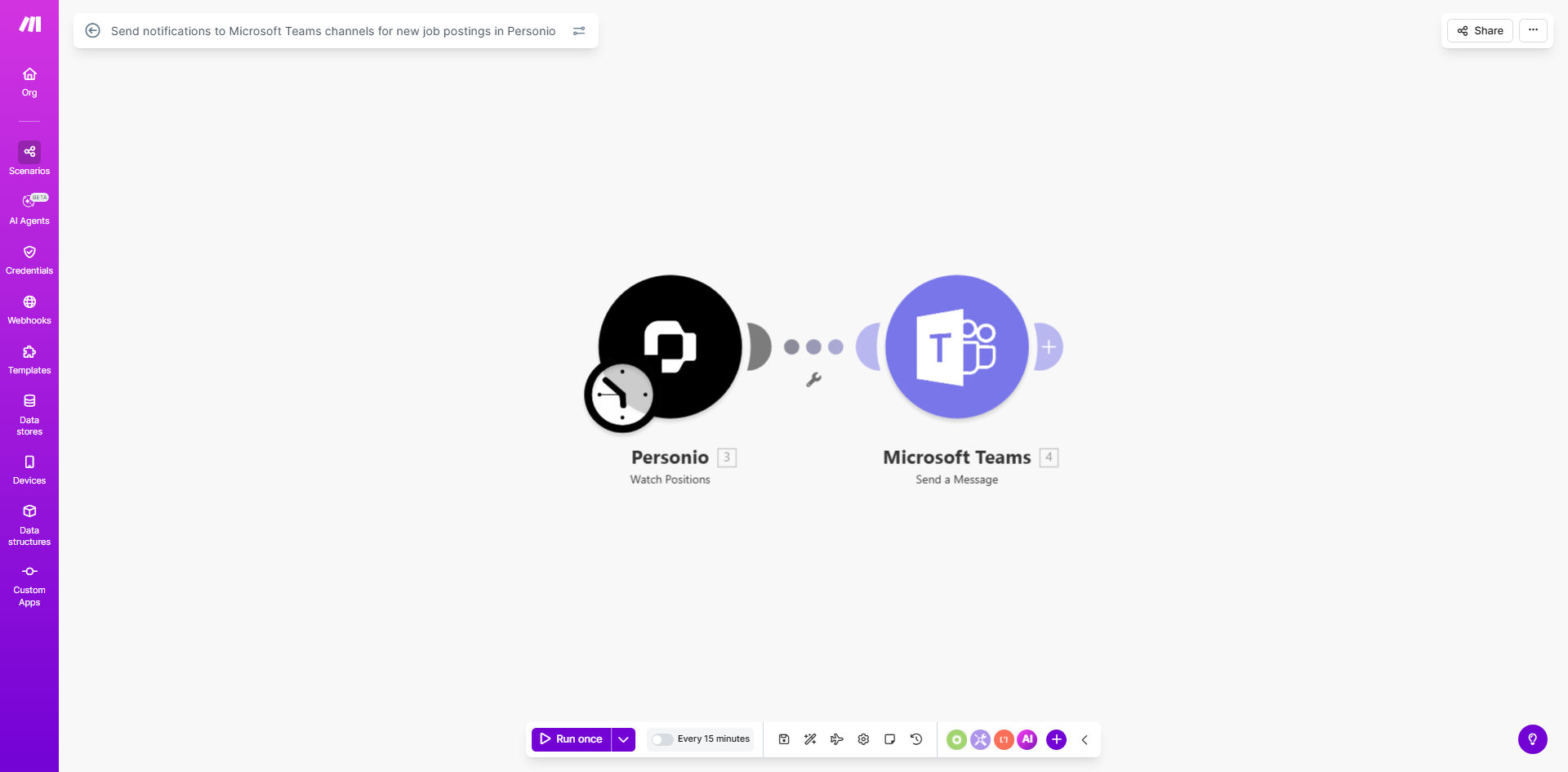
Diagram showing Personio job postings being sent to Microsoft Teams channels

What This Workflow Does

This automation bridges the gap between your Personio HR system and Microsoft Teams collaboration platform. Whenever a new job posting is created in Personio, it automatically sends a notification to designated Teams channels with all relevant details.

Recruitment teams often waste valuable time manually announcing new openings across departments. This workflow eliminates that friction by instantly notifying all relevant stakeholders the moment a position goes live. Hiring managers get immediate visibility, recruiters can start sourcing faster, and department heads stay informed without extra effort.

How It Works

1. New job posting detected in Personio

The workflow continuously monitors your Personio account for newly published job positions. As soon as one appears, it captures all relevant details including job title, department, location, and description.

2. Data formatted for Teams notification

The job details are structured into a clean, readable format optimized for Microsoft Teams. You can customize which fields appear and how they're presented to match your organization's preferences.

3. Notification sent to designated Teams channels

The formatted message is automatically posted to your specified Microsoft Teams channels. You can route different job types to different channels (e.g., technical roles to engineering-team, marketing roles to growth-team).

Pro tip: Add quick action buttons to your Teams notifications that link directly to the Personio posting or your referral form to encourage immediate engagement.

Who This Is For

This automation delivers the most value for:

  • HR teams managing high-volume hiring across multiple departments
  • Growing companies that need to scale their recruitment processes
  • Organizations using both Personio and Microsoft Teams
  • Teams struggling with visibility and alignment on new openings
  • Companies wanting to increase internal referral rates

What You'll Need

  1. A Personio account with admin or API access
  2. Microsoft Teams with appropriate channel access
  3. A Make.com account (free tier works)
  4. Webhook URL for your Teams channels

Quick Setup Guide

  1. Copy this template to your Make.com account
  2. Connect your Personio account via API
  3. Set up webhooks for your Microsoft Teams channels
  4. Customize the notification message format
  5. Test with a new job posting
  6. Deploy to production

Key Benefits

30-50% faster hiring cycle starts by eliminating delays in manual job posting announcements across departments.

Improved hiring manager satisfaction as they're immediately aware of new positions relevant to their teams.

Increased internal referral rates by making new openings instantly visible to all employees through Teams.

Reduced administrative overhead for HR teams who no longer need to manually notify multiple stakeholders.

Better cross-department alignment with real-time visibility of all new hiring needs.

Frequently Asked Questions

Common questions about recruitment automation between Personio and Microsoft Teams

Automating job posting alerts ensures your entire recruitment team sees new positions immediately, eliminating delays in manual notifications. This keeps hiring managers, recruiters, and department heads aligned from day one, accelerating time-to-fill metrics.

Manual processes often create bottlenecks where days pass before all stakeholders are aware of new openings. Automation creates a single source of truth visible to everyone simultaneously.

The integration creates real-time visibility of new openings across departments, allowing teams to quickly discuss requirements, share candidate referrals, and coordinate outreach strategies directly in Teams channels where collaboration already happens.

Instead of siloed information that requires manual sharing, the entire hiring ecosystem becomes interconnected. Recruiters can immediately tag relevant team members in discussions about new roles.

Notifications typically include job title, department, location, key requirements, and a direct link to the posting in Personio. You can customize which fields appear based on your organization's needs.

The template allows adding priority indicators, salary bands, or internal codes. Some companies include quick-poll buttons to gauge team interest in the new role immediately.

Yes, you can route notifications to specific Teams channels based on department, location, or job type. For example, engineering roles can alert the tech-team channel while marketing roles notify the growth-team channel.

Advanced setups can include conditional logic to vary message formats based on audience. Technical roles might emphasize skills while leadership roles highlight strategic impact.

Notifications are delivered within seconds of a job being published in Personio, compared to manual processes that might take hours or days to circulate new openings across large organizations.

The near-instant delivery means recruiters can begin sourcing immediately while the position is fresh, and hiring managers can provide early input on requirements.

Companies report 30-50% faster hiring cycle starts, improved hiring manager satisfaction, and increased internal referral rates when job postings are automatically visible to relevant teams.

One client reduced their time-to-fill by 22 days simply by ensuring all stakeholders saw openings immediately rather than through staggered email announcements.

  • Faster hiring process initiation
  • Higher quality candidate flow
  • Reduced administrative workload

Absolutely. GrowwStacks specializes in tailored recruitment automation solutions that connect your HR systems with collaboration platforms like Microsoft Teams, Slack, and more to streamline your unique hiring processes.

We've built custom integrations for companies needing advanced features like approval workflows before posting, multi-language support, or integration with additional systems like LinkedIn or Greenhouse.

  • Free initial consultation
  • HRIS expertise
  • End-to-end implementation

Need a Custom Recruitment Automation?

This free template is a starting point. Our team builds fully tailored automation systems for your specific business needs.