Make.com HR Automation Trello Onboarding No-Code

Automate Trello Card Creation for Employee Onboarding

Streamline new hire processes by automatically generating Trello cards with all essential employee information

Get This Workflow Make.com · HR · Free Template
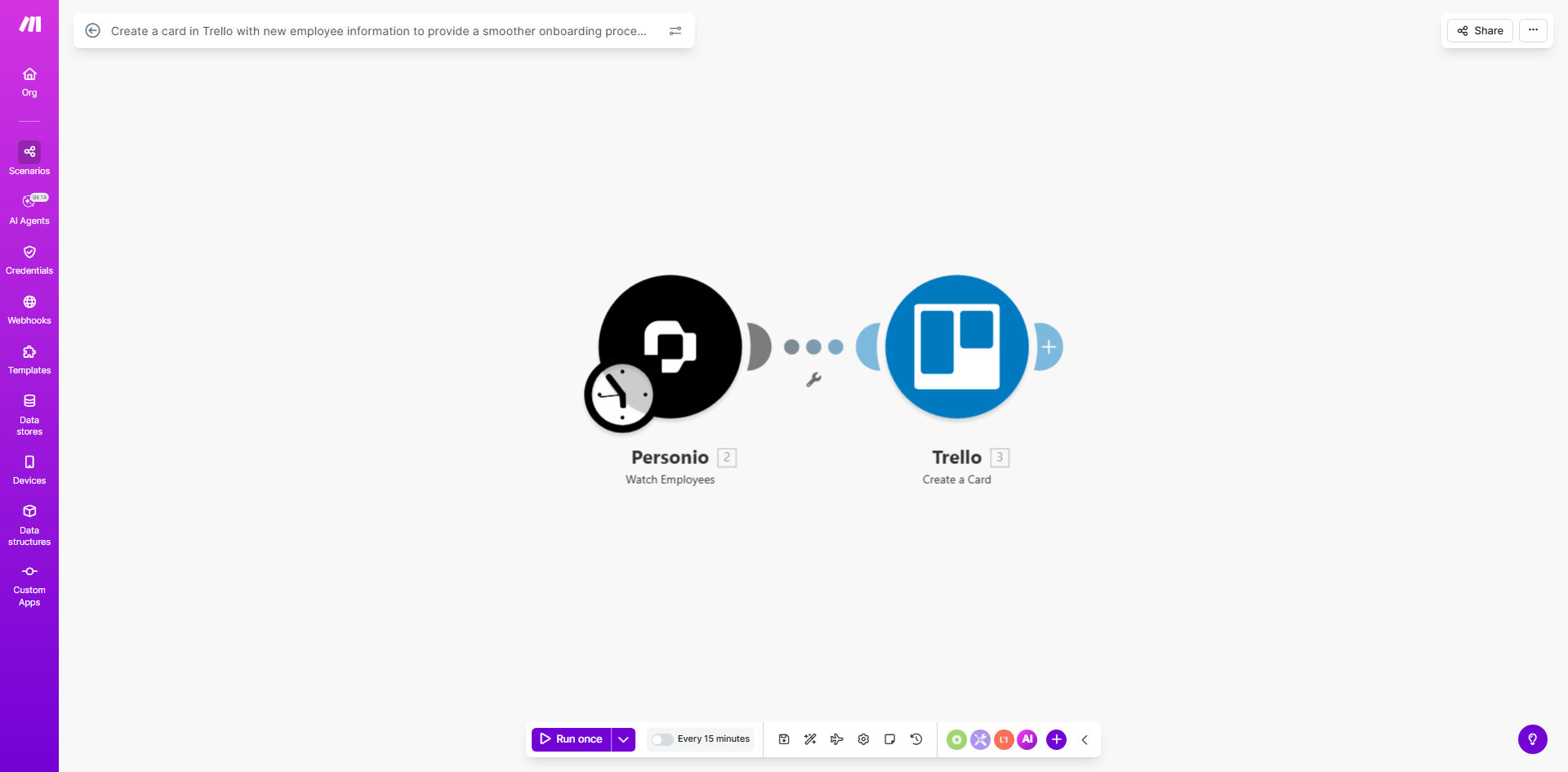
Automated Trello card creation for employee onboarding workflow diagram

What This Workflow Does

Manual employee onboarding creates administrative bottlenecks and inconsistencies. HR teams waste hours creating documentation, chasing approvals, and ensuring new hires have what they need. This automation solves those challenges by automatically generating Trello cards whenever a new employee joins your organization.

The workflow captures all essential information - from contact details to equipment requests - and formats it into structured Trello cards. These become centralized hubs for the entire onboarding process, visible to relevant team members while maintaining appropriate privacy controls.

How It Works

1. Trigger on new employee data

The automation monitors your HR system, form submissions, or spreadsheets for new employee records. Common triggers include BambooHR webhooks, Google Form responses, or new rows in Airtable.

2. Extract and format key details

The workflow parses the incoming data to extract relevant onboarding information: name, position, department, start date, manager, equipment needs, and any department-specific requirements.

3. Create customized Trello card

Using Trello's API, the automation generates a card in your designated onboarding board. It populates the card with formatted employee details, checklists for standard procedures, and links to training materials.

4. Assign to appropriate team

The card gets automatically assigned to the new hire's manager and relevant department members. Notifications alert them to upcoming onboarding tasks.

Pro tip: Add custom fields to track equipment delivery status, training completion, and policy acknowledgments directly on the Trello card.

Who This Is For

This automation benefits:

  • HR teams managing 5+ monthly hires
  • Startups needing structured onboarding without expensive software
  • Remote-first companies requiring digital documentation
  • Businesses using Trello for task management
  • Teams with department-specific onboarding requirements

What You'll Need

  1. A Trello account with admin privileges
  2. An existing onboarding board or willingness to create one
  3. Source of new employee data (HR system, forms, or spreadsheet)
  4. Make.com account (free tier works)
  5. 10 minutes for initial setup

Quick Setup Guide

  1. Import the template to your Make.com account
  2. Connect your Trello account and select the target board
  3. Configure your employee data source (webhook, form, or spreadsheet)
  4. Map data fields to Trello card elements
  5. Test with a sample employee record
  6. Activate the automation

Key Benefits

Reduce onboarding time by 70%: What took 30 minutes per hire now happens automatically in seconds.

Eliminate manual data entry errors: Automated field mapping ensures consistency across all employee cards.

Standardize processes: Every new hire gets the same complete documentation package.

Improve visibility: Managers see onboarding status at a glance without emailing HR.

Scale with your team: Handles 5 or 50 new hires monthly with equal efficiency.

Frequently Asked Questions

Common questions about employee onboarding automation and Trello integration

Automating Trello card creation ensures every new hire gets consistent onboarding documentation without manual effort. HR teams save hours per employee while reducing errors in data entry. The cards serve as centralized hubs for all onboarding tasks, checklists, and resources.

For example, a 50-person company hiring 2-3 employees monthly saves 15+ hours monthly. The automation also guarantees no steps get missed, like equipment requests or policy acknowledgments.

Essential information includes contact details, job title, start date, department, manager name, and equipment needs. You can also include training checklists, policy acknowledgments, and first-week schedule templates. The automation pulls this data from your HR system or form submissions.

We recommend starting with core fields then expanding based on team feedback. Many clients add department-specific sections like software access for developers or product training for sales teams.

Yes, the automation template allows department-specific card layouts. Engineering might include software access requests while Sales focuses on CRM training. You can create different card templates that trigger based on the new hire's department or role.

The system supports unlimited variations. One client uses 7 distinct templates across their organization, each with role-specific checklists and resources automatically attached.

Trello offers flexibility at lower cost than specialized onboarding platforms. While it lacks some HR-specific features, its visual interface and customization options make it ideal for small-to-mid-sized businesses. The automation bridges gaps by automatically populating cards with employee data.

For companies already using Trello, this solution provides 80% of premium onboarding tool functionality at 10% of the cost. You maintain all your existing workflows while adding automation benefits.

Common triggers include HRIS platforms (BambooHR, Workday), Google Forms submissions, email notifications, or spreadsheet updates. The automation watches for new employee records then formats the data into structured Trello cards.

We've implemented triggers from 20+ systems including:

  • HR platforms (BambooHR, Gusto, ADP)
  • Form builders (Typeform, Jotform)
  • Spreadsheets (Google Sheets, Airtable)
  • Email parsers (Outlook, Gmail)

The automation only includes necessary onboarding information, avoiding sensitive data like SSNs. You can configure private Trello boards and set member permissions. For highly regulated industries, consider additional security measures like encrypted fields.

Best practices include:

  • Using private boards for onboarding
  • Limiting card visibility to essential personnel
  • Omitting unnecessary personal details
  • Regularly auditing access permissions

Yes, GrowwStacks specializes in tailored onboarding automations. Our consultants analyze your current process, integrate with your existing HR tools, and design workflows matching your company's unique requirements. We handle everything from initial setup to team training.

Custom solutions typically deliver:

  • Integration with your specific HR systems
  • Department-specific onboarding flows
  • Automated task assignments
  • Progress tracking dashboards
  • Ongoing support and optimization

Need a Custom Employee Onboarding Automation?

This free template is a starting point. Our team builds fully tailored automation systems for your specific business needs.