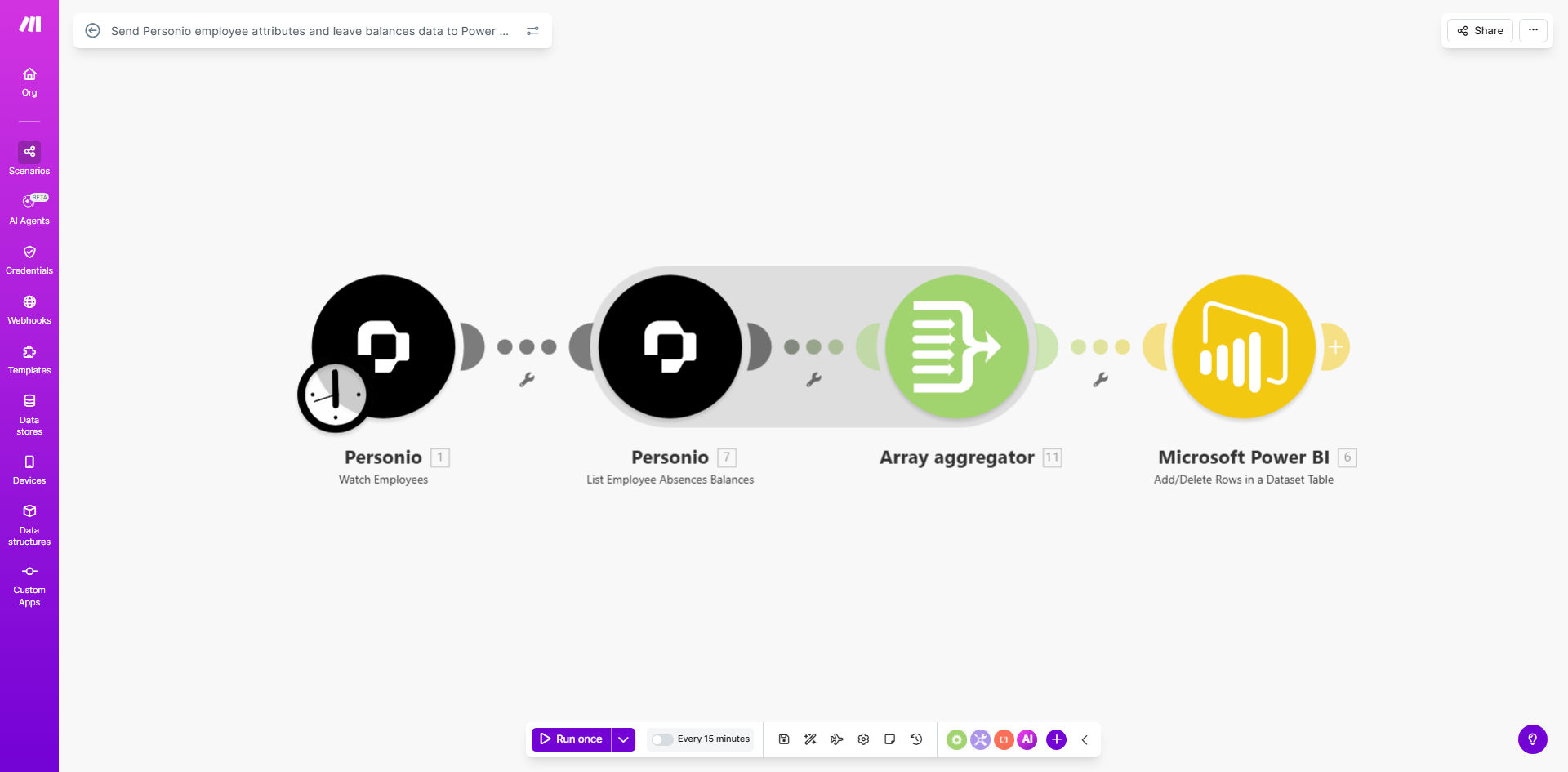
What This Workflow Does
This automation bridges the gap between your HR system (Personio) and business intelligence platform (Power BI), eliminating manual data exports and spreadsheet work. It continuously synchronizes employee attributes like department, position, and tenure with leave balance data to create a comprehensive workforce analytics foundation.
HR teams spend significant time compiling reports for leadership. This workflow automates that process while providing more timely, accurate data. Power BI dashboards can then visualize trends in absenteeism, department-level leave patterns, and workforce composition without manual intervention.
How It Works
1. Personio Data Extraction
The workflow connects to Personio's API to retrieve current employee records, including custom attributes and up-to-date leave balances. It handles authentication and pagination automatically.
2. Data Transformation
Raw HR data is restructured into analysis-ready formats. Leave balances are calculated, dates standardized, and sensitive fields optionally redacted before transfer.
3. Power BI Integration
Processed data flows into Power BI datasets through Microsoft's API. The workflow manages schema changes and only updates modified records to optimize performance.
4. Scheduled Execution
Runs automatically on your preferred schedule (daily/weekly) during off-hours. Failed syncs trigger automatic retries with error notifications.
Who This Is For
This solution benefits HR leaders needing real-time workforce insights, finance teams analyzing labor costs, and operations managers tracking department-level absenteeism. Organizations with 50+ employees see the greatest time savings from eliminating manual reporting.
What You'll Need
- Personio account with API access enabled
- Power BI Pro or Premium license
- Make.com account (free tier sufficient for basic use)
- Approval to transfer HR data between systems
Quick Setup Guide
- Clone the template in your Make.com account
- Connect your Personio instance via OAuth
- Configure which employee attributes to include
- Map fields to your Power BI dataset
- Set your preferred sync schedule
- Test with a small employee group first
Pro tip: Start by syncing just basic employee attributes and core leave balances. Once validated, gradually add more complex data points like custom attributes or historical leave data.
Key Benefits
80-90% time reduction in HR reporting by eliminating manual data collection and spreadsheet work.
Real-time workforce visibility with always-current dashboards instead of static monthly reports.
Improved data accuracy by removing error-prone manual data transfers between systems.
Strategic HR insights from analyzing leave patterns alongside performance and retention metrics.
Scalable solution that grows with your organization without additional reporting overhead.